Prompts: Reusable, Parameterized, User-Invoked
The third MCP primitive: prompts — parameterized templates a user deliberately invokes, like a slash command that expands into a well-formed request. In Python and TypeScript.
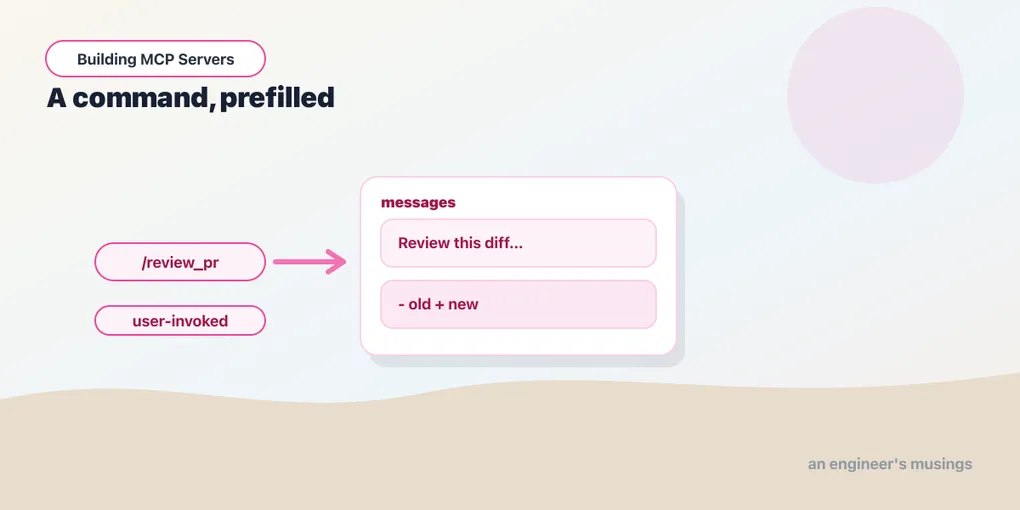
Series: Building MCP Servers — Part 5 of 12
Tools are model-controlled; resources are application-controlled. The third primitive, prompts, is the user-controlled one — a named, parameterized template a person reaches for on purpose. If you’ve typed a slash command that expanded into a fully-formed request, that’s the shape: the server ships the expertise of how to ask, the user supplies the specifics. This is the shortest of the three primitive posts because the idea is small, but it’s the one that most changes how a server feels to use.
Who’s in control
Why do prompts exist as their own thing? A tool fires when the model decides it should. A prompt fires when the user picks it — from a menu, a slash command, a button. The server isn’t guessing intent; the user has stated it. What the server provides is the template: the framing, the instructions, the house style, with holes for the arguments the user fills in.
That makes prompts the natural home for the requests you’d otherwise paste from a notes file. “Review this diff the way our team does.” “Summarize this thread for a release note.” Encode the how once, expose it as a prompt, and every user of your server gets it as a first-class command.
Defining a prompt
A prompt is a function that takes arguments and returns a list of messages — the conversation seed the host drops in when the user invokes it.
from mcp.server.fastmcp.prompts import base

@mcp.prompt()
def review_pr(diff: str) -> list[base.Message]:
    """Ask for a house-style review of a diff."""
    return [
        base.UserMessage("Review this diff for bugs and clarity:"),
        base.UserMessage(diff),
]server.registerPrompt(
"review_pr",
{
title: "Review PR",
description: "Ask for a house-style review of a diff.",
argsSchema: { diff: z.string() },
},
({ diff }) => ({
messages: [
{ role: "user", content: { type: "text", text: "Review this diff for bugs and clarity:" } },
{ role: "user", content: { type: "text", text: diff } },
],
})
);The argument schema works exactly like a tool’s — derived from the Python signature, declared as a Zod shape in TypeScript. That lets the host render a form and validate what the user types. The return is a message list, not a single string, because a good prompt is often staged: an instruction message, then the material, sometimes a prefilled assistant turn to set tone. Python’s base.UserMessage / base.AssistantMessage helpers and TypeScript’s { role, content } objects are the same idea in two dialects.
How the host surfaces it
When a host connects, it calls prompts/list and gets your prompts with their arguments — the diff argument above comes back marked required. The host renders those as a command (a /review_pr entry, a menu item) with fields for the arguments. When the user invokes it, the host calls prompts/get with their values. Your function returns the rendered messages, which become the start of the exchange. The user never sees the template plumbing — they see a command that does the right thing.
A useful consequence: because the schema declares which arguments are required, the host won’t even let the user invoke the prompt without them. The same schema-is-the-contract discipline from the tools post applies here.
Final thoughts
Prompts are the primitive teams underuse, because the instinct is to make everything a tool. But a tool the model might call and a command the user chooses to run are different products. Prompts let your server carry not just capabilities but know-how — the accumulated “here’s how we ask for this” that usually lives in someone’s head or a stale wiki. That’s a quietly powerful thing to standardize, and it costs you a function.
That’s the three primitives. Next we go the other direction — what the server can ask of the client.
Next: Sampling and Elicitation: When the Server Asks Back.
Target keyword(s): mcp prompts, mcp prompt template.
Comments