Building an Agent: create_agent Seen Properly
Now that you can build the loop by hand, the prebuilt agent stops being magic. create_agent's real customization surface — system prompt, structured output, checkpointer, interrupts, and the middleware system with its hook points and a custom example — and the honest test for when to use it versus hand-building.
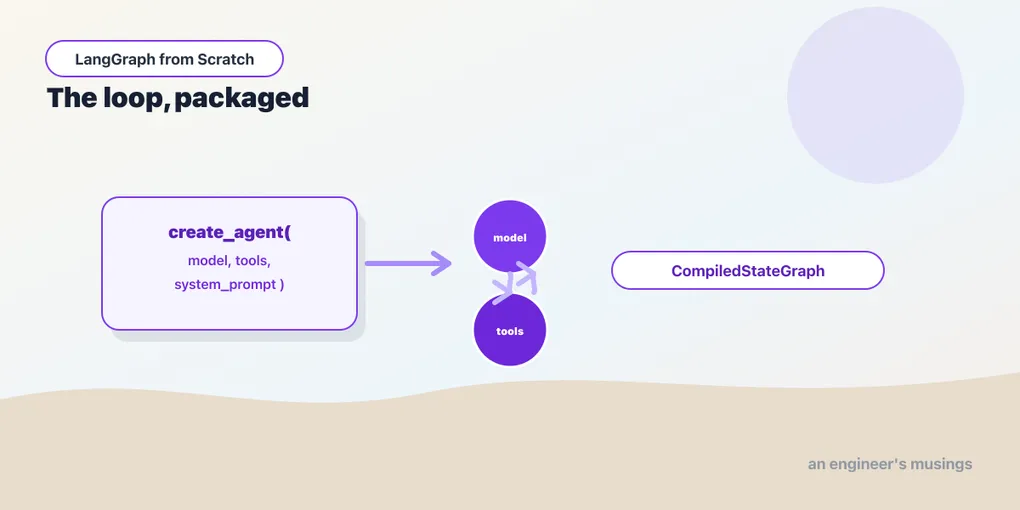
Chapter 7 had you build the model-and-tools loop by hand: a model node, a ToolNode, a conditional edge, and a back-edge. create_agent is that graph, packaged. Now that you’ve assembled it yourself, the prebuilt version isn’t a black box; it’s a shortcut you understand. This is the hinge of the series: everything before it built up the graph; everything after it composes agents into systems. So this chapter covers create_agent precisely: what it exposes, how you extend it, and the honest test for when to reach past it. Run against langchain 1.3.14 / langgraph 1.2.9.
What create_agent actually gives you
The function returns a CompiledStateGraph — we proved that in Chapter 1 by drawing it. Its signature is broader than the two-argument form you’ve seen. In the installed version the parameters are:
create_agent(
    model, tools,
    system_prompt=...,        # the instructions
    response_format=...,       # structured final output (a Pydantic model)
    middleware=[...],          # cross-cutting hooks (below)
    checkpointer=...,          # persistence
    interrupt_before=..., interrupt_after=...,   # human-in-the-loop pause points
    state_schema=..., context_schema=...,         # custom state / runtime context
    store=..., name=..., cache=..., debug=...,
)
One fact makes this easy: every capability from Act 2 works on the prebuilt agent, because it’s a graph. Pass a checkpointer and the agent has per-thread memory. Pass interrupt_before and it has human-in-the-loop. Call .stream(...) and it streams. You re-learn none of that — the agent inherits it from being a CompiledStateGraph. Verified: a create_agent compiled with an InMemorySaver persisted its conversation across invokes on a thread, exactly like a hand-built graph. The prebuilt agent isn’t a different thing with its own feature list; it’s a graph with a convenient constructor.
The everyday configuration
Three arguments cover most real agents.
system_prompt sets the agent’s instructions — its role, tone, and rules:
agent = create_agent(
    model=model,
    tools=[lookup_order, search_catalog],
    system_prompt="You are a bookshop support assistant. Be concise. "
                  "Use tools to look things up; never invent order details.",
)
response_format makes the agent’s final answer a structured object instead of prose, using the same structured-output machinery. The agent still reasons and calls tools in messages, but its last output is validated to your schema. That’s useful when the agent feeds a downstream system that needs fields, not paragraphs:
from pydantic import BaseModel

class Resolution(BaseModel):
    answer: str
    escalate: bool

agent = create_agent(model=model, tools=[...], response_format=Resolution)
Verified: create_agent with a system_prompt and a response_format builds a CompiledStateGraph, so both slot in without changing anything else. tools is the list from Chapter 4 — plain @tool functions. The docstring discipline matters more here, because the agent chooses among several tools on its own, by reading their descriptions.
Middleware: the extension seam
The old way to customize an agent was to fork its internals. The 1.x way is middleware: hooks that wrap the agent’s steps without you touching the graph. create_agent takes a middleware list, and LangChain ships a substantial set:
from langchain.agents.middleware import ModelCallLimitMiddleware, ModelFallbackMiddleware

agent = create_agent(
    model=primary_model,
    tools=[...],
    middleware=[
        ModelCallLimitMiddleware(max_calls=6),     # cap the loop's model calls
        ModelFallbackMiddleware(fallback_model),   # switch models if the first fails
    ],
)
The shipped middleware covers concerns you’d otherwise hand-roll: ModelCallLimitMiddleware caps how many times the loop calls the model (a runaway guard tighter than the raw recursion limit); ModelRetryMiddleware and ModelFallbackMiddleware handle a flaky or failing model; HumanInTheLoopMiddleware wires approval gates without editing the graph; and LLMToolSelectorMiddleware narrows a large tool set before the model sees it (a fix for the “too many tools” problem from Chapter 4).
When none fits, you write your own by subclassing AgentMiddleware and overriding a hook. The hook points, verified from the installed class, are before_agent / after_agent (once per run), before_model / after_model (around each model call), and wrap_model_call / wrap_tool_call (wrapping a call to intercept its input and output) — each with an async twin. A logging middleware is a few lines:
from langchain.agents.middleware import AgentMiddleware

class LogSteps(AgentMiddleware):
    def before_model(self, state):
        print(f"model call, {len(state['messages'])} messages so far")
        return None   # return None to change nothing; return a state update to modify it

agent = create_agent(model=model, tools=[...], middleware=[LogSteps()])
That before_model runs before every model call. Return None to observe without changing anything, or return a state update to modify what the model sees. That’s how middleware implements things like trimming history or injecting a reminder — on every step, without the loop logic knowing. Middleware is where “do X around every model or tool call” lives, and it’s the reason you rarely need to fork the agent: the extension points are already there.
When to use it, and when not to
Here’s the honest test, the same one from Chapter 1’s two-layers framing. create_agent is a single ReAct loop: one model, a set of tools, reason-act-observe until done. Reach for it when that shape fits — which is more often than you’d expect. A huge number of real “agents” are exactly that loop, and middleware flexes it further without leaving the prebuilt.
Drop to a hand-built graph when your control flow isn’t that loop:
- You need a step the loop doesn’t have — a validation node, a mandatory retrieval before the model, a human approval at a specific point beyond what
interrupt_beforeand the HITL middleware give you. - The flow branches on business rules, not just “did the model call a tool” — route billing questions one way, returns another.
- You need parallelism — fan out to several workers at once, which a single loop can’t express.
- You need multiple agents handing off to each other.
Those last two are the whole of Act 3. And the transition is painless precisely because you know the destination: a hand-built graph is what create_agent is, minus the assumption of exactly one loop. When the prebuilt doesn’t fit, you’re not learning a new tool — you’re opening the one you’ve been using and adding the nodes it didn’t have. That’s also why the choice isn’t all-or-nothing: a hand-built graph can use create_agent agents as its nodes, which is exactly how the multi-agent systems ahead are structured.
Final thoughts
create_agent is the model-and-tools loop from Chapter 7, wrapped so you configure it instead of assembling it. system_prompt sets instructions, response_format gives structured output, and middleware — shipped or your own AgentMiddleware subclass — handles cross-cutting behavior. Every Act 2 capability is inherited for free, because the result is a CompiledStateGraph. Use it whenever your agent is one ReAct loop; reach past it when the flow branches, parallelizes, or splits across agents. That reaching-past is next: several agents, each a graph, composed into a system — starting with how one agent hands control to another.
Next: architectures and handoffs — supervisor, network, and hierarchical topologies, and the Command primitive that lets one agent pass control to another.
Comments