Persistence and Memory: Threads That Remember
A graph is stateless by default — each invoke starts fresh. A checkpointer plus a thread_id changes that: state is saved after every step, so a conversation remembers across calls, threads stay isolated, you can inspect, edit, and rewind history, and a crash resumes mid-graph. Plus how to keep a growing conversation from overflowing the context window.
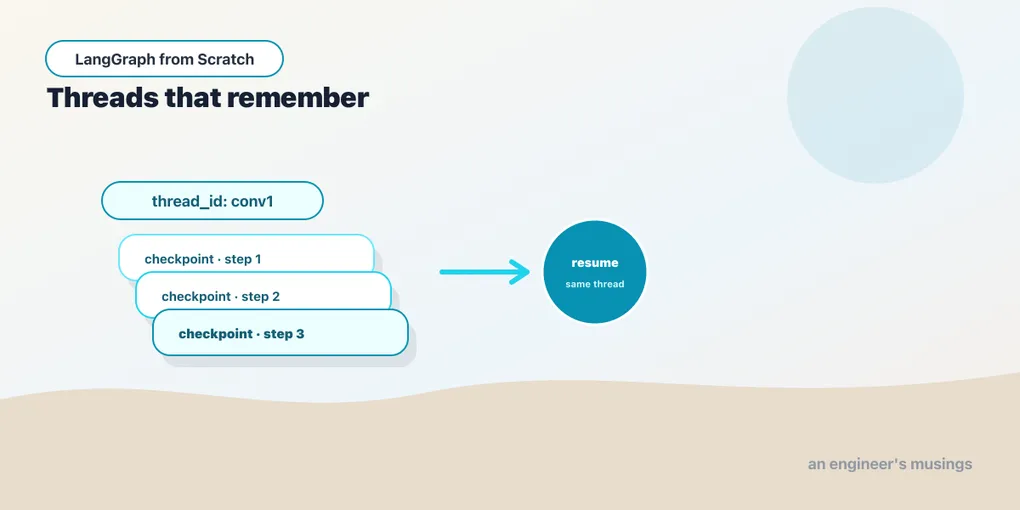
Everything you’ve built so far forgets. Call invoke, get a result, and the state evaporates; the next call starts from nothing. That’s fine for a one-shot chain and useless for a chatbot, which has to remember what was said three turns ago. It’s the same limitation from Chapter 2, now facing the graph: the model has no memory of its own. LangGraph’s answer is persistence: attach a checkpointer, address each conversation by a thread_id, and the graph saves its state after every step. This is also how “memory” works. The punchline is that there’s no separate memory system to learn — memory is just persistence you turned on. Run against langgraph 1.2.9.
Checkpointers save state after every step
You turn on persistence by passing a checkpointer to compile:
from langgraph.checkpoint.memory import InMemorySaver

app = builder.compile(checkpointer=InMemorySaver())
That’s the whole switch. With a checkpointer attached, LangGraph writes a snapshot of the state (a checkpoint) after each node runs. InMemorySaver keeps those snapshots in a dict — perfect for development and tests, gone when the process exits. For anything that must survive a restart, you swap in a durable checkpointer: langgraph-checkpoint-sqlite for a local file, langgraph-checkpoint-postgres for production. They’re separate packages with the identical interface, so the swap is one line at compile time and nothing else in your graph changes. You develop against InMemorySaver and ship against Postgres without touching a node.
thread_id: one conversation, isolated
A checkpointer stores snapshots for many conversations, and a thread_id says which one. You pass it in the config on every call:
config = {"configurable": {"thread_id": "conv1"}}
app.invoke({"messages": [("user", "My name is Ada. Remember it.")]}, config)
Invoke again with the same thread_id and the graph loads that thread’s saved state, appends your new input, and continues — so the second turn sees the first:
reply = app.invoke({"messages": [("user", "What is my name?")]}, config)
# reply's last message contains "Ada"  →  True
app.get_state(config).values["messages"]   # 4 messages: the whole conversation
Verified: on thread conv1, the second turn answered “Ada” (it remembered), and the thread holds all four messages — two human, two AI. Crucially, a different thread is a clean slate:
other = {"configurable": {"thread_id": "conv2"}}
app.invoke({"messages": [("user", "What is my name?")]}, other)
# does NOT know the name  →  the two threads share no state
Verified: conv2 had no idea. That isolation is the model for multi-user memory. One thread_id per user — or per session, per support ticket, per whatever a “conversation” means in your app — and each thread’s history is private to it. There is no global memory to leak between users. The thread is the boundary, which is exactly the property you want when the same graph serves a thousand customers at once.
Restating it dissolves a whole category of confusion. Memory in LangGraph is not a feature you add; it’s persistence you turned on. The messages channel, reduced by add_messages, accumulates the conversation; the checkpointer saves it per thread; a new turn reloads it. “Remembering the conversation” is precisely “the state was checkpointed and reloaded.” Everything the old LangChain called Memory — buffers, windows, summaries — is now either this, or a node you write that reshapes the message list before the model sees it (below). One vocabulary note for when you go deeper. This per-thread state is short-term memory: what happened in this conversation. LangGraph also has a store for long-term memory that persists facts across threads, remembering a user’s preferences between separate conversations. That’s a step past this chapter, but built on the same idea of saved state.
Inspecting, editing, and rewinding
Because every step is checkpointed, the graph’s past is queryable and malleable. get_state returns the current snapshot — its values (the state) and its next (which node would run next):
snap = app.get_state(config)
snap.values["messages"]   # current messages
snap.next                 # () when finished, or ('approval',) when paused mid-graph
get_state_history walks every checkpoint for the thread, newest first — the graph’s full timeline. Each entry carries the state at that point and a config that identifies the checkpoint, so you can resume from any of them:
history = list(app.get_state_history(config))    # newest -> oldest
past = history[2]                                  # some earlier checkpoint
app.invoke(None, past.config)                      # resume the graph FROM that past point
This is time travel: pick a past checkpoint and continue from it. It’s invaluable for debugging (“what did the state look like right before it went wrong, and what happens if it runs from there?”) and for building an undo feature. And update_state lets you edit the state directly — write a correction, then continue:
app.update_state(config, {"messages": [HumanMessage("actually, call me Grace")]})
app.get_state(config).values["messages"]   # now includes the correction
Verified: update_state applied the edit to the thread’s state. Editing plus rewinding is the machinery underneath the human-in-the-loop editing in the next chapter. A human correcting a draft is an update_state, and resuming is continuing from the edited checkpoint.
Keeping the conversation from overflowing
Persistence introduces a problem it’s your job to solve: an accumulating message list grows without bound, and every turn resends the whole thing to the model. Eventually you overflow the context window, and long before that you’re paying for tokens you don’t need. Because the conversation is just the messages channel, the fix is a node — a step that reshapes the list before the model runs. Two common strategies:
- Trim. Keep only the last N messages (or the last N tokens), dropping the oldest. Cheap, and fine when only recent context matters.
- Summarize. Once the history is long, replace the oldest messages with a single summary message the model wrote, preserving the gist while shrinking the token count.
Both are ordinary graph nodes that read messages and return a trimmed or summarized replacement (overwriting the channel rather than appending). The point for now is that “memory management” isn’t a separate subsystem — it’s a node you insert before the model, operating on the same persisted list. You decide how much past the model sees, in code you can read.
Durability comes for free
The .next field hinted at something bigger. Because a checkpoint is written after every step, a graph doesn’t just remember across invocations — it can survive a crash mid-run. Say the process dies while the graph is three nodes deep. With a durable checkpointer, the checkpoint from the last completed step is saved, and re-invoking on that thread resumes from exactly there rather than restarting. For long-running or expensive graphs — a multi-step research task, an overnight batch — this durable execution is the difference between “retry the whole thing” and “pick up where it stopped.” It’s the same mechanism that makes the pause-and-resume in the next chapter work: a paused graph is just a graph whose latest checkpoint says “next node: the one waiting for a human.” The deployment chapter returns to this as the property that lets a stateless web server scale. All the state lives in the checkpointer, not the process.
Final thoughts
Persistence is one argument to compile and one key in the config, and it changes what a graph is: a stateless function becomes a durable, resumable, per-thread process. Memory falls out of it for free. The message channel accumulates, the checkpointer saves it, a thread_id scopes it to one conversation, and reloading is what “remembering” means. History makes the past inspectable, editable, and rewindable; a trim-or-summarize node keeps it from overflowing; and durability makes a crash recoverable. You now have a graph that branches, loops, and remembers. The last thing it needs before it’s genuinely deployable is the ability to stop and ask a human.
Next: human-in-the-loop — pausing a graph mid-run for approval or a correction, and resuming it, built on exactly the checkpointing you just saw.
Comments