Don't Trust the Client: Validation and Security
Reject bad input before it reaches your logic with RequestValidation, open your API to browsers safely with CORS, and survive the public internet with rate limiting and sane headers.
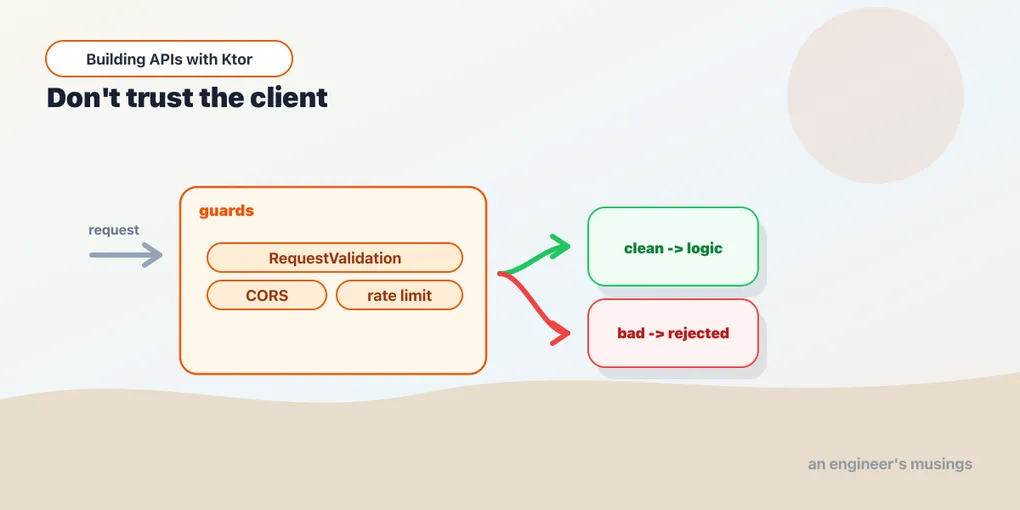
Your API is about to face the open internet, where every request is a stranger and some are hostile. The data class deserialized cleanly — but is the title empty? Is someone hammering /login ten thousand times a minute? This post covers the plugins that stand between your logic and a world that doesn’t play nice.
Validating input
Deserialization checks that JSON fits the shape of your model. It does not check that the values make sense — an empty title, a negative quantity, a malformed email all parse fine. The RequestValidation plugin adds that second layer.
implementation("io.ktor:ktor-server-request-validation")import io.ktor.server.plugins.requestvalidation.*
fun Application.configureValidation() {
install(RequestValidation) {
validate<NewTask> { task ->
when {
task.title.isBlank() ->
ValidationResult.Invalid("title must not be blank")
task.title.length > 200 ->
ValidationResult.Invalid("title must be 200 characters or fewer")
else -> ValidationResult.Valid
}
}
}
}validate<T> { } runs whenever a handler does call.receive<T>(). Return ValidationResult.Valid to let it through, or ValidationResult.Invalid(reason) to reject it. On rejection the plugin throws a RequestValidationException — which means it slots straight into the StatusPages setup from the error-handling post:
exception<RequestValidationException> { call, cause ->
    call.respond(HttpStatusCode.BadRequest, ErrorResponse(cause.reasons.joinToString(", ")))
}
Now every receive<NewTask>() is automatically validated. The rules live in one place, and a bad request comes back as a clean 400 with a useful message. Your routes never see invalid data.
CORS: letting browsers in
Say a web frontend on a different origin will hit your API — app.example.com calling api.example.com. Browsers enforce CORS, and without the right headers those requests fail before your code runs. The CORS plugin adds them:
implementation("io.ktor:ktor-server-cors")import io.ktor.server.plugins.cors.routing.*
fun Application.configureCORS() {
install(CORS) {
allowHost("app.example.com", schemes = listOf("https"))
allowMethod(HttpMethod.Put)
allowMethod(HttpMethod.Delete)
allowHeader(HttpHeaders.ContentType)
allowHeader(HttpHeaders.Authorization) // so the browser can send the JWT
}
}Be specific. It’s tempting to call anyHost() to make CORS errors go away — don’t, outside of local dev. It tells browsers any website may call your API with the user’s credentials. List the origins you actually serve.
Rate limiting
A public endpoint with no limits is an open invitation to abuse and accidental overload. Ktor’s RateLimit plugin caps how often a client can call you:
implementation("io.ktor:ktor-server-rate-limit")import io.ktor.server.plugins.ratelimit.*
import kotlin.time.Duration.Companion.minutes
fun Application.configureRateLimit() {
install(RateLimit) {
register(RateLimitName("auth")) {
rateLimiter(limit = 10, refillPeriod = 1.minutes)
}
}
}A named limiter lets you apply different caps to different routes — strict on /login (to blunt password guessing), looser elsewhere. Apply it by wrapping routes, the same pattern as authenticate:
routing {
    rateLimit(RateLimitName("auth")) {
        authRoutes()   // /login — capped at 10/min per client
    }
}
Over the limit, Ktor automatically responds 429 Too Many Requests. You can also register { } a global limiter that applies everywhere.
Sensible headers
The DefaultHeaders plugin sets standard response headers in one place, and is the natural home for basic security headers:
import io.ktor.server.plugins.defaultheaders.*

install(DefaultHeaders) {
    header("X-Content-Type-Options", "nosniff")
    header("X-Frame-Options", "DENY")
}
The bigger lever, though, is transport. Run behind HTTPS in production, usually terminated at a load balancer or reverse proxy, so tokens and payloads aren’t sent in the clear. Headers harden the edges; TLS protects the whole conversation.
Final thoughts
The thread tying these plugins together is a single assumption: the client is not on your side. RequestValidation distrusts the payload, CORS controls who may call from a browser, rate limiting distrusts the request volume, and headers plus TLS harden what’s left. Each is one install and a config function. Notice how validation reuses your StatusPages handler, and rate limiting reuses the authenticate-style wrapping. The patterns from earlier posts keep paying off; security here is mostly composing tools you already know how to wire in.
Next: observability — when something does go wrong in production, you’ll want logs and metrics that tell you what and where.
Comments