When the Database Is a Library
Running DuckDB as a component rather than a tool — the thread-safety failure that reports itself as a Python TypeError, cursors, parameter binding, and the resource settings a shared process forces you to choose.
Every chapter so far has had you at a prompt. You ran a query, read the answer, and decided what to do next. DuckDB is very good at that, and it is not the only way it gets used.
The other way is as a component: an analytics layer inside a web service, a query engine behind a dashboard, the thing a data pipeline calls a thousand times a day. Nobody is watching. The queries come from code.
That shift changes the questions. Not “how do I express this”, but: who owns the connection? What happens under threads? How do values get into a query safely? And how much of the machine is this thing allowed to take, when it shares a process with everything else you run?
Run against: DuckDB 1.5.5 on Python 3.13.
In your process means in your process
Worth stating plainly before the details, because every point below follows from it. DuckDB is not a service your application talks to. It is a library your application contains.
So it uses your process’s memory, against the limit from chapter 8. That limit defaults to 80% of the machine’s RAM, which is almost certainly wrong for a process that also has an application in it. It uses your CPU, spawning threads you did not create. And if it crashes, your application crashes with it, because there is no separate process to fail on its own.
Those are the costs of no network hop and no serialisation. They are usually a good trade, and they are not free.
Connections and cursors
One connection, many independent query states:
con  = duckdb.connect('app.duckdb')
cur1 = con.cursor()
cur2 = con.cursor()type(cur1) # DuckDBPyConnection.cursor() returns another DuckDBPyConnection rather than a distinct cursor class, which tells you what it is: a second handle onto the same database. It shares the catalog, so a table created through con is visible through cur1 immediately. What it does not share is in-flight query state, so two cursors can each hold their own result without interfering.
That distinction is the whole answer to the next section.
The threading failure that does not mention threads
Eight threads, each running a query through the same connection object:
def work(n):
    con.execute(f"select sum(i) from range({100000+n}) t(i)").fetchone()[0]
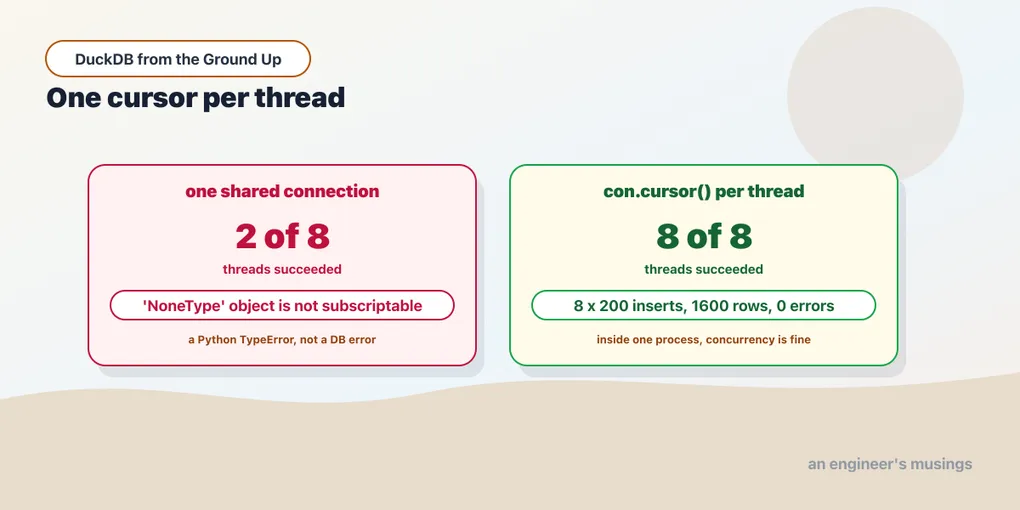
8 threads sharing the conn: results=2 errors=6Six of eight failed. Here is the error:
'NoneType' object is not subscriptableThat is a Python TypeError. It does not say “concurrent access”, it does not say “thread”, and it does not come from DuckDB’s error hierarchy at all. What happened is that one thread’s execute replaced the connection’s pending result while another thread was fetching it, so the fetch found nothing there.
If you meet that message in a log, the temptation is to go looking for a null in your data. The cause is two threads and one connection.
Give each thread its own cursor and it is clean:
def work(n):
    cur = con.cursor()
    cur.execute(f"select sum(i) from range({100000+n}) t(i)").fetchone()[0]
8 threads with .cursor(): results=8 errors=0Eight for eight. Writes behave the same way:
def w(n):
    cur = con.cursor()
    for k in range(200):
        cur.execute("insert into t values (?, ?)", [n, k])
8 threads x 200 inserts: 712 ms, errors=0
rows: [(1600, 8)]Sixteen hundred rows from eight concurrent writers, all correct. Within one process, concurrency is fine — DuckDB handles the coordination internally. The rule is only about the handle.
So: one connection per application, one cursor per thread. Not one connection per thread — that would mean several processes’ worth of open handles on the same file, which is the next chapter’s problem. .cursor() is cheap; use it freely.
Getting values into queries
When queries are built from code, values come from outside. Bind them:
con.execute("select ? + ?", [1, 2])                  # [(3,)]
con.execute("select $a + $b", {'a': 1, 'b': 2})      # [(3,)]
con.executemany("insert into p values (?)", [(1,), (2,)])
Positional ? and named $name both work, and executemany handles a batch in one call. This is the ordinary reason to bind — it is safe against injection, and DuckDB can reuse the prepared plan.
One limit, and it is the same one every database has:
con.execute("select * from ?", ['x'])Parser Error: syntax error at or near "?"Parameters are values, not identifiers. A table or column name has to be part of the SQL text, because the parser needs it before any binding happens. When those are dynamic, either use the relational API from chapter 14, or validate the name against a list you control before interpolating it. Never interpolate a name straight from a request.
Transactions
Ordinary and worth exercising, because a component does multi-statement work that has to be all-or-nothing:
con.execute("begin")
con.execute("insert into p values (99)")
con.execute("rollback")
con.execute("select sum(i) from p") # unchangedcon.execute("begin")
con.execute("insert into p values (10)")
con.execute("commit") # appliedThere is no nesting:
con.execute("begin"); con.execute("begin")TransactionContext Error: cannot start a transaction within a transactionNo savepoints to lean on, so a helper that opens a transaction cannot be called from inside another one. Keep transaction control at one level — the request handler, the job step — rather than spreading begin through helper functions.
The settings a shared process forces you to choose
Interactively, the defaults are right. Inside an application they are not, and all three come from chapter 8:
con.execute("set memory_limit = '2GB'")
con.execute("set threads = 4")
con.execute("set temp_directory = '/var/tmp/duckdb'")
memory_limit defaults to about 80% of the machine’s RAM. In a container with a web server, a cache and a couple of workers, that is a promise you cannot keep. The process gets killed by the OOM killer rather than by DuckDB’s own limit, so you lose the whole application instead of one query. Set it to a real share.
threads defaults to every core. One analytical query then saturates the machine, and every other request queues behind it. In a service, cap it. It also interacts with the memory limit in the way chapter 8 measured: fewer threads need less simultaneous working memory.
temp_directory defaults to the working directory, which in a container is whatever layer you happen to be on — often small, often not meant to hold gigabytes. Point it at a real volume.
Three lines at startup, and they are the difference between a component and a liability.
The other clients, and the browser
The Python client is what this book uses, and it is not the only one. There are official clients for Java, Node.js, Rust, Go, C, C++, R, Swift and .NET, plus the CLI from chapter 2. They share the engine and the file format, so a database written by one opens in any of the others.
The one that changes what is possible is DuckDB-WASM — the engine compiled to WebAssembly, running in a browser tab. A page can query Parquet files over HTTP with no backend at all, which is how several data-exploration tools now work and why a dashboard can be a static site.
Not run. Neither the non-Python clients nor WASM were exercised for this book.
The APIs differ enough per language that describing them from documentation would be exactly the failure this book’s verification protocol exists to avoid. What is verified is the claim underneath: the format and the engine are the same. This chapter’s model — one connection, a cursor per thread, bound parameters, explicit resource limits — is about DuckDB rather than about Python.
Final thoughts
The move from tool to component is mostly a move from “what can it do” to “what does it share with me”. The answer is: memory, CPU, and the process’s life. That is the price of there being no server, and the three settings above are how you pay it deliberately.
The finding to carry is the threading one, because of how it presents. Sharing one connection across threads fails as 'NoneType' object is not subscriptable — a Python type error, with no mention of concurrency, in a stack that will send you looking at your data. One cursor per thread, and it goes away.
Everything here was about one process. The moment there are two, a different rule takes over, and it is stricter than anything in this chapter.
Next: One Writer, and What to Build Around It — the lock across processes, measured, and the architectures that survive it.
Comments