Shipping dbt Without Crossing Your Fingers
Slim CI, state artifacts, dbt clone, production jobs, orchestration handoffs, and the monitoring loop around dbt builds.
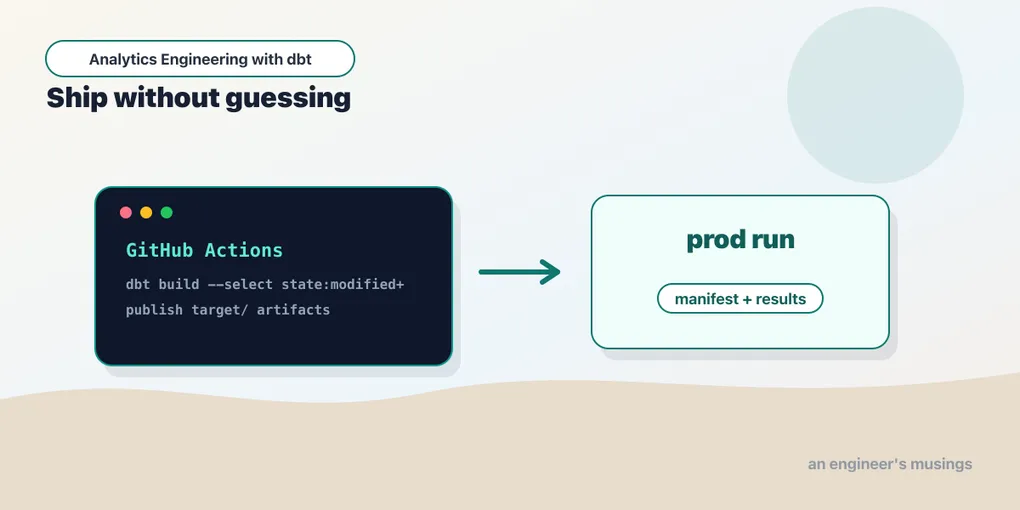
A dbt project is not done when it builds on your laptop. It is done when a change can move from pull request to production without guessing what will break, wasting a warehouse, or depending on a person to run commands in the right order.
Deployment is not one thing. It is a chain:
- test the proposed change;
- build only the affected slice when possible;
- run production on a schedule;
- preserve artifacts;
- alert on failures;
- hand off to the orchestrator when dbt is only one part of the pipeline.
This chapter assembles those pieces. The previous chapter handed production off to here; everything operational lives below.
The production command is usually build
A production job should usually run:
dbt build --target prodThat runs seeds, snapshots, models, and tests in graph order. For the bookshop that means: seed raw_customers, raw_orders, and raw_payments, snapshot customers_snapshot to capture plan changes, build stg_orders → orders → the marts, and run every not_null, unique, and relationships test as its upstream node finishes. One command, one dependency graph, one exit code.
The reason build beats a bare dbt run is interleaving. build runs a model’s tests immediately after that model, before its children build on top of it. So if stg_orders produces a duplicate order_id, the unique test fails and dbt skips orders instead of propagating garbage downstream. dbt run && dbt test would have built the entire warehouse on bad data first, then told you.
When splitting the run is worth it
The default should be one build. But there are real reasons to decompose it into separate scheduled jobs:
- Source freshness runs on its own cadence — often every 15–30 minutes — because it is cheap and its whole job is to answer “is there new data yet?” You do not want to couple that to a heavyweight transform run.
- Snapshots capture slowly-changing state and frequently want their own schedule. The bookshop’s
customers_snapshotshould run every time a customer’splancould change, which may be more or less often than the marts rebuild. Snapshots are also the one thing you can never recompute from history — miss a snapshot window and that version of the row is gone forever — so isolating them limits the blast radius of a failure elsewhere. - Models and tests are the bulk run, on the analytics cadence (hourly, or a few times a day).
A decomposed schedule for the bookshop might read:
# every 20 minutes
dbt source freshness --target prod

# hourly, near the top of the hour
dbt snapshot --target prod

# hourly, offset a few minutes later
dbt build --exclude "resource_type:snapshot" --target prod
Note the --exclude "resource_type:snapshot" on the main build: snapshots already ran in their own job, and running them twice in one hour would fabricate spurious history. Splitting jobs is a real technique, but every split is a new seam where selection has to stay consistent. Reach for it when a component genuinely needs a different cadence, not as a default.
Full-refresh as a scheduled backstop
Incremental models drift. A late-arriving order, a backfilled correction, a bug in an is_incremental() predicate — any of these can leave order_events subtly out of sync with its sources, and an incremental run will never notice because it only looks at new rows. The fix is a scheduled full rebuild as a backstop:
# weekly, off-hours
dbt build --select "config.materialized:incremental" --full-refresh --target prod
--full-refresh drops and rebuilds the incremental tables from scratch, reconciling any drift — for the bookshop, config.materialized:incremental resolves to order_events, the project’s one incremental model. Weekly off-hours is a common cadence; the right one depends on how much you trust your incremental logic and how much a full rebuild costs. The point is to schedule it deliberately rather than discover the drift when a number looks wrong in a board meeting.
Fail-fast and retry
Use --fail-fast when one failure makes the rest of the run low-value:
dbt build --target prod --fail-fastWithout it, dbt keeps building every node whose ancestors succeeded, then reports all failures at the end. With it, dbt stops at the first error. Fail-fast is right when failures usually mean “the environment is wrong” (bad credentials, warehouse unavailable) and there is no value in grinding through the graph. It is wrong when you want a complete picture of everything broken in one run — for CI, letting it run to completion often surfaces three problems instead of one.
Use dbt retry for transient failures, not deterministic ones:
dbt build --target prod
# if it fails on a warehouse hiccup:
dbt retry --target prod
dbt retry reads the previous run’s run_results.json and re-executes only the nodes that failed or were skipped, picking up exactly where the graph stalled. That is perfect for a network blip mid-run — you do not rebuild the 40 models that already succeeded. It is useless for a broken column name, which will fail identically every time. Retry transient, fix deterministic; wiring an automatic retry into your orchestrator only makes sense for the transient class.
Slim CI compares against production state
The dream pull-request check is not “rebuild the entire warehouse.” It is “build what this change could affect.”
That is Slim CI:
dbt build \
  --select state:modified+ \
  --state ./prod-artifacts \
  --defer \
  --target ci
The pieces matter:
--state ./prod-artifactspoints to a previous productionmanifest.json.state:modified+selects changed nodes and their downstream dependents.--deferresolves unbuilt references to production objects when safe.--target ciwrites new objects somewhere isolated.
For a bookshop pull request that edits one column in stg_orders, this builds stg_orders and everything downstream of it — orders, order_events, orders_by_customer, the tests along the way — and nothing else. A two-line change does not trigger a two-hour warehouse rebuild.
Where the production manifest comes from
The crux of Slim CI is artifact management, and it is where most implementations quietly break.
state:modified+ is a diff. A diff needs two sides: the project as it is in the pull request (dbt has that — it’s the checked-out code) and the project as it was in production (dbt does not have that — it lives in a manifest.json from the last successful prod run). Slim CI works only if CI can fetch that production manifest before it runs.
So the manifest has to live somewhere durable that both jobs reach. The pattern:
-
Production publishes its manifest after a successful run — and only after. The
target/manifest.jsonwritten bydbt build --target prodis the new source of truth, synced to an artifact store:dbt build --target prod \ && aws s3 sync target/ s3://bookshop-dbt-artifacts/prod/latest/ -
CI fetches that manifest before diffing:
aws s3 sync s3://bookshop-dbt-artifacts/prod/latest/ ./prod-artifacts/
S3, GCS, an Azure container, or your CI platform’s own artifact store all work — the requirement is only that production writes and CI reads. dbt Cloud hides this behind “compare to the deferred environment,” but the mechanism is identical: a stored production manifest.
Two rules keep it honest. Publish only after success: if a failed prod run overwrites latest/, tomorrow’s CI diffs against a broken baseline and either rebuilds far too much or defers to relations that do not exist. Gate the sync on the exit code with &&, never run it unconditionally. Keep history: the latest/ pointer is for CI, but a timestamped archive is for debugging.
# after a successful prod run
STAMP=$(date -u +%Y%m%dT%H%M%SZ)
aws s3 sync target/ "s3://bookshop-dbt-artifacts/prod/$STAMP/"
aws s3 sync target/ s3://bookshop-dbt-artifacts/prod/latest/When a model’s behavior changes and nobody knows when, the history of manifests and run_results.json tells you which run introduced it.
source_status:fresher+ builds only what has new data
state:modified+ answers “what did the code change?” There is a companion selector that answers “what did the data change?” — source_status:fresher+.
It compares two sources.json artifacts (produced by dbt source freshness) and selects models downstream of sources that have loaded new rows since the last run. For the bookshop, if only the orders data got new rows and the customer data did not, source_status:fresher+ builds orders and its children but leaves the customer models alone.
# capture current freshness, compared against the stored state
dbt source freshness --target prod
dbt build --select "source_status:fresher+" \
--state ./prod-artifacts \
--target prodThis is how you turn a scheduled “rebuild everything hourly” job into “rebuild only what has fresh source data,” which on a wide project is the difference between a warehouse that idles and one that never stops. It requires a stored sources.json from the previous run — the same artifact-management discipline as the manifest, applied to freshness results.
Defer is comparison plus resolution
--state and --defer are related but not the same.
--state lets dbt compare the current project to a previous manifest. It answers: what changed?
--defer lets dbt resolve references to objects from the state manifest when they are not built in the current target. It answers: if this selected model needs an unmodified parent, can I point at the production parent instead of rebuilding it?
That is powerful and easy to misunderstand. If your CI model references a production parent, your test is not a perfect isolated replica. It is a focused compatibility check against the current production shape. That is usually exactly what you want for pull requests, but it should be explicit. When CI builds a modified orders mart with --defer, its ref('stg_orders') resolves to production stg_orders unless stg_orders was also modified — so you test the new orders against real upstream data without rebuilding the staging layer.
There is a companion flag worth knowing: --favor-state. Normally --defer prefers an object in your current target if one happens to exist there, only falling back to the state manifest when it does not. That default bites when a developer schema holds a stale leftover of a model — defer resolves to that stale copy instead of production. --favor-state flips the preference: use the version from the state manifest even when a same-named object exists in the current target. Reach for it in CI when you want “compare strictly against production,” not “against whatever happens to be lying around in the CI schema.”
dbt clone is the other CI move
Defer is one way to give a pull request a realistic upstream. Zero-copy cloning is the other, and the tradeoff between them is worth understanding.
On warehouses that support it — Snowflake, BigQuery, Databricks — dbt clone creates cheap metadata-only copies of production relations:
dbt clone --state ./prod-artifacts --target ciThis clones every production relation into the CI schema as a zero-copy clone: no data is physically copied, so it is nearly instant and nearly free regardless of table size. CI then builds the modified models on top of the cloned relations, so every ref() resolves inside the CI schema to a real, queryable object — no deferral gymnastics, no cross-schema resolution.
The tradeoff against --defer:
- Defer rebuilds nothing it does not have to and reads production directly. It is available on any warehouse and copies no objects, but the CI environment is a patchwork — some relations local, some resolved to prod — which can be confusing to inspect and means CI reads live production tables.
- Clone gives CI a complete, self-contained copy of production it fully owns. It is easier to reason about and safe to mutate, but it only exists on warehouses with cheap cloning and it needs cleanup — those clones accumulate and want a teardown step.
On DuckDB, where this series runs, neither applies the same way — a local DuckDB file is already a disposable sandbox. The distinction matters the moment you point dbt at Snowflake.
A blue/green deploy sketch
Cloning also underpins the safest production deploy pattern. Instead of rebuilding in place — where a mid-run failure leaves the live schema half-updated and readable — build into a fresh schema and swap only on success:
# build the whole project into a brand-new schema
dbt build --target prod --vars '{"deploy_schema": "analytics_green"}'
# tests passed? atomically repoint the live schema at green
# (Snowflake: swap the two schemas in one metadata operation)alter schema analytics_blue swap with analytics_green;Readers query analytics (aliased to blue) throughout the build; the swap is a single atomic metadata operation, so nobody ever sees a partially-built warehouse. If the green build fails its tests, you simply never swap, and production keeps serving the last good version. Blue/green is more machinery than a small project needs, but for a bookshop that real customers query, “never serve a half-built schema” is worth the wiring.
Orchestrators invoke dbt; they do not replace it
dbt knows the transformation graph. An orchestrator knows the pipeline around it: ingestion upstream, notifications, retries across systems, dependencies on files or APIs, downstream exports.
The simplest handoff is a shell command. In Airflow that is a BashOperator or the @task.bash decorator:
@task.bash
def dbt_build() -> str:
return (
"dbt build "
"--project-dir /opt/airflow/dbt/bookshop "
"--target prod "
"--fail-fast"
)BashOperator(
task_id="dbt_build",
bash_command="dbt build --project-dir /opt/airflow/dbt/bookshop --target prod",
env={
"DBT_PROFILES_DIR": "/opt/airflow/dbt",
"DBT_ENV_SECRET_SNOWFLAKE_PASSWORD": "{{ conn.snowflake.password }}",
},
)Two details make this production-grade. Pass secrets through env, not inline shell assignment — DBT_PASSWORD=... dbt build can leak through process listings and rendered command logs before dbt has a chance to redact anything, whereas an env dict is injected into the child process and stays out of the logged command string. And pull the secret from the orchestrator’s own store ({{ conn.snowflake.password }} is Airflow’s connection templating) rather than hardcoding it, so rotation happens in one place.
For transient failures, let the orchestrator retry the dbt way. A plain Airflow task retry re-runs the whole dbt build from the top; a smarter handoff runs dbt retry on the second attempt so only the failed and skipped nodes re-execute:
BashOperator(
task_id="dbt_build",
bash_command=(
"cd /opt/airflow/dbt/bookshop && "
"{% if ti.try_number > 1 %}dbt retry --target prod"
"{% else %}dbt build --target prod{% endif %}"
),
retries=2,
)Cosmos renders dbt nodes as Airflow tasks
The shell-command handoff makes the entire dbt run a single opaque Airflow task — Airflow sees “dbt succeeded” or “dbt failed,” nothing more granular. Cosmos (the astronomer-cosmos package) parses the dbt manifest and renders each model, test, and snapshot as its own Airflow task, so orders and its not_null test become individual nodes in the Airflow graph with model-level retries, logs, and failure isolation. The cost is real: Cosmos parses the project at DAG-parse time, which adds scheduler overhead, and it couples your Airflow deployment to dbt internals. It is a tradeoff, not a universal upgrade. This blog’s Airflow + dbt series works through the whole spectrum — naive BashOperator, Cosmos task-per-model, execution modes, and the lineage seam — if you are orchestrating dbt for real.
Alerting on run_results.json
The orchestrator’s exit-code alert tells you the run failed. run_results.json tells you what failed, which is what an on-call engineer actually needs. A useful failure handler parses it before paging:
import json
def summarize_failures(path: str = "target/run_results.json") -> str:
results = json.load(open(path))["results"]
failed = [r for r in results if r["status"] in ("error", "fail")]
lines = [f"{r['unique_id']}: {r.get('message', r['status'])}" for r in failed]
return "\n".join(lines) or "no node-level failures"Wire that into your on_failure_callback and the Slack message says test.bookshop.not_null_orders_order_id: FAIL 12 instead of “task dbt_build failed.” One of those is actionable at 2 a.m.
Monitor artifacts, not just exit codes
The process exit code tells you whether the run passed. run_results.json tells you what happened:
- which nodes ran;
- which failed, warned, skipped, or passed;
- how long each node took;
- adapter responses such as rows affected;
- timing information useful for trend analysis.
A production deployment should retain artifacts from every run. With them, you can load a small observability table:
run_id
generated_at
node_id
status
execution_time
rows_affected
messageEvery production run appends its run_results.json, flattened one row per node, into a table like ops.dbt_run_results. That table answers questions your orchestrator alone cannot: which model got slower this week (execution_time trending up for orders), which tests warn every day (a status = 'warn' that never clears), which incremental model touched ten times more rows than usual (rows_affected spiking on a normally-quiet model). None of that is visible from a green checkmark.
Packages such as Elementary are the packaged version of exactly this idea: you add elementary as a package, it writes run results and test results into models in your warehouse, and it layers anomaly detection, a report UI, and Slack alerts on top. You do not need to adopt a package immediately — a hand-rolled results table gets you most of the value — but you do need the habit: artifacts are production telemetry, not build detritus to discard.
dbt Core vs dbt Cloud for deployment
Everything above is dbt Core plus infrastructure you run yourself. dbt Cloud is the managed alternative — the same dbt underneath, so your models never change, but the operational scaffolding is hosted. Where the line falls:
| Concern | dbt Core (self-hosted) | dbt Cloud |
|---|---|---|
| Scheduler | You run it — GitHub Actions, Airflow, cron | Hosted job scheduler, cron-style UI |
| CI / Slim CI | You wire state artifacts + a CI workflow yourself | Built-in; “CI job” defers to a configured environment automatically |
| Developer IDE | Your local editor + CLI | Browser IDE with a managed dbt runtime |
| Hosted docs | You generate and host dbt docs (S3, Pages) | Hosted, auto-refreshed docs site |
| Semantic Layer | Self-host the MetricFlow server | Managed Semantic Layer API + BI integrations |
| dbt Mesh | Cross-project ref works; you coordinate governance manually | Managed multi-project mesh with access controls |
| Cost | Free software; you pay for compute + your own ops time | Per-seat / consumption pricing on top of warehouse compute |
The honest summary: Core plus a CI job gives you everything technical that matters, at the cost of operating the plumbing. Cloud sells you the plumbing. Start with Core and a GitHub Actions workflow; reach for Cloud when running the scheduler, CI, and docs infrastructure yourself becomes the bottleneck rather than the models.
A complete GitHub Actions workflow
The pieces above assemble into one realistic pull-request workflow — uv-based, fetching production state, running Slim CI, and failing the PR on any error:
name: dbt ci
on:
pull_request:
branches: [main]
jobs:
slim-ci:
runs-on: ubuntu-latest
env:
DBT_PROFILES_DIR: ${{ github.workspace }}/.ci
SNOWFLAKE_ACCOUNT: ${{ secrets.SNOWFLAKE_ACCOUNT }}
SNOWFLAKE_USER: ${{ secrets.SNOWFLAKE_CI_USER }}
SNOWFLAKE_PASSWORD: ${{ secrets.SNOWFLAKE_CI_PASSWORD }}
steps:
- uses: actions/checkout@v4
- name: Install uv
uses: astral-sh/setup-uv@v4
- name: Install project
run: uv sync
- name: Configure AWS credentials
uses: aws-actions/configure-aws-credentials@v4
with:
role-to-assume: ${{ secrets.AWS_CI_ROLE_ARN }}
aws-region: us-east-1
- name: Fetch production state
run: |
mkdir -p prod-artifacts
aws s3 sync s3://bookshop-dbt-artifacts/prod/latest/ ./prod-artifacts/
- name: Install dbt packages
run: uv run dbt deps
- name: Slim CI build
run: |
uv run dbt build \
--target ci \
--select state:modified+ \
--state ./prod-artifacts \
--defer --favor-state \
--fail-fast
- name: Publish CI artifacts
if: always()
uses: actions/upload-artifact@v4
with:
name: dbt-ci-target
path: target/
- name: Drop the CI schema
if: always()
run: uv run dbt run-operation drop_ci_schema --target ciEvery step earns its place. uv sync installs the pinned environment reproducibly. configure-aws-credentials uses an OIDC role rather than long-lived keys. The s3 sync fetches the production manifest — the state baseline the diff needs. state:modified+ --state --defer --favor-state is Slim CI, strictly compared against production. --fail-fast stops on the first error, and because the whole dbt build returns non-zero on any failure, the PR check goes red. The upload-artifact with if: always() keeps the run’s run_results.json even on failure, so you can inspect what broke.
The step everyone forgets
That last step is the one that isn’t in most people’s workflow, and its absence is a slow leak rather than a bug — which is why it survives code review. Every CI run creates a schema (dbt_ci_pr_412, or whatever generate_schema_name mints from the branch). Nothing ever removes it. Merge two hundred pull requests and your warehouse has two hundred orphaned schemas full of stale tables, each one costing storage and each one a small lie in your data catalog.
The teardown is a run-operation — an operational macro of exactly the kind chapter 13 is about:
-- macros/drop_ci_schema.sql
{% macro drop_ci_schema() %}
{% if target.name != 'ci' %}
{% do exceptions.raise_compiler_error(
"drop_ci_schema refuses to run against target '" ~ target.name ~ "'"
) %}
{% endif %}
{% set sql %}
drop schema if exists {{ target.schema }} cascade
{% endset %}
{% do run_query(sql) %}
{% do adapter.commit() %}
{% do log("dropped CI schema " ~ target.schema, info=true) %}
{% endmacro %}Three things in there are load-bearing. The target guard is not paranoia — this macro’s entire job is to drop a schema, and the day someone runs it with a stale --target prod in their shell you want a compiler error, not a working drop. The if: always() in the workflow means the schema is cleaned up even when the build fails, which is precisely when you most want it gone and least likely to remember. And the adapter.commit() is the trap from chapter 13: on a transactional adapter a run-operation opens a transaction it never commits, so without that line the drop is issued, reported as successful, and silently rolled back — a teardown step that passes CI and cleans up nothing.
This is close to drop-in, but the seams still vary: your cloud auth, warehouse, artifact bucket, and any CI-schema cleanup will differ. The load-bearing shape does not: install reproducibly, fetch production state, build the affected slice in an isolated target, fail the PR on error, keep the artifacts.
Production publishes the next state
The loop closes when the production job publishes the state that CI will compare against tomorrow:
dbt build --target prod \
&& aws s3 sync target/ s3://bookshop-dbt-artifacts/prod/latest/Only publish artifacts after success — the && is the whole safety mechanism. If a failed production run overwrites the “latest known good” manifest, tomorrow’s Slim CI compares against a broken baseline: it will either rebuild far too much or defer to relations that were never built. Keep historical artifacts alongside latest/ too. The latest manifest is for CI; the timestamped history is for the day you need to know which run changed a number.
Final thoughts
Shipping dbt is mostly about preserving the discipline the project already taught you. The graph tells you what depends on what. Artifacts remember what happened. State comparison keeps CI focused. Isolated targets keep pull requests from touching production. Orchestrators put dbt in the larger pipeline without stealing its job. A mature deployment is not a heroic shell script; it is a boring loop where every change is built, tested, observed, and promoted deliberately.
Comments