Readers, Writers and the JSON Contract
The body builds model values.
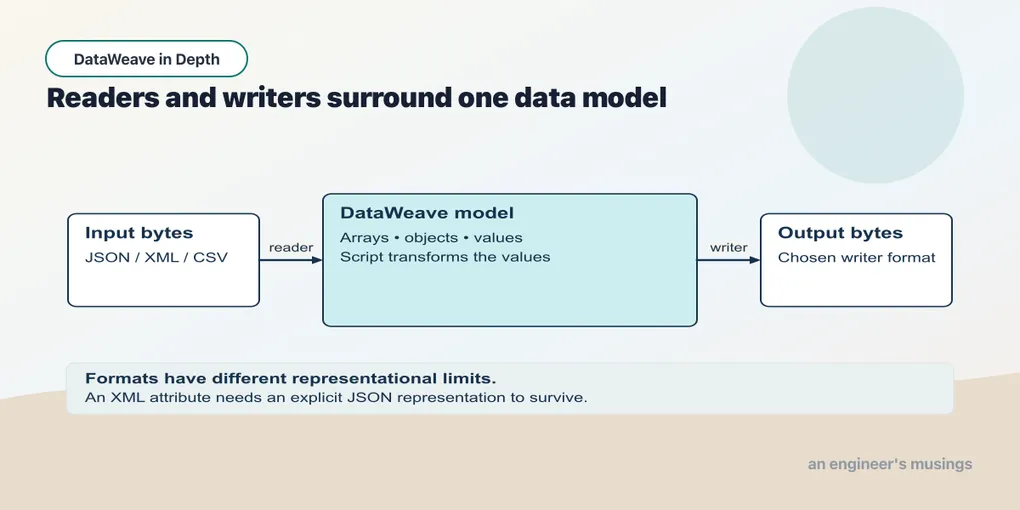
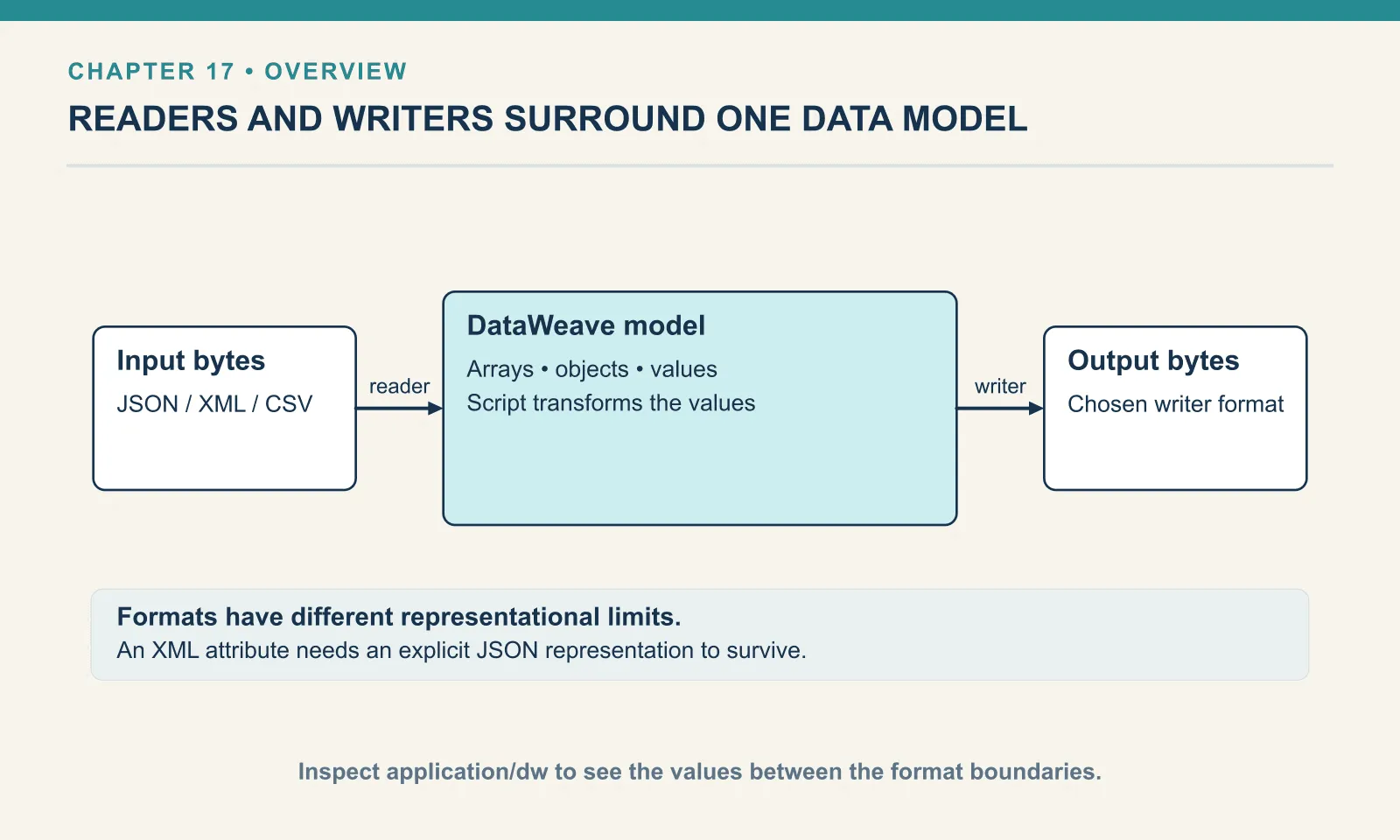
The body builds model values. A reader supplies those values from an input format; a writer represents the result in an output format. We have used JSON throughout the early lessons. Now we can examine the boundary choices without also learning how to construct the transformation.
Example 146 — Parse a JSON document inside a field.
%dw 2.0
output application/json
var encoded = '{"orderId":"A-1001","qty":4}'
var order = read(encoded, "application/json")
---
{ parsed: order, encodedAgain: write(order, "application/json", { indent: false }) }
Result:
{
  "parsed": {
    "orderId": "A-1001",
    "qty": 4
  },
  "encodedAgain": "{\"orderId\": \"A-1001\",\"qty\": 4}"
}
read turns text containing a document into a model value. write turns a model value into text. Here parsed is an object, while encodedAgain is a string containing JSON. The outer JSON writer quotes and escapes that string.
Use the object when the consumer expects nested fields. Use the encoded string only when the contract explicitly calls for a document inside text. Calling write merely because the source was JSON would introduce an unnecessary layer of encoding.
Reader and writer properties
Reading and writing involve choices beyond the values the body calculates. XML carries attributes, CSV can carry a header row, and the JSON writer must decide how to represent the result. Reader properties and writer properties control those choices at the two edges. They matter whenever the default representation differs from the one a producer sends or a consumer requires.
Writer properties ride on the output directive as a comma-separated list after the media type:
Example 147 — Write compact JSON.
Input payload — order.json:
{ "orderId": "A-1001", "customer": "Dana", "coupon": null, "tags": ["gift", null, "rush"],
  "items": [
    { "sku": "PEN-01", "price": 2.5, "qty": 4, "note": null },
    { "sku": "PAD-22", "price": 6.0, "qty": 2 },
    { "sku": "CLP-08", "price": 1.0, "qty": 10 }
  ] }
%dw 2.0
output application/json indent=false
---
payload{"orderId": "A-1001","customer": "Dana","coupon": null,"tags": ["gift",null,"rush"],"items": [{"sku": "PEN-01","price": 2.5,"qty": 4,"note": null},{"sku": "PAD-22","price": 6,"qty": 2},{"sku": "CLP-08","price": 1,"qty": 10}]}The whole output sits on one line without the indentation used for display, which suits anything crossing a wire rather than a screen. The compact writer still keeps a space after each colon, so a byte comparison with another serialiser can differ.
Reader properties attach to the input. In a Mule flow you set them on the connector or with an input directive in the header. In a script you can also pass them to read() as a third argument. That form lets you vary the properties per call, and this chapter and the next two use it most.
The vocabulary differs per format, and you do not need to memorise it, because the runtime tells you. Misspell a property:
Example 148 — Reject an unknown JSON writer property.
Use order.json as payload, as above.
%dw 2.0
output application/json skipNulls=true
---
{ orderId: payload.orderId, coupon: payload.coupon }
[ERROR] Error while executing the script:
[ERROR] Option `skipNulls` is not valid. Valid options are: `writeAttributes`, `indent`, `encoding`, `bufferSize`, `skipNullOn`, `deferred`, `duplicateKeyAsArray`
2| output application/json skipNulls=true
^^^^^^^^^^^^^^
Trace:
at 148-unknown-writer-property::main (line: 2, column: 25) at:
2| output application/json skipNulls=true
^^^^^^^^^^^^^^The error lists the JSON writer properties accepted by this runtime. I sometimes request that list deliberately with a nonsense option, then replace it with the property I need. It is a useful reference tied to the installed writer. Readers expose the same kind of list through read(), as the XML and CSV examples in chapters 19 and 18 show.
JSON, up close
JSON is the format you will write most, so the writer’s dials are worth knowing individually.
Indentation is on by default and indent=false turns it off; you have seen both.
Null handling is where the first real decision lives. By default every key with a null value is emitted, and so is every null inside an array. The order A-1001 carries three nulls: coupon at the top level, a null in the tags array, and a note on the first item. skipNullOn takes one of three values, and the difference between them is exactly which of those three survive.
Example 149 — Omit null object fields.
Use order.json as payload, as above.
%dw 2.0
output application/json skipNullOn="objects"
---
payload
{
"orderId": "A-1001",
"customer": "Dana",
"tags": [
"gift",
null,
"rush"
],
"items": [
{
"sku": "PEN-01",
"price": 2.5,
"qty": 4
},
{
"sku": "PAD-22",
"price": 6,
"qty": 2
},
{
"sku": "CLP-08",
"price": 1,
"qty": 10
}
]
}"objects" dropped coupon and note, which were keys in objects, and left the null in tags alone. "arrays" is the mirror image:
{
  "orderId": "A-1001",
  "customer": "Dana",
  "coupon": null,
  "tags": [
    "gift",
    "rush"
  ],
  "items": [
    {
      "sku": "PEN-01",
      "price": 2.5,
      "qty": 4,
      "note": null
    },
    …
The array is now two elements long, and both object nulls are back. If anything downstream indexes into tags by position, "rush" has moved from index 2 to index 1. "everywhere" removes both object and array nulls, so it combines field omission with that same change in array positions:
{
  "orderId": "A-1001",
  "customer": "Dana",
  "tags": [
    "gift",
    "rush"
  ],
  "items": [
    {
      "sku": "PEN-01",
      "price": 2.5,
      "qty": 4
    },
    …
Now the behaviour that is not in the documentation. Give skipNullOn a value that is not one of the three:
Example 150 — Try an unsupported null policy.
Use order.json as payload, as above.
%dw 2.0
output application/json skipNullOn="nowhere"
---
{ orderId: payload.orderId, coupon: payload.coupon, tags: payload.tags }
{
"orderId": "A-1001",
"coupon": null,
"tags": [
"gift",
null,
"rush"
]
}Exit code 0, no warning, nulls kept. The writer rejected the unknown property name skipNulls, but accepted this unsupported skipNullOn value. A typo like "everywere" produces a script that looks like it strips nulls and does not. If a consumer ever complains about nulls you are certain you removed, check the spelling of the value before anything else.
skipNullOn is a blunt instrument — it acts on every null in the output. For a more specific condition, chapter 10’s conditional key controls each field separately. Its placement matters, because a plausible-looking alternative does not parse:
Example 151 — Omit an absent field deliberately.
Use order.json as payload, as above.
%dw 2.0
output application/json
---
payload.items map {
  sku: $.sku,
  (note: $.note) if ($.note != null),
  (bulk: true) if ($.qty >= 10)
}
[
{
"sku": "PEN-01"
},
{
"sku": "PAD-22"
},
{
"sku": "CLP-08",
"bulk": true
}
]The whole key-value pair goes in parentheses, then if, then the condition. The first item’s note was null, so its pair was dropped; only the ten-clip line earned bulk. Writing the condition first, ($.qty >= 10)? bulk: true, is a shape other languages might suggest, and the parser rejects it at the ?:
[ERROR] Invalid input '?', expected `}` or ',' for the object expression. (line 6, column 16):

6|   ($.qty >= 10)? bulk: true
                  ^
Duplicate keys. The model allows an object to hold the same key more than once, because DataWeave objects are ordered lists of key/value pairs, not hash maps. The JSON writer will happily emit that:
Example 152 — Write repeated JSON keys.
%dw 2.0
output application/json
---
{
  item: "PEN-01",
  item: "PAD-22"
}
{
"item": "PEN-01",
"item": "PAD-22"
}And the JSON reader will happily accept it. Given a file containing { "sku": "PEN-01", "sku": "PAD-22", "qty": 4 }:
Example 153 — Read repeated JSON keys.
Input payload — dupkeys.json:
{ "sku": "PEN-01", "sku": "PAD-22", "qty": 4 }%dw 2.0
output application/json
---
{
first: payload.sku,
all: payload.*sku,
keys: keysOf(payload)
}{
"first": "PEN-01",
"all": [
"PEN-01",
"PAD-22"
],
"keys": [
"sku",
"sku",
"qty"
]
}.sku returns the first match and says nothing about the second. .*sku returns all of them as an array. Nothing was lost on the way in, and nothing warned you. Most JSON consumers treat a duplicate key as pathological; a typical parser keeps the last value and drops the rest without comment. So when you produce JSON for someone else and the model might hold duplicates, collapse them yourself. The writer has a property for exactly that, duplicateKeyAsArray:
Example 154 — Write repeated values as an array.
Use dupkeys.json as payload, as above.
%dw 2.0
output application/json duplicateKeyAsArray=true
---
payload
{
"sku": [
"PEN-01",
"PAD-22"
],
"qty": 4
}The array’s indentation is exactly what the CLI printed. More consequentially, duplicateKeyAsArray is a writer property: passing it to read() fails with Option 'duplicateKeyAsArray' is not valid. Valid options are: 'streaming'. The JSON reader has exactly one option on this runtime. Repeated XML elements also become duplicate keys in the model, so the same output decision arises when converting XML to JSON; chapter 19 follows that case.
Key order is preserved exactly as your script produced it. There is no alphabetisation and no numeric sorting, even for keys that look like numbers:
Example 155 — Inspect JSON field order.
%dw 2.0
output application/json
---
{ zeta: 1, alpha: 2, "10": 3, "2": 4 }
{
"zeta": 1,
"alpha": 2,
"10": 3,
"2": 4
}If a consumer’s snapshot test is order-sensitive, the order is entirely in your hands.
Numbers, and what the writer does to them
The model has one Number type. It keeps a large integer exact and does decimal arithmetic, though division still has finite precision, as chapter 3 showed. The JSON writer then renders each number in plain or exponent notation:
Example 156 — Inspect numeric values and their types.
Use order.json as payload, as above.
%dw 2.0
output application/json
---
{
  literals: [1, 2.50, 6.0, 1E3, 10000000000000000000000, 0.1 + 0.2],
  types:    [1, 2.50, 10000000000000000000000, "7" as Number] map (typeOf($) as String),
  fromPayload: payload.items map $.price
}
{
"literals": [
1,
2.5,
6,
1E+3,
10000000000000000000000,
0.3
],
"types": [
"Number",
"Number",
"Number",
"Number"
],
"fromPayload": [
2.5,
6,
1
]
}The output separates arithmetic from numeric representation. 0.1 + 0.2 is 0.3, not 0.30000000000000004, because the arithmetic is decimal. 1E3 stays in exponent form as 1E+3; a consumer unable to read exponents needs that representation normalised before writing.
A-1001’s prices came in as 2.5, 6.0 and 1.0 and went out as 2.5, 6 and 1. The trailing zero is not reliable data: the JSON writer keeps it in some outputs and drops it in others (as the outputs here demonstrate). If the receiving system wants money with two decimals, a format schema on the coercion to String makes that presentation explicit:
Example 157 — Format a monetary amount.
Use order.json as payload, as above.
%dw 2.0
output application/json
---
payload.items map {
  sku: $.sku,
  price: $.price,
  priceText: $.price as String {format: "0.00"},
  lineTotal: ($.price * $.qty) as String {format: "#,##0.00"}
}
[
{
"sku": "PEN-01",
"price": 2.5,
"priceText": "2.50",
"lineTotal": "10.00"
},
{
"sku": "PAD-22",
"price": 6,
"priceText": "6.00",
"lineTotal": "12.00"
},
{
"sku": "CLP-08",
"price": 1,
"priceText": "1.00",
"lineTotal": "10.00"
}
]The documentation says the format tokens are Java’s DecimalFormat; these two patterns behave that way. The result is a string — the honest type for “a number rendered a particular way”. Chapter 21 does the same thing for dates.
Null, missing, and strings
A key whose value is null and a key that is not there at all read identically through a selector:
Example 158 — Distinguish null from a missing field.
Use order.json as payload, as above.
%dw 2.0
output application/json
---
{
  coupon:  payload.coupon,
  missing: payload.giftWrap,
  couponIsNull:  payload.coupon == null,
  missingIsNull: payload.giftWrap == null,
  keys: keysOf(payload) map ($ as String)
}
{
"coupon": null,
"missing": null,
"couponIsNull": true,
"missingIsNull": true,
"keys": [
"orderId",
"customer",
"coupon",
"tags",
"items"
]
}coupon exists and is null; giftWrap does not exist. Both selectors return null and compare equal to null. Usually you want exactly that, since it lets default and the conditional key handle both cases with one expression. The distinction matters in a PATCH body, where “set to null” and “leave alone” are different instructions. Test membership with keysOf or payload.giftWrap?, not with == null.
Strings are escaped the way JSON requires and no more:
Example 159 — Escape characters in a JSON string.
%dw 2.0
output application/json
---
{
  note: "Dana said \"rush\" — 10\" stand & <clip>",
  path: "C:\\orders\\A-1001",
  unicode: "café"
}
{
"note": "Dana said \"rush\" — 10\" stand & <clip>",
"path": "C:\\orders\\A-1001",
"unicode": "café"
}Quotes and backslashes are escaped; ampersands, angle brackets and non-ASCII characters are written as themselves. This output uses é directly rather than the optional JSON escape \u00e9.
Formatting a number is a coercion
An invoice may require a fixed number of decimal places. Format that presentation with as String with a format property, and the reverse for parsing:
Example 160 — Parse and format numeric text.
Input payload — order.json:
{ "orderId": "A-1001", "customer": "Dana", "coupon": null, "tags": ["gift", null, "rush"],
  "items": [
    { "sku": "PEN-01", "price": 2.5, "qty": 4, "note": null },
    { "sku": "PAD-22", "price": 6.0, "qty": 2 },
    { "sku": "CLP-08", "price": 1.0, "qty": 10 }
  ] }
%dw 2.0
output application/json
---
{
money: 32 as String { format: "0.00" },
thousands: 1234567.891 as String { format: "#,##0.00" },
parsed: "1,234.50" as Number { format: "#,##0.00" },
padded: 7 as String { format: "000" }
}{
"money": "32.00",
"thousands": "1,234,567.89",
"parsed": 1234.5,
"padded": "007"
}0 is a required digit and # an optional one. The documentation says the pattern language is Java’s DecimalFormat, and these four patterns behave as that predicts. The parsing direction matters more than it looks, because a thousands separator in a source string is not a number to DataWeave. "1,234.50" as Number with no format stops with Cannot coerce String (1,234.50) to Number. Chapter 18’s CSV feeds are where that string comes from. The format on the coercion is the fix, and it belongs where the value is read — so that later calculations receive a numeric value.
One Number
There is no Int, Long, Float or Double. Number covers whole and decimal values alike. Division does not truncate to an integer merely because both operands are whole numbers:
Example 161 — Compare whole and decimal numbers.
%dw 2.0
output application/json
---
{
  intType: typeOf(79),
  decType: typeOf(79.0),
  equal: 79 == 79.0,
  division: 100 / 3,
  tenOverFour: 10 / 4,
  lineTotal: 2.5 * 4,
  pointOnePlusPointTwo: 0.1 + 0.2,
  big: 12345678901234567890 + 1,
  bigTimes: 2.5 * 12345678901234567890
}
{
"intType": "Number",
"decType": "Number",
"equal": true,
"division": 33.33333333333333333333333333333333,
"tenOverFour": 2.5,
"lineTotal": 10,
"pointOnePlusPointTwo": 0.3,
"big": 12345678901234567891,
"bigTimes": 30864197253086419725
}100 / 3 carries thirty-four significant digits. This division uses finite decimal precision rather than a binary float, which also explains why 0.1 + 0.2 is 0.3, not 0.30000000000000004. A twenty-digit integer adds and multiplies without overflowing because there is no fixed width to overflow. 79 == 79.0 is true: they are the same number.
The JSON writer still chooses its textual representation. 2.5 * 4 prints as 10 here, although 10.0 would represent the same value. Whether the JSON writer keeps a trailing .0 is not a rule to build on, as these examples show. When an output must say 10.00, use the format schema introduced above to make that presentation explicit.
The cost of one number type is small and specific. Integer division does not exist, so 10 / 4 is 2.5 and you reach for floor or round when you want a whole number. Systems downstream that distinguish integers from decimals, such as a Java method with an int parameter, need the writer told which to produce. That belongs to the application/java format and a Mule runtime, and Appendix C records the Mule probe that checked it.
The JSON reader is lenient, and that cuts both ways
I expected a JSON reader to reject a trailing comma. It does not. Given { "orderId": "A-1001", "customer": "Dana", }, payload.orderId returns "A-1001" with exit code 0. I then expected it to reject a missing comma, and it does not do that either:
$ cat broken2.json
{ "orderId": "A-1001" "customer": "Dana" }
$ dw run -i payload=broken2.json -f id.dwl
"A-1001"
Two adjacent pairs with no separator, parsed without complaint. What it will not accept is an unquoted key:
$ cat unquoted.json
{ orderId: "A-1001", customer: "Dana" }
Example 162 — Reject an unquoted JSON key.
Input payload — unquoted.json:
{ orderId: "A-1001", customer: "Dana" }%dw 2.0
output application/json
---
payload.orderId[ERROR] Error while executing the script:
[ERROR] Unexpected character 'o' at payload@[-1:-1] (line:column), expected '"' at:
1Note the position: [-1:-1]. When the CLI reads a file through -i rather than read(), the reader has lost track of where it is, and you get “expected a quote, somewhere”. For a one-line file that is fine. For a 4 MB feed it is not. Loading the file with read() inside a script gives a line and column to help locate the fault.
If your transform is the thing that validates an upstream’s JSON, this leniency will pass documents that a stricter consumer downstream then rejects. DataWeave is not a JSON validator, and a clean run through it proves less about the input than you would like.
Exercises
Compact, no object nulls. Emit A-1001’s id, tags and items (sku and note only) on one line with nulls stripped from objects but not arrays. Run it. Which null survived, and why?
Show answer
Example 163 — Write compact JSON without object nulls.
Use order.json as payload, as above.
%dw 2.0
output application/json indent=false, skipNullOn="objects"
---
{
  orderId: payload.orderId,
  tags: payload.tags,
  items: payload.items map { sku: $.sku, note: $.note }
}
{"orderId": "A-1001","tags": ["gift",null,"rush"],"items": [{"sku": "PEN-01"},{"sku": "PAD-22"},{"sku": "CLP-08"}]}Every item’s note is gone, including the two that were null because the key was missing on the input. The null inside tags survived because "objects" does not touch arrays.
Read a duplicate. Given { "sku": "PEN-01", "sku": "PAD-22", "qty": 4 }, write a script that returns both the first sku and all of them. Which selector would silently lose data in a transform that only ever saw single-sku inputs in testing?
Show answer
Example 164 — Select both duplicate values.
Use dupkeys.json as payload, as above.
%dw 2.0
output application/json
---
{ sku: payload.sku, skus: payload.*sku }
{
"sku": "PEN-01",
"skus": [
"PEN-01",
"PAD-22"
]
}.sku is the one that loses data: it returns the first match and gives no sign a second existed. It is also the one every test with a well-formed input passes.
A correct calculation can still cross the boundary with the wrong representation. Check missing fields, nulls, duplicate names and numeric text against the consumer’s contract, then choose whether the test should compare data or exact bytes.
Comments