Thinking in Transformations
A transformation is easier to understand when you can account for every value it produces.
A transformation is easier to understand when you can account for every value it produces. We will start with a greeting, then an order header, then the amount for one line. Collections come after those small calculations are familiar. By the time several orders become a report, its pieces will already have names and tests.
This is the second Integration book. It assumes the Mule event, flows and Transform Message from MuleSoft from the Ground Up. It does not assume functional programming experience. The early chapters develop that way of working through expressions you can check by hand.
Start the companion
Install Docker, then obtain the companion repository:
git clone https://github.com/book-companion/dataweave-orders.git
cd dataweave-orders
make runner
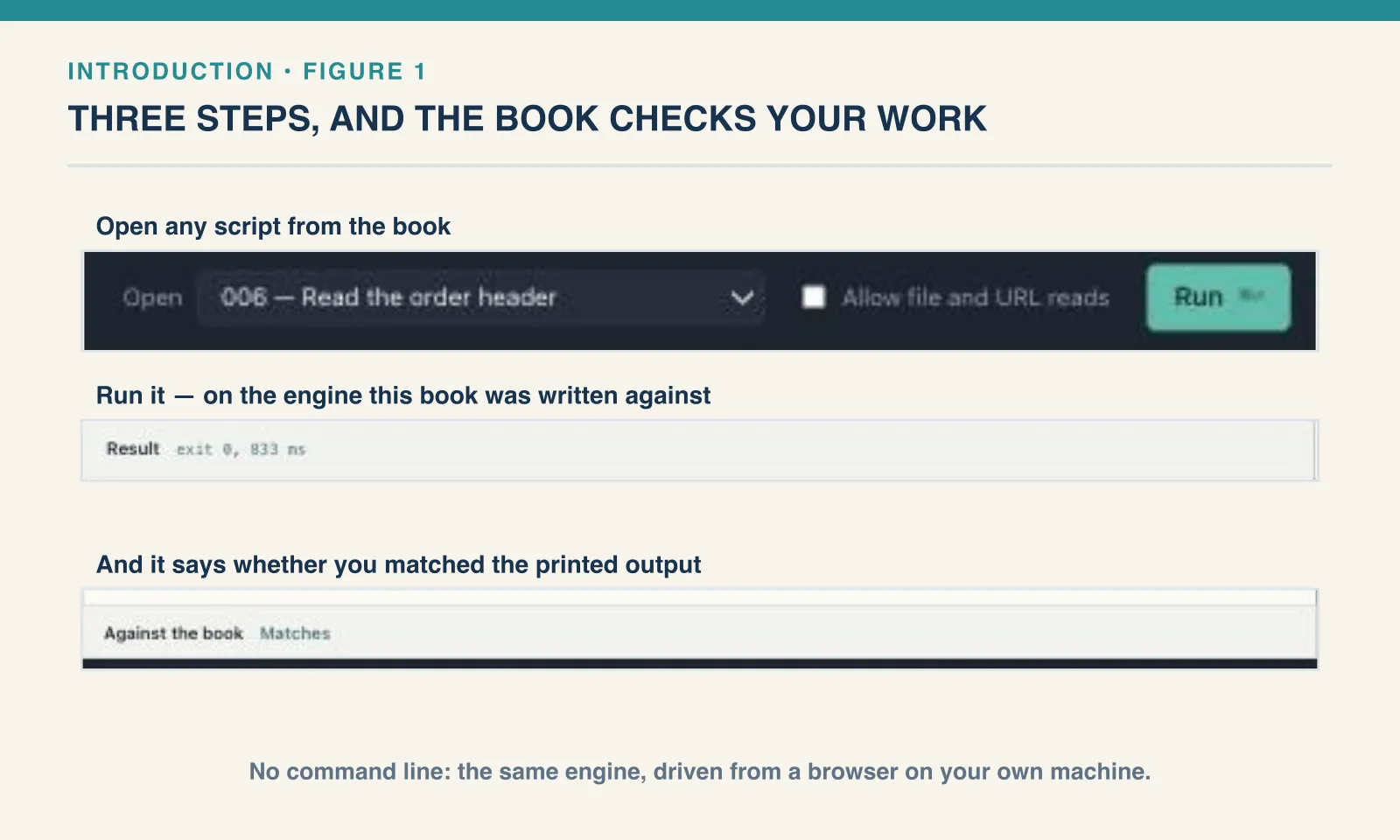
Open http://127.0.0.1:4444. Choose the first chapter and Example 1 — Hello from DataWeave, then Run. The first build downloads the pinned tools; later starts reuse the image. Appendix A explains the other controls and the command-line route.
Follow the examples in order
Examples are numbered continuously in the order they appear, including worked exercise answers. Each has a descriptive name and a corresponding numbered file under book/ in the companion. The Runner uses the same ordering. A later reference keeps the original example’s number; a changed script is a new example with its own number.
Read the input before the script, predict the result, then compare it with the output. A selector, an array and an object can contain similar field names while giving the next operation very different values. When the result surprises you, inspect that intermediate value before changing several lines at once.
The input fixtures grow with the lesson. A simple order header and a nested-customer header are named source variants, not interchangeable schemas. Later chapters introduce multiple orders, supplier files and a namespaced batch. The performance chapter uses its own generated dataset.
The learning path
Chapters 1–5 build one result from values, selections, decisions and functions. Chapters 6–10 introduce collections and object transformations. Chapters 11–16 combine those tools into reports, enrichment, contracts, reusable modules and text processing. Chapters 17–22 examine external formats and time values. Chapter 23 builds the complete report; chapter 24 investigates resource use.
The appendices hold the full Runner reference, advanced function techniques, additional runtime formats and a library reference. They preserve deeper investigations without making each one a prerequisite for the first useful transformation.
A checkpoint is an opportunity to work independently. Try the change before opening its answer. Answers are expanded in the ebook, so pause before reading on. Knowing why an ordinary example succeeds is only part of the task: an empty collection, an absent field or a boundary value can reveal a different assumption.
What the results establish
Most examples use DataWeave CLI 2.12.0, whose version command reports language runtime 2.12.2. %dw 2.0 declares the language family, not that engine release. The companion pins the CLI image so that the saved results have a reproducible starting point.
Selected Java, fixed-width, Excel and deferred-output examples retain separately recorded Mule 4.12.3 / DataWeave 2.12.3 / Java 17.0.13 evidence. Their sections distinguish the executed small probes from unrun broader behavior. A CLI run cannot verify a Mule connector or runtime boundary.
The Runner compares saved output text and exit status. Numerically equal values do not necessarily have identical serialized text. Clock readings and diagnostic object identities may also change between runs; the comparison notes identify those cases. An expected error is part of an example’s result, not an excuse to accept every failure.
Begin with Hello. There is no order total to decipher yet: the first task is to see how the body of a script becomes a value in its result pane.
Next: Your First DataWeave Script.
Comments