Joining Tables: INNER, LEFT, and the Fan-Out That Doubles Your Money
How the relational model reassembles data split across tables — INNER JOIN on a key, table aliases and qualified columns, LEFT JOIN to keep unmatched rows, joining three tables at once, and the one-to-many fan-out that silently multiplies your totals. Run against PostgreSQL 18.
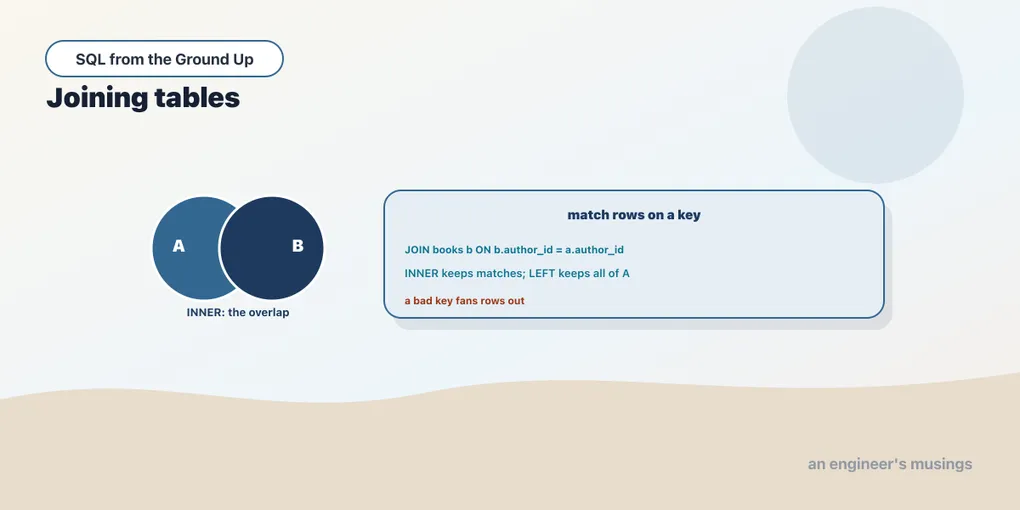
Every chapter so far has looked at one table at a time. That was on purpose, but it’s also the least interesting thing SQL can do. The whole reason the relational model splits data across tables — books here, authors there, orders somewhere else — is that the information is genuinely separate. But the moment you want to answer a real question, you need to put it back together. A join is how you do that. It takes two tables and a rule for matching their rows, and produces one wider table you can query as if the data had never been apart.
This chapter covers the two joins you’ll write most. INNER JOIN keeps only the rows that match on both sides. LEFT JOIN keeps every row from the left table, whether or not it found a partner. It ends on the trap that catches everyone once: a one-to-many join that quietly multiplies your rows, and your sums along with them.
INNER JOIN: matching on a key
The bookshop’s books table carries an author_id that points at a row in authors. That pointer is the whole basis of the join. To show each book next to its author, you name both tables and the rule that links them:
SELECT b.book_id, b.title, a.name AS author, a.country
FROM books b
JOIN authors a ON a.author_id = b.author_id
ORDER BY b.book_id
LIMIT 5;
book_id | title | author | country
---------+--------------+-----------+---------
1 | Book Title 1 | Author 1 | UK
2 | Book Title 2 | Author 1 | UK
3 | Book Title 3 | Author 38 | Japan
4 | Book Title 4 | Author 27 | Ireland
5 | Book Title 5 | Author 12 | India
(5 rows)Several things are worth naming here. JOIN on its own means INNER JOIN — the word “inner” is the default and almost everyone drops it. The ON clause is the matching rule: pair a books row with an authors row exactly when their author_id values are equal. And b and a are table aliases, short names declared right after each table. Once two tables are in play a bare author_id is ambiguous (both tables have one), so you qualify columns with the alias: b.title, a.name. Get in the habit of qualifying every column in a join, even when only one table has it. It makes the query readable and it survives someone later adding a same-named column to the other table.
An inner join keeps a row only when the match succeeds on both sides. A book whose author_id pointed at no author would vanish from this result, and so would an author who wrote no books. In the bookshop every book has a real author, so nothing is dropped here — but that “drop the unmatched” behavior is exactly what the next join reverses.
Joining three tables
Joins chain. An order lives in orders, its line items in order_items, and each line item points at a book. To see what was actually in an order, you walk all three:
SELECT o.order_id, o.order_date, o.status, b.title, oi.quantity, oi.unit_price
FROM orders o
JOIN order_items oi ON oi.order_id = o.order_id
JOIN books b ON b.book_id = oi.book_id
WHERE o.order_id = 10
ORDER BY b.title;
order_id | order_date | status | title | quantity | unit_price
----------+------------+-----------+----------------+----------+------------
10 | 2024-11-02 | delivered | Book Title 215 | 1 | 33.43
10 | 2024-11-02 | delivered | Book Title 313 | 3 | 15.26
10 | 2024-11-02 | delivered | Book Title 515 | 1 | 14.76
10 | 2024-11-02 | delivered | Book Title 586 | 2 | 51.12
(4 rows)Read it as a pipeline. Start with orders, attach the matching line items, then attach the book each item names. Each JOIN adds one more table and one more ON rule. The database is free to execute them in whatever order it finds fastest — you describe the links, not the sequence. Notice that order 10 came back as four rows, one per line item, even though it’s a single order. Hold that thought; it’s the fan-out, and it’s coming up.
LEFT JOIN: keep the rows that don’t match
An inner join answers “where both sides exist.” Often you want “everything on the left, plus whatever matches on the right.” That’s a LEFT JOIN (short for LEFT OUTER JOIN). It keeps every row from the left table, and where the right side has no match it fills those columns with NULL.
Here’s a case where it matters. Not every author has written a Sci-Fi book. List authors alongside their Sci-Fi titles, keeping the authors who wrote none:
SELECT a.name, b.title, b.genre
FROM authors a
LEFT JOIN books b ON b.author_id = a.author_id AND b.genre = 'Sci-Fi'
WHERE a.author_id BETWEEN 6 AND 9
ORDER BY a.author_id, b.title;
name | title | genre
----------+----------------+--------
Author 6 | Book Title 176 | Sci-Fi
Author 6 | Book Title 332 | Sci-Fi
Author 6 | Book Title 98 | Sci-Fi
Author 7 | Book Title 470 | Sci-Fi
Author 7 | Book Title 596 | Sci-Fi
Author 8 | |
Author 9 | Book Title 398 | Sci-Fi
Author 9 | Book Title 464 | Sci-Fi
(8 rows)Author 8 wrote no Sci-Fi, so the right-hand columns come back blank — those are NULLs. An INNER JOIN would have dropped Author 8 entirely. That’s the whole distinction, and the row counts prove it. Across all 40 authors:
SELECT count(*) AS inner_rows
FROM authors a JOIN books b ON b.author_id = a.author_id AND b.genre = 'Sci-Fi';
SELECT count(*) AS left_rows
FROM authors a LEFT JOIN books b ON b.author_id = a.author_id AND b.genre = 'Sci-Fi';
inner_rows
------------
100
left_rows
-----------
104The inner join returns 100 rows, one per Sci-Fi book. The left join returns 104: the same 100, plus one NULL-filled row for each of the four authors who wrote no Sci-Fi. LEFT JOIN is the tool whenever the question is “all of these, with their those if any.” All customers with their orders, all products with their reviews, all authors with their Sci-Fi. If you catch yourself wanting an inner join but worrying it’ll silently drop the rows you care about, you want a left join.
One subtlety trips people here: I put genre = 'Sci-Fi' in the ON clause, not in a WHERE. On a LEFT JOIN that placement is load-bearing. In the ON clause it filters what counts as a match while still keeping every left row. Moved to WHERE, it would run after the join and throw away the NULL rows, quietly turning your left join back into an inner join. This is the most common left-join bug, and it gets a proper treatment when we reach filtering on outer joins.
The fan-out trap
Now the one that costs people real money. A join matches rows, and when one left row matches several right rows, the left row is repeated once per match. That’s a one-to-many join, and the repetition is called fan-out. You already saw it: order 10 is a single order, but it has four line items, so joining the two produced four rows.
That’s fine when you’re listing line items — you want one row per item. It’s a disaster when you’re summing. Watch:
SELECT count(*) AS order_rows FROM orders WHERE order_id = 10;
SELECT count(*) AS joined_rows
FROM orders o JOIN order_items oi ON oi.order_id = o.order_id
WHERE o.order_id = 10;
order_rows
------------
1
joined_rows
-------------
4One order became four rows the instant a to-many table joined in. Now imagine orders carried a shipping_fee and you summed it over this join: you’d charge the fee four times for one order. Any column that lives on the one side gets multiplied by the number of matches on the many side. The totals look plausible, nobody notices, and the report is wrong.
The fix isn’t a trick, it’s awareness of grain — how many rows one entity occupies in your result. After a join, ask: what does one row now represent? Here, one row is one line item, not one order. So a value that belongs to the order must be summed at the order grain, never across the fanned-out join. Aggregate the items first, or read the order’s own columns alone. We come back to this hard in the aggregation chapter, because sum over an accidental fan-out is the most common way a SQL report lies to you.
Final thoughts
A join is the relational model earning its keep: data split across tables, reassembled on demand by a shared key. INNER JOIN keeps only matched rows; LEFT JOIN keeps every left row and fills the misses with NULL; and joins chain, so three tables reassemble as readily as two. The one habit to build now is grain-awareness. The moment a to-many table enters a join, one entity can occupy many rows, and any sum you take had better account for it. Next we finish the join family: the outer joins from the other direction, the cross join, joining a table to itself, and the anti-join — which rows have no match at all?
Next: The rest of the joins
Comments