NULL Is Not a Value: The Trap Every Beginner Falls Into
Why NULL means unknown, how three-valued logic propagates it, and the operators built to handle it — IS NULL, COALESCE, NULLIF, and the aggregate gotcha. Run against PostgreSQL 18.
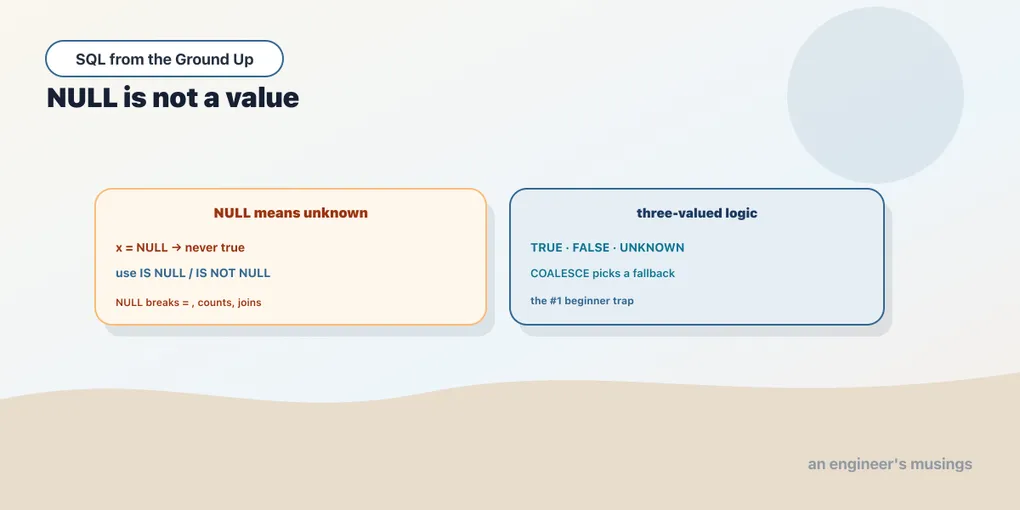
If you learn one thing carefully in this series, make it this one. NULL is the single most common source of “the query looks right but the answer is wrong,” and it catches everyone at least once. The reason is that NULL is not a value. It is the absence of a value, a marker that says “unknown” or “not applicable,” and it does not play by the rules you expect of a value. This whole chapter is that idea and its consequences, every claim run against the database.
NULL means unknown
Think of NULL as “we don’t know.” A customer with no recorded city doesn’t have an empty-string city or a zero city. The city is unknown. That framing explains everything that follows, starting with the rule that surprises people most: you cannot test equality against NULL.
SELECT NULL = NULL AS eq, NULL <> NULL AS neq; eq | neq
----+-----
|
(1 row)Both columns are blank, and blank in psql output means NULL. Read it as the database refusing to answer. Is one unknown value equal to another unknown value? Unknown. Is it not equal? Also unknown. The answer to a comparison against NULL is never true and never false. It is a third thing.
That is why x = NULL never matches a row, even a row where x really is NULL. Any comparison with NULL yields NULL:
SELECT 5 = NULL AS a, 5 > NULL AS b, NULL + 1 AS c, NULL || 'x' AS d; a | b | c | d
---+---+---+---
| | |
(1 row)5 = NULL is not false, it is unknown. Arithmetic and concatenation behave the same way: any expression with a NULL operand is NULL, because a calculation on an unknown input has an unknown result. NULL is contagious.
Three-valued logic
Ordinary boolean logic has two values, true and false. SQL has three: TRUE, FALSE, and UNKNOWN, where UNKNOWN is what a comparison against NULL produces. AND and OR have to say what happens when an operand is UNKNOWN, and the rules follow common sense once you read them as “unknown”:
SELECT TRUE AND NULL AS t_and, FALSE AND NULL AS f_and,
       TRUE OR NULL AS t_or,  FALSE OR NULL AS f_or;
t_and | f_and | t_or | f_or
-------+-------+------+------
| f | t |
(1 row)Walk through it. TRUE AND UNKNOWN is unknown (blank): the result depends on the unknown, so it stays unknown. But FALSE AND UNKNOWN is false: an AND with one false operand is false no matter what the other is, so the unknown can’t change it. OR mirrors that: TRUE OR UNKNOWN is true (one true operand settles it), while FALSE OR UNKNOWN stays unknown. The principle is that UNKNOWN propagates unless the other operand already decides the outcome on its own.
This is exactly why a WHERE clause silently drops rows you didn’t mean to drop. WHERE keeps a row only when the condition is TRUE. A condition that comes out UNKNOWN is treated like false, so the row vanishes, with no error and no warning. A filter like WHERE city <> 'London' will quietly exclude every customer whose city is NULL, because NULL <> 'London' is unknown, not true. You asked for “not London” and didn’t get the unknowns. That is the trap.
The right tools: IS NULL and IS NOT NULL
Since = NULL never works, SQL gives you a dedicated test that does. IS NULL and IS NOT NULL ask “is this the null marker,” and they return an honest true or false:
SELECT NULL IS NULL AS is_null, 5 IS NOT NULL AS is_not_null; is_null | is_not_null
---------+-------------
t | t
(1 row)This is the only correct way to find or exclude nulls. Whenever you want “rows where this column is missing,” it is WHERE col IS NULL; for “rows where it’s present,” WHERE col IS NOT NULL. Burn the reflex in: the moment you’re about to type = NULL, type IS NULL instead.
COALESCE and NULLIF: converting nulls on purpose
Two functions handle the everyday work of dealing with nulls. COALESCE takes any number of arguments and returns the first one that isn’t null, which is how you supply a fallback. NULLIF does the reverse: it returns NULL when two values are equal, which is how you turn a value into a null on purpose.
SELECT COALESCE(NULL, NULL, 'fallback') AS c, NULLIF(5, 5) AS same, NULLIF(5, 3) AS diff; c | same | diff
----------+------+------
fallback | | 5
(1 row)COALESCE(NULL, NULL, 'fallback') skips the two nulls and returns 'fallback'; in real queries you’d write COALESCE(city, 'unknown') to display a placeholder instead of a blank. NULLIF(5, 5) returns NULL because the two are equal, and NULLIF(5, 3) returns 5 because they aren’t. NULLIF is handy for neutralizing sentinel values, for example NULLIF(price, 0) to treat a zero as “no price” before dividing by it.
NULL in aggregates: count(*) is not count(col)
Aggregates have a rule of their own, and it is a frequent source of off-by-a-lot bugs: aggregate functions skip nulls. sum, avg, min, max, and count(column) all ignore rows where the column is null. The one exception is count(*), which counts rows, null or not. The bookshop seed has no nulls in it, so let me build a tiny table inline to show the difference cleanly:
WITH t(id, tag) AS (VALUES (1,'a'), (2, NULL), (3,'c'), (4, NULL))
SELECT count(*) AS count_star, count(tag) AS count_tag FROM t;
count_star | count_tag
------------+-----------
4 | 2
(1 row)Four rows, but only two non-null tag values. count(*) says 4 (how many rows), count(tag) says 2 (how many rows have a tag). Those are different questions, and reaching for the wrong one is a classic bug: count(email) silently undercounts if some emails are missing. The same skipping applies to avg, which divides by the count of non-null values, not the row count:
SELECT avg(n) AS avg_ignoring_null FROM (VALUES (10), (20), (NULL), (30)) AS v(n); avg_ignoring_null
---------------------
20.0000000000000000The average is 60 divided by 3, not by 4. The null row was dropped from both the sum and the count. Usually that is what you want; occasionally it isn’t, and you handle it with COALESCE(n, 0) to make the missing values count as zero. Either way, know which one you’re getting.
A preview: NULL breaks NOT IN
Here is the trap that costs people real production hours, shown now and revisited when we cover subqueries. IN and NOT IN are built on equality, and equality against NULL is UNKNOWN. So a NULL anywhere in the list poisons NOT IN:
SELECT 3 IN (1, 2, NULL) AS in_res, 3 NOT IN (1, 2, NULL) AS not_in_res; in_res | not_in_res
--------+------------
|
(1 row)3 NOT IN (1, 2, NULL) returns NULL, not true, even though 3 is obviously not 1, 2, or null. The reason follows from the logic above: NOT IN expands to 3 <> 1 AND 3 <> 2 AND 3 <> NULL, and that last term is UNKNOWN, which drags the whole AND down to unknown. The result is that NOT IN against a list (or a subquery) containing even one NULL matches no rows at all, silently. When we get to subqueries, the fix is NOT EXISTS, which handles nulls correctly. For now, just file the warning: NOT IN plus NULL equals heartbreak.
Final thoughts
NULL is unknown, and unknown is not a value you can compare, compute with, or filter on the way you’d expect. The consequences all fall out of that one idea: comparisons yield UNKNOWN instead of true or false, WHERE drops the unknowns, aggregates skip them, and NOT IN breaks on them. The defences are small and worth making automatic: test with IS NULL, supply fallbacks with COALESCE, and know whether you want count(*) or count(col). Handle nulls deliberately and they’re merely a rule to remember. Ignore them and they’ll hand you a confidently wrong answer. Next we leave nulls behind for two clauses that shape the result you hand back: ordering it, and removing duplicates from it.
Next: ORDER BY, DISTINCT, and the sharp edges — sorting results, breaking ties, and de-duplicating without hiding a bug.
Comments