Score Your Own Scene: A Prompt-to-Soundtrack App
The series finale — generate a music bed with MusicGen and a narration line with SpeechT5, resample to a common rate, mix and normalize them into one clip, and wrap it in a Gradio app.
Series: Practical PyTorch: Running Models — Audio — Part 8 of 8
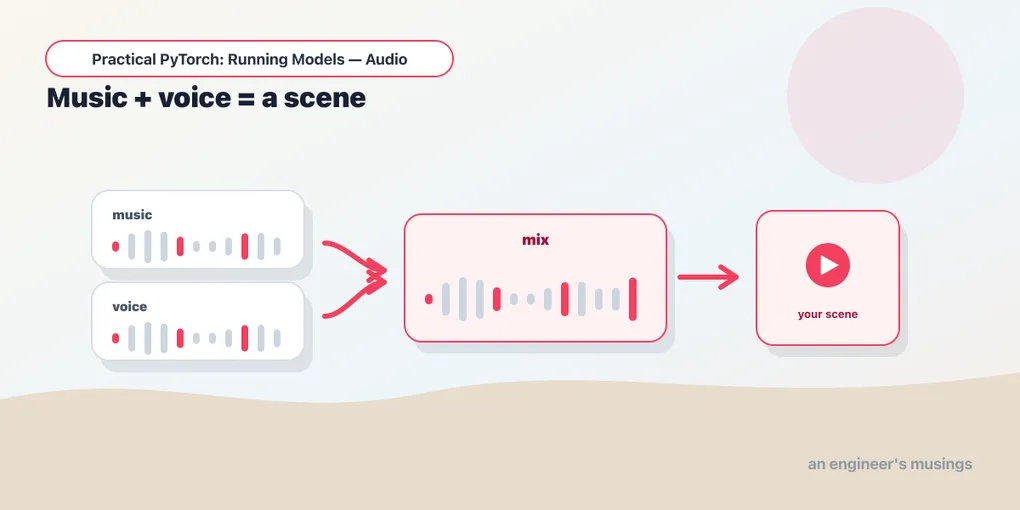
Eight posts ago, audio was a list of numbers and a heatmap. Then you made a model talk, traded it for warmer voices, and narrated a whole article. Then you crossed to the other half of the field — tokens, codecs, and MusicGen turning a sentence about a vibe into thirty seconds of music. This post is where the two halves meet. We’re going to generate a music bed and a narration line, then mix them into a single scene: a few seconds of strings under a voice saying a line, scored from nothing but two text boxes. And it hinges on one function that has bitten every person who’s ever tried to add two audio clips together.
Open the companion notebook in ColabThe plumbing here is barely more than the narrator from Part 4 — but it carries the single most important lesson in working with real audio, the one that turns a clean idea into noise if you skip it. So this is a GPU-leaning post; MusicGen wants the accelerator (Runtime → Change runtime type → GPU), and you’ll be glad of it.
Load both halves of the series
The installs are the union of everything you’ve used — transformers for both models, datasets for the speaker voice, soundfile and gradio for the app, sentencepiece for SpeechT5’s processor:
!pip install -q transformers datasets soundfile gradio sentencepieceNow we load two models at once, the music side and the speech side, plus their helpers. Nothing here is new — it’s Part 6’s MusicGen and Part 2’s SpeechT5, stood up side by side:
import numpy as np, torch
import torchaudio.functional as AF
from transformers import (
    AutoProcessor, MusicgenForConditionalGeneration,
    SpeechT5Processor, SpeechT5ForTextToSpeech, SpeechT5HifiGan,
)
from datasets import load_dataset

device = "cuda" if torch.cuda.is_available() else "cpu"

mg_proc = AutoProcessor.from_pretrained("facebook/musicgen-small")
mg = MusicgenForConditionalGeneration.from_pretrained("facebook/musicgen-small").to(device)
MUSIC_SR = mg.config.audio_encoder.sampling_rate     # 32000

tts_proc = SpeechT5Processor.from_pretrained("microsoft/speecht5_tts")
tts = SpeechT5ForTextToSpeech.from_pretrained("microsoft/speecht5_tts")
vocoder = SpeechT5HifiGan.from_pretrained("microsoft/speecht5_hifigan")
speaker = torch.tensor(
    load_dataset("Matthijs/cmu-arctic-xvectors", split="validation")[7306]["xvector"]
).unsqueeze(0)
One line there earns a hard stare: MUSIC_SR = mg.config.audio_encoder.sampling_rate. We don’t hard-code 32000 — we ask the model what rate it emits. MusicGen runs at 32 kHz; SpeechT5, you’ll remember, runs at 16 kHz. Those two numbers not matching is the entire problem this post exists to solve. Pulling the music rate from the config means the function below stays honest even if you swap in a model with a different rate.
The whole series, in one function
Here it is — generate, resample, mix, normalize. Four steps, and the second one is the crux of the post:
def soundtrack(mood: str, line: str):
    # 1. music bed (MusicGen, 32 kHz, mono)
    mi = mg_proc(text=[mood], padding=True, return_tensors="pt").to(device)
    music = mg.generate(**mi, max_new_tokens=512)[0, 0].cpu()          # ~10 s

    # 2. narration (SpeechT5, 16 kHz) -> resample up to the music rate
    ni = tts_proc(text=line, return_tensors="pt")
    voice = tts.generate_speech(ni["input_ids"], speaker, vocoder=vocoder)
    voice = AF.resample(voice, 16000, MUSIC_SR)                        # <-- the key step

    # 3. mix: music ducked under the voice, then normalize
    out = music * 0.5
    n = min(len(out), len(voice))
    out[:n] = out[:n] + voice[:n] * 0.9
    out = out / out.abs().max()                                       # avoid clipping
    return MUSIC_SR, out.numpy()
That’s the entire app’s brain. Let’s walk the four parts, because each one is load-bearing.
Why you can’t just add the two clips
Here’s the trap, and it’s worth understanding before the fix. A waveform is samples per second. MusicGen hands you 32,000 numbers for every second of music; SpeechT5 hands you 16,000 numbers for every second of speech. If you line those arrays up index-by-index and add them — music[i] + voice[i] — index i means a different moment in time in each clip. By the time the music is one second in (sample 32,000), the voice array is already two seconds in. Add them and you don’t get speech over music; you get the voice playing at double speed, smeared across a backing track it has no relationship to. Garbage, confidently produced, no error thrown.
The fix is the one line with the arrow on it:
voice = AF.resample(voice, 16000, MUSIC_SR)torchaudio.functional.resample rebuilds the voice waveform at a new sample rate — here from 16,000 up to 32,000 — by interpolating the in-between samples. After this line the voice has the same number of samples per second as the music, so index i finally means the same instant in both. This is the rule that outlives this post: you can only add waveforms that share a sample rate. Resample one to match the other first, every time, no exceptions.
Ducking and the mix
With both clips at 32 kHz, the mix is plain arithmetic:
out = music * 0.5
n = min(len(out), len(voice))
out[:n] = out[:n] + voice[:n] * 0.9
The first line ducks the music — music * 0.5 halves its volume so it sits under the voice rather than fighting it. This is exactly what a film mixer does: pull the score down when someone speaks. The voice goes in at * 0.9, near full strength, so it reads clearly on top. The two coefficients are the whole “mix”: background quiet, foreground loud.
The n = min(len(out), len(voice)) is the unglamorous reality that the two clips are different lengths. The music is about ten seconds; a one-line narration is maybe two. We can’t add a 2-second array to a 10-second array directly — the shapes don’t match — so we add the voice only over the first n samples, where n is the shorter of the two. The music keeps playing past where the voice ends, which is exactly what you want: a line spoken over an intro that continues after.
Normalize, or it clips
One line left, and it’s not optional:
out = out / out.abs().max()When you sum two signals, the peaks can stack. A music sample at 0.6 plus a voice sample at 0.7 lands at 1.3 — and audio lives in the range [-1, 1]. Anything past 1.0 gets clipped flat at the ceiling on playback, which sounds like harsh digital distortion, a crackle on the loud parts. Dividing the whole array by its largest absolute value rescales everything so the loudest peak sits exactly at 1.0 and nothing exceeds it. Same balance, same ducking — just scaled to fit inside the lines. Skip this and your mix is fine until the moment music and voice both swell, then it spits.
That’s the function. Generate two clips, resample one to match the other, mix with the quiet one ducked, normalize so it doesn’t clip. Every hard-won audio lesson in the series, in twelve lines.
Try it
sr, audio = soundtrack("warm cinematic strings, hopeful", "And so, the journey finally began.")
from IPython.display import Audio
Audio(audio, rate=sr)
A mood and a line in, a scored scene out: strings swelling, a voice landing the moment, the music carrying on after. Change either box and the scene changes — "tense synth pulse" with "They were already inside the building." is a different film entirely.
Wrap it in Gradio
You’ve done this twice now, so it’ll feel like home. Two text boxes in, an audio player out:
import gradio as gr

gr.Interface(
    fn=soundtrack,
    inputs=[gr.Textbox(label="Mood / style"), gr.Textbox(label="Narration line")],
    outputs=gr.Audio(label="Your scene"),
    title="Score Your Own Scene",
).launch()
Two boxes this time, so inputs is a list — Gradio passes the first to mood and the second to line, in order, which is why the function signature is soundtrack(mood, line) and not the other way around. The output is the same (sample_rate, samples) tuple gr.Audio has wanted in every capstone, and soundtrack returns it directly. .launch() serves it and prints a public link. Type a vibe, type a line, get a scene you can download and drop into a video.
Gotchas
- Sample-rate mismatch is the number-one audio bug, full stop. Adding two waveforms at different rates produces noise, not a mix, and nothing warns you. Always resample to one shared rate before you sum anything —
AF.resample(clip, from_rate, to_rate). If a mix sounds sped-up, smeared, or wrong, suspect rates first. - Summing signals clips. Two clips that each fit in
[-1, 1]can add up past1.0, and playback flattens the overage into distortion. Normalize at the end (out / out.abs().max()) so the peak sits at1.0. This is only needed because we added — a single clip rarely needs it. - The clips are different lengths. A narration line is shorter than a ten-second bed. Trim to the shorter with
min(len, len)(as here), or pad the short one with silence if you want the voice centered. Don’t assume they match. - MusicGen is mono; mind your channels. This mix works because both clips are single-channel. If you later bring in stereo music or a real audio file, you have to match channel counts too — same idea as sample rate, one more axis to line up before you add.
- MusicGen wants the GPU. A ten-second generation on CPU is a long wait. Attach a GPU, and note the
.to(device)on the model and inputs — leave it off and the generate call runs on CPU regardless of what’s attached.
Final thoughts
Look back at where this started. Part 1: audio is a tensor, a waveform is samples per second, a spectrogram is which frequencies are loud and when. Everything since has been variations on owning that one idea. Text-to-speech was a spectrogram a vocoder turned into sound. Neural codecs were a waveform compressed into tokens a language model could generate. And this finale was two of those generators run at once, joined by the most basic fact in the whole series — that a sample only means anything next to its rate — and a few lines of arithmetic to balance them. No new model made the soundtrack app possible. The resample line did.
That’s the shape of this entire series: you were never short a model. The pretrained ones are extraordinary and free, and running them is, genuinely, a dozen lines. What stood between a notebook cell and a thing you could hand someone was always the plumbing — splitting sentences, computing silence in samples, ducking a track, matching a rate. That’s the work, and now it’s work you can do.
Where to go from here? Bigger models, mostly. Swap musicgen-small for musicgen-medium or musicgen-large and the music gets noticeably richer for more compute; reach past SpeechT5 to the warmer voices from Part 3 for the narration. The control knobs from Part 7 — length, melody conditioning, sampling temperature — all still apply, and they’re how you go from “a track” to “the right track.” That’s all still running models, which is what this series was about.
The one thing we deliberately never touched is the other direction: making a model better at your sound — your voice, your style, your instrument. That’s fine-tuning, and it’s a different muscle — it needs gradients, a training loop, and the math we kept off the table here on purpose. It’s the subject of the Training Models series, where audio gets its turn alongside text and images. If running pretrained audio models has you wanting to shape one, that’s exactly where to point yourself next.
Eight posts ago, audio was a list of numbers. Now you can score a scene with it. That’s a good place to stop.
Target keyword(s): mix audio pytorch, resample audio torchaudio, musicgen speecht5 gradio app.
Comments