Start, Play, Game Over
Turn a never-ending toy into a real game with a start screen, a game-over screen, a restart, and difficulty that ramps up — all driven by one little state variable.
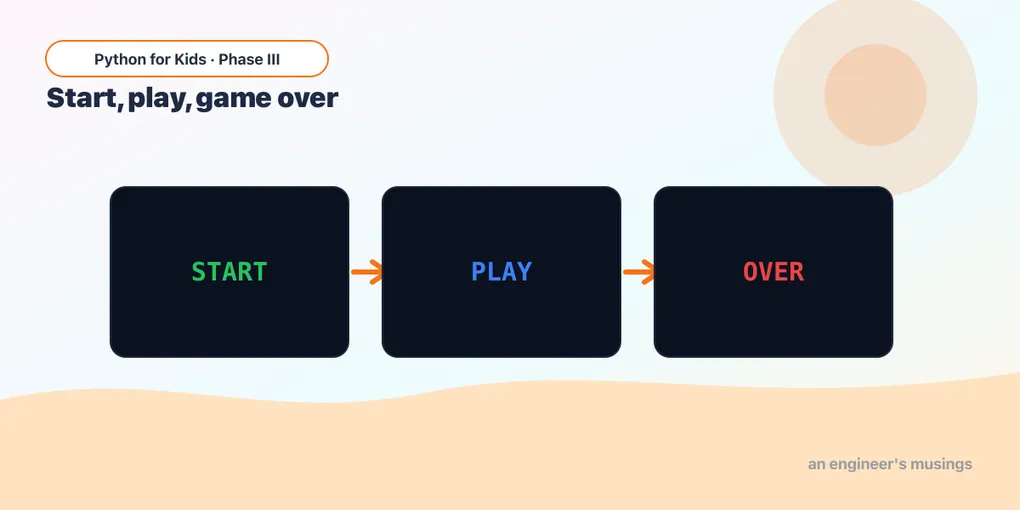
Your swarm of stars from last time rains forever. There’s no “Ready… go!”, no “Game over”, no “Play again?” — it just is. Every real game has those moments: a title screen, the actual playing, and the screen that pops up when you lose. Three different screens.
The trick the pros use is almost silly how simple it is: one variable that remembers which screen you’re on. We’ll call it state.
What’s a “state”?
A state is a word your game holds onto to remember what it’s doing right now. Ours will be one of three:
"start"— the title screen, waiting for you to begin"play"— the game is on"over"— you lost; offering a restart
Each frame, the game asks “which state am I in?” and does the right thing. That’s a state machine — a fancy name for a very plain if:
if state == "start":
    # show the title, wait for SPACE
elif state == "play":
    # run the actual game
elif state == "over":
    # show GAME OVER, wait for SPACE
SPACE is our magic button: it moves you from start into play, and later from over back into play.
A start screen
First, just two screens: a title, and a (still empty) game. Press SPACE to flip between them. Click the screen first so it hears your keys!
Runs on Skulpt + pygame4skulpt — in your browser, nothing installed.
See it? The title sits there until you press SPACE — then state becomes "play" and the picture changes, because the drawing code asks if state == ... every single frame. The window didn’t reopen. Nothing reloaded. One variable flipped, and the whole screen changed.
Notice we only allow the SPACE jump when state == "start". That guard matters — soon SPACE will mean different things on different screens.
The whole game, with three states
Now the real thing. We drop last lesson’s swarm-of-stars game into the "play" state, add a basket you move with the arrows, and a lives count. Miss too many stars and state flips to "over". On the game-over screen, SPACE starts a fresh game.
Runs on Skulpt + pygame4skulpt — in your browser, nothing installed.
That’s a whole game. A title, a round you can lose, a score, and a “play again.” Read the three if state == blocks — each is its own little world, and state decides which one runs this frame.
The difficulty ramp is two lines in the "play" block:
speed = 3 + score // 5   # every 5 points, stars fall faster
gap = 30 - score         # higher score = less wait between stars
if gap < 8:
    gap = 8              # ...but never insanely fast
The longer you survive, the faster and thicker the stars come. That climb is what keeps a game exciting instead of the same forever.
The one new idea here is restarting: when you press SPACE on the over screen, you reset everything — empty the stars list, put score and lives back, and set state = "play".
Try it 🎯
Edit the big program and Run after each change:
- Easy mode: start with
lives = 5instead of3. - Gentler ramp: change
score // 5toscore // 10so it speeds up half as fast. - Faster basket: change the
18in both basket lines to28.
Your mission 🚀
Add a fourth state: "paused". While playing, pressing the P key (pg.K_p) should flip state to "paused"; pressing P again flips it back to "play". In the "paused" state, draw a big “PAUSED” message and don’t move or spawn any stars — just show the frozen screen. (Hint: you’ll add an elif state == "paused": block for the drawing, and a pg.K_p check in the event loop that toggles between the two words.) This is the exact same state-machine idea — one more word your state can hold.
What you learned today
- A state is a word your game remembers to know which screen it’s on (
"start","play","over"). - A state machine is just
if state == "...": ... elif state == "...":— each block is one screen. - One key (SPACE) can mean different things in different states; guard it with the state you’re in.
- Restarting is resetting your variables and setting
state = "play"again. - Ramping difficulty with the score turns a toy into a game.
You now have every piece a small arcade game needs: a loop, shapes, input, a swarm, collisions, a score, and screens. Next time we put them all together into a brand-new game — you’ll pilot a ship and dodge a field of asteroids.
Next: Build-it: Dodge the Asteroids 🎮
Comments