Misk Getting Started: Your First Service, End to End
A hands-on misk getting started walkthrough: the Gradle and BOM setup, the MiskApplication entry point, the module list, config YAML, and running the exemplar service locally.
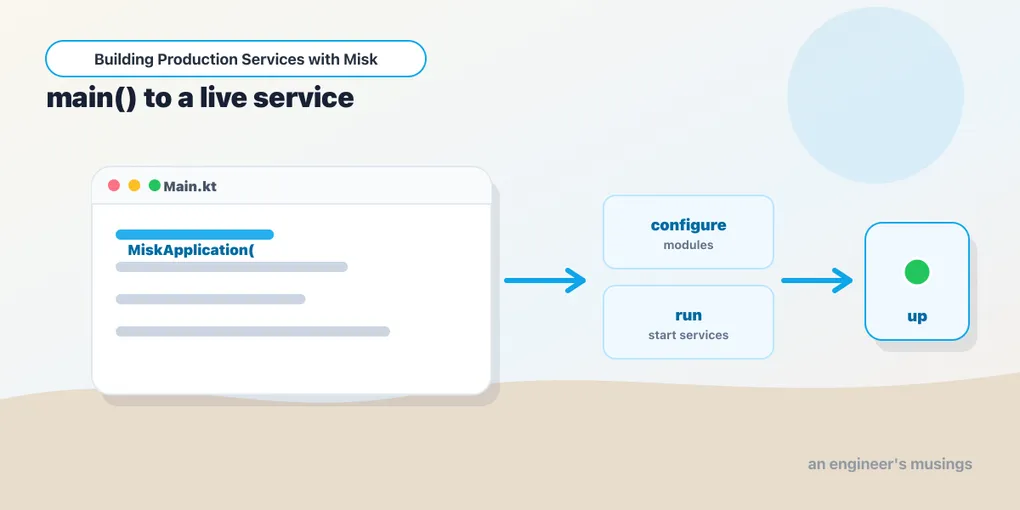
Series: Building Production Services with Misk — Part 2 of 24
Part 1 was the theory: Misk is a container, features are modules. Now let’s make one run. The fastest path into Misk is to start from the exemplar, the maintained sample service in the Misk repo. It’s the path Cash App’s own docs recommend. Rather than retype a toy, we’ll read the real thing: its Gradle build, its MiskApplication entry point, its config, and how it boots locally. By the end you’ll understand every line a Misk service needs to exist.
This is a misk getting started guide that assumes you write Kotlin daily, so we’ll move fast on language and slow on the Misk-specific wiring.
Get the source
Clone the repo — you’ll want it open beside you for this whole series, because the source is the real documentation:
git clone --depth 1 https://github.com/cashapp/misk.gitThe reference service lives at samples/exemplar/. It’s a complete, compiling Misk app: web actions, gRPC, forms, file downloads, cron, leasing, rate limiting, an audit client, an admin dashboard, and a full test suite. When you’re unsure how a feature is wired, the answer is almost always in there.
The Gradle build
A Misk service is an ordinary Kotlin JVM application. The exemplar’s build.gradle.kts applies three plugins and depends on the Misk modules it uses:
plugins {
  id("org.jetbrains.kotlin.jvm")
  id("com.squareup.wire")        // only because exemplar serves gRPC
  id("application")
}

application {
  mainClass.set("com.squareup.exemplar.ExemplarServiceKt")
}

dependencies {
  implementation("com.squareup.misk:misk")
  implementation("com.squareup.misk:misk-actions")
  implementation("com.squareup.misk:misk-config")
  implementation("com.squareup.misk:misk-inject")
  implementation("com.squareup.misk:misk-service")
  // ...and one dependency per Misk feature you use
}
In your own project — outside the Misk repo, where the exemplar uses project(...) references — pull the modules from Maven Central and let the BOM pin versions, as we covered in Part 1:
dependencies {
  implementation(platform("com.squareup.misk:misk-bom:<calendar-version>"))
  implementation("com.squareup.misk:misk")
  implementation("com.squareup.misk:misk-actions")
  // no versions here — the BOM owns them
}
The application plugin gives you gradle run, which is how you’ll start the service in development. The Wire plugin is only present because the exemplar serves gRPC; skip it until Part 8.
The entry point: MiskApplication and the module list
Here’s the heart of a Misk service. This is the exemplar’s actual main, lightly trimmed:
fun main(args: Array<String>) {
  ExemplarLogging.configure()
  runDevApplication(::application)
}

fun application(): MiskApplication {
  val deployment = Deployment(name = "exemplar", isLocalDevelopment = true)
  val config = MiskConfig.load<ExemplarConfig>("exemplar", deployment)
  val modules = listOf(
    ConfigModule.create("exemplar", config),
    DeploymentModule(deployment),
    MiskRealServiceModule(),
    MiskWebModule(config.web),
    PrometheusMetricsServiceModule(config.prometheus),
    MonitoringModule(),
    ExemplarAccessModule(),
    ExemplarWebActionsModule(),
    // ...the rest of the app's own modules
  )
  return MiskApplication(modules)
}
Read it as a list of decisions:
runDevApplication(::application)is a local-dev convenience that boots the app with development niceties. In production you’d typically just callMiskApplication(modules).run(args). The docs’ simplermainand the exemplar’s dev harness differ here, but both end at the sameMiskApplication.MiskConfig.load<ExemplarConfig>("exemplar", deployment)loads YAML into a typed config object (next section).ConfigModule.create("exemplar", config)makes that config injectable, so any class can ask forExemplarConfigor a sub-config.DeploymentModule(deployment)tells the app whether it’s local, staging, or production — Misk’s environment abstraction.MiskRealServiceModule()is the big one: it installs the real service infrastructure (theServiceManager, clock, executors, the machinery that runs a production service). Its test-time counterpart,MiskTestingServiceModule(), swaps in fakes — a symmetry we’ll exploit heavily in the testing post.MiskWebModule(config.web)stands up the Jetty web server on the configured port.PrometheusMetricsServiceModule/MonitoringModulewire metrics and monitoring.- The app’s own modules (
ExemplarWebActionsModule,ExemplarAccessModule, …) register your endpoints and access rules.
That’s the whole pattern. A Misk service is this list. Adding a capability — Redis, a database, a job queue — means appending a module here and a config block in the YAML. Nothing more mysterious than that.
Config: the Config interface and YAML
Every Misk service has one top-level config class implementing the Config marker interface. Modules that need configuration expose their own config types, and you compose them as properties. The exemplar’s:
data class ExemplarConfig(
  val apiKey: Secret<String>,
  val web: WebConfig,
  val prometheus: PrometheusConfig,
  @Redact val redacted: String,
  val data_source_clusters: DataSourceClustersConfig,
) : Config
Two things to notice immediately, because they’re genuinely good design. Secret<String> is a typed wrapper for sensitive values. The actual secret is loaded from a referenced file, not inlined, and the type stops you from accidentally logging it. @Redact marks a field so it’s scrubbed when the config is dumped. Misk exposes config on the admin dashboard, and you do not want secrets rendered there. We’ll dig into both in the config post (Part 21).
The config is populated from YAML on the resource path. Misk resolves files in order, merging with later files winning:
$SERVICE_NAME-common.yaml$SERVICE_NAME-$ENVIRONMENT.yaml
So the exemplar has exemplar-common.yaml for shared values and can override per environment. The common file maps directly onto the config class:
web:
  port: 8080
  idle_timeout: 30000
  http2: true

prometheus:
  http_port: 8081

apiKey: "classpath:/secrets/api_key.txt"   # Secret<String> loads from here
redacted: "super-secret-123"

data_source_clusters:
  exemplar-001:
    writer:
      type: MYSQL
      database: exemplar_testing
      migrations_resource: "classpath:/migrations"
Every value in the config object must have a corresponding YAML entry. Misk fails fast at load time if something’s missing, so a misconfigured service dies at startup with a clear error — not at 3am with a NullPointerException. That fail-loud posture is a recurring Misk theme.
Running it locally
From the exemplar directory:
gradle runMisk creates the Guice injector, then starts every service installed via a ServiceModule in dependency order. It waits for them all to report healthy, and only then starts the Jetty health service last — so the container advertises liveness once everything’s actually up. You’ll see it log each service starting and a final “all services started” line.
The web server comes up on 8080 (per the config), and the Prometheus metrics endpoint on 8081. Hit an endpoint — the exemplar serves GET /hello/{name} — and you’ve got a running Misk service. The admin dashboard, if installed, is mounted under /_admin.
Project layout
A conventional Misk service looks like:
src/main/kotlin/com/example/
  MyService.kt          ← main() + the module list
  MyConfig.kt           ← the Config class
  *Module.kt            ← Guice modules (web actions, bindings, access)
  actions/              ← WebAction classes
src/main/resources/
  my-service-common.yaml
  my-service-staging.yaml
src/test/kotlin/...     ← @MiskTest tests + a test module
Nothing here is enforced by the framework — it’s convention — but matching it means anyone who’s seen one Misk service can navigate yours. That fleet-wide familiarity is the entire point of a container.
Production notes & gotchas
runDevApplicationis for local dev. Don’t ship it as your production entry point; production usesMiskApplication(modules).run(args)with the realDeployment. The dev harness exists to makegradle runpleasant.- Config files must exist. At least one of
$SERVICE-common.yamlor$SERVICE-$ENV.yamlmust be present, and every config field needs a YAML entry. Missing config is a startup failure, by design. MiskRealServiceModulevs.MiskTestingServiceModule. These are the production/test split for service infrastructure. Installing the wrong one is a classic early mistake — real inmain, testing in your@MiskTestModule.- Don’t inline secrets. Use
Secret<T>with aclasspath:or file reference and@Redactanything sensitive. The admin dashboard renders config; treat it as visible.
What’s next
You have a running service, but we’ve glossed over the thing holding it all together: Guice. In Part 3: Dependency Injection with misk-inject we’ll dig into KAbstractModule, bindings, qualifiers, and multibindings — why Misk chose Guice over Spring-style DI, and how modules actually compose a service.
Target keywords: misk getting started, misk example, misk service.
Comments