Keeping the Line Open: WebSockets
Request/response can't push. WebSockets give you a persistent, two-way channel — perfect for live updates and chat. Echo a message, then broadcast to every connected client.
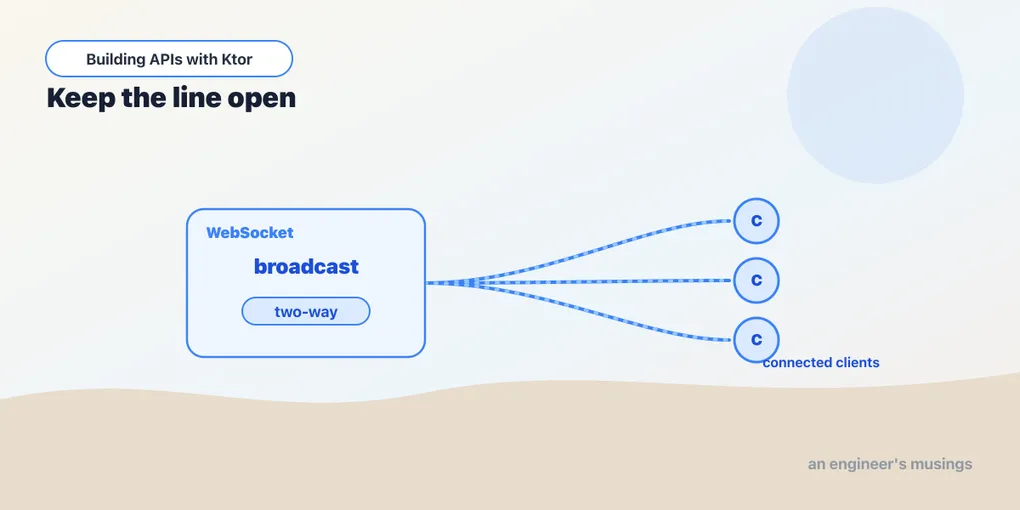
Everything so far has been request/response: the client asks, the server answers, the connection closes. That model can’t push — it can’t tell the client “a task just changed” without the client asking first. WebSockets keep a single connection open in both directions, and Ktor’s coroutine model makes them feel surprisingly natural.
Install and configure
WebSockets are a plugin:
implementation("io.ktor:ktor-server-websockets")import io.ktor.server.websocket.*
import kotlin.time.Duration.Companion.seconds
fun Application.configureSockets() {
install(WebSockets) {
pingPeriod = 15.seconds // keep idle connections alive
timeout = 15.seconds // drop ones that stop responding
}
}pingPeriod sends periodic pings so proxies don’t kill an idle connection; timeout drops a client that’s gone quiet. Sensible defaults for a connection meant to stay open.
An echo socket
A WebSocket route looks like any other route, but the handler is a long-lived session. Instead of responding once, you loop over incoming frames:
import io.ktor.websocket.*

fun Route.socketRoutes() {
    webSocket("/echo") {
        send("Connected. Say something.")
        for (frame in incoming) {
            if (frame is Frame.Text) {
                val text = frame.readText()
                if (text.equals("bye", ignoreCase = true)) {
                    close(CloseReason(CloseReason.Codes.NORMAL, "Goodbye"))
                } else {
                    send("You said: $text")
                }
            }
        }
    }
}
The shape to absorb:
incomingis a coroutine channel of frames.for (frame in incoming)suspends until the next message arrives and ends when the client disconnects — awhile-loop you never have to write.- Frames have types.
Frame.Textcarries text (readText()); there are also binary, ping, and close frames. send(...)writes back down the same connection, any time — that’s the push you couldn’t do before.close(CloseReason(...))ends it cleanly.
The handler stays alive for the whole conversation, suspended between messages. No threads tied up waiting — just a coroutine parked on incoming.
Broadcasting to everyone
Echo talks to one client. The real power is pushing to many — a chat room, a live dashboard, task updates fanned out to every viewer. Keep the set of active sessions and send to all of them:
import java.util.Collections

private val sessions = Collections.synchronizedSet<DefaultWebSocketServerSession>(LinkedHashSet())

fun Route.chatRoutes() {
    webSocket("/chat") {
        sessions += this                 // 'this' is the current session
        try {
            for (frame in incoming) {
                if (frame is Frame.Text) {
                    val message = frame.readText()
                    sessions.forEach { it.send(message) }   // fan out to all
                }
            }
        } finally {
            sessions -= this              // always clean up on disconnect
        }
    }
}
Two things keep this honest. The session set is shared across many concurrent coroutines, so it must be thread-safe — hence synchronizedSet. And the finally block is essential. When a client drops, the for loop ends and you must remove its session. Otherwise you’ll leak dead connections and eventually try to send into closed ones.
This is the skeleton of every real-time feature. Swap “broadcast the chat message” for “broadcast the task that just changed,” and your API can push live updates the moment a POST /tasks lands. That wires the WebSocket layer to the same TaskService the REST routes use.
When to actually use them
WebSockets are the right tool when the server needs to initiate — live feeds, collaborative editing, chat, dashboards, notifications. They’re the wrong tool for ordinary request/response; don’t WebSocket-ify a CRUD API because it sounds modern. A persistent connection per client has real cost in memory and connection slots, and it complicates load balancing and scaling. Reach for them when push is genuinely the requirement, and keep the boring stuff on plain REST.
Final thoughts
WebSockets fit Ktor’s coroutine model almost too well. A session is a suspending function looping over incoming, and broadcasting is just holding a thread-safe set and calling send on each. The two non-negotiables are concurrency safety on shared session state and cleaning up in finally — get those wrong and you leak connections. Past that, real-time stops being exotic and becomes just another route shape.
We’ve now built the whole service — routes, JSON, a database, auth, security, observability, outbound calls, and real-time. Time to make sure it actually works and ship it. Next: testing.
Comments