Scope Functions Workbook
Ten short exercises on Kotlin's scope functions — let, run, with, apply, and also, decided by receiver-versus-parameter and result-versus-object, plus takeIf and takeUnless.
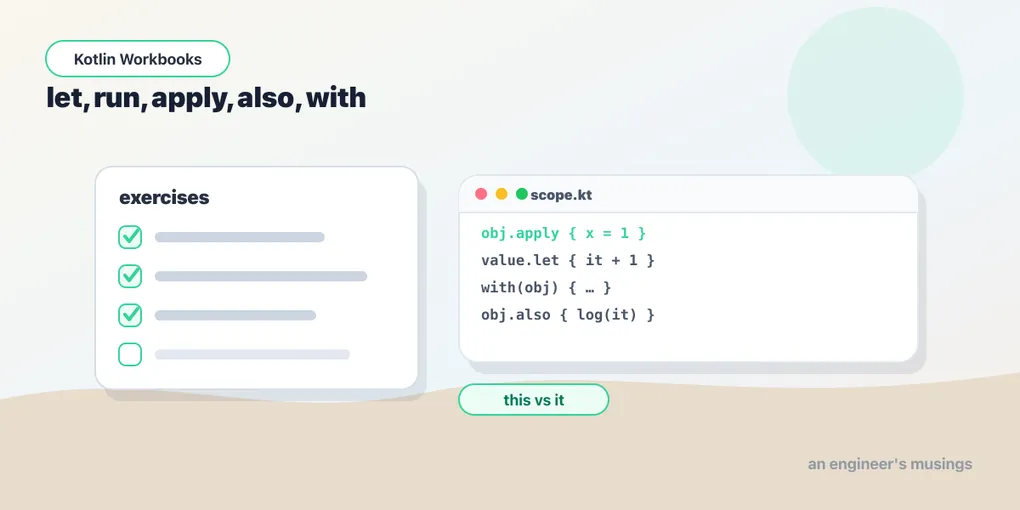
Practice problems for let, run, apply, also, with. Each takes a minute or two, and each comes with a runnable editor — fill in the TODO, press Run to compile it on JetBrains’ Kotlin server, then click Show answer to check yourself. Nothing here is a trick question, just direct practice of the syntax from the lesson.
the two questions
1. Configure and return
Create a StringBuilder, append "a" and "b", and keep the builder — using the scope function meant for configuration.
fun main() {
  val sb = StringBuilder() // TODO: use apply to append "a" then "b", keeping the builder
  println(sb.toString()) // want ab
}
Show answer Hide answer
val sb = StringBuilder().apply {
    append("a")
    append("b")
}apply: receiver is this, returns the object.
2. Do this if not null
Given name: String?, send a welcome to it only when it isn’t null.
fun main() {
  fun sendWelcome(n: String) = println("Welcome, " + n)
  val name: String? = "Ada"
  // TODO: call sendWelcome only when name isn't null, using name?.let
  println("name = " + name)
}
Show answer Hide answer
name?.let { sendWelcome(it) }let: object is it, returns the block’s result.
3. Side effect in a chain
Given loadUser(), log the user and return it unchanged, in one chained call.
fun main() {
  fun loadUser() = "Ada"
  // TODO: log the user and return it unchanged, using loadUser().also { ... }
  val user = loadUser()
  println(user)
}
Show answer Hide answer
loadUser().also { println("loaded $it") }also: object is it, returns the object.
4. Compute from members
Given a rectangle with width and height, compute its area with a scope function that exposes the object as this and returns the result.
fun main() {
  val rectangle = object {
      val width = 4
      val height = 3
  }
  val area = 0 // TODO: compute width * height with run (object exposed as this)
  println(area) // want 12
}
Show answer Hide answer
val area = rectangle.run { width * height }5. Group operations on one object
Given canvas, call drawLine(...) and drawCircle(...) on it without repeating canvas, using the non-extension form.
fun main() {
  class Canvas {
      fun drawLine(x0: Int, y0: Int, x1: Int, y1: Int) = println("line")
      fun drawCircle(x: Int, y: Int, r: Int) = println("circle")
  }
  val canvas = Canvas()
  // TODO: call both on canvas via with(canvas) { ... }, no repeated 'canvas'
  canvas.drawLine(0, 0, 10, 10)
  canvas.drawCircle(5, 5, 3)
}
Show answer Hide answer
with(canvas) {
    drawLine(0, 0, 10, 10)
    drawCircle(5, 5, 3)
}
takeIf and choosing
6. Keep it only if it qualifies
Given input: String, return it only if it’s not blank, otherwise return from the function.
fun main() {
  val input = "hello"
  val value = input // TODO: keep it only if not blank, else return (takeIf + Elvis)
  println(value) // want hello
}
Show answer Hide answer
val value = input.takeIf { it.isNotBlank() } ?: returntakeIf returns the object or null, so it chains with Elvis.
7. Keep unless
Given input: String, return it unless it’s blank (in which case null), using a single scope function.
fun main() {
  val input = "hello"
  val value = input // TODO: keep it unless blank (null if blank), using takeUnless
  println(value) // want hello
}
Show answer Hide answer
input.takeUnless { it.isBlank() }takeUnless is takeIf’s negation — it keeps the object only when the condition is false.
8. Build and assign
Create a mutableListOf<Int>(), add 1 and 2 to it, and assign the resulting list to nums — using the scope function that returns the object.
fun main() {
  val nums = mutableListOf<Int>() // TODO: add 1 and 2 with apply, keeping the list
  println(nums) // want [1, 2]
}
Show answer Hide answer
val nums = mutableListOf<Int>().apply {
    add(1)
    add(2)
}
apply returns the object (the list), so the whole expression is assignable; also is its it-based counterpart.
9. Swap this for it
Rewrite rectangle.run { width * height } using let instead, so the object is referred to as it.
fun main() {
  val rectangle = object {
      val width = 4
      val height = 3
  }
  val area = rectangle.run { width * height } // TODO: rewrite with let (it.width * it.height)
  println(area) // want 12
}
Show answer Hide answer
rectangle.let { it.width * it.height }run exposes the object as this; let exposes it as it.
10. Combine two in a chain
Given a fresh Request(url), set its method = "POST" and then log it — using apply then also in a single chain that ends holding the request.
fun main() {
  class Request(val url: String) {
      var method: String = "GET"
  }
  val url = "http://example.com"
  // TODO: set method = "POST" with apply, then log with also, keeping the request
  val request = Request(url)
  println(request.method) // want POST
}
Show answer Hide answer
val request = Request(url)
    .apply { method = "POST" }
    .also { println("prepared $it") }
apply configures via this; also runs a side effect via it. Both return the object, so the chain ends with the request.
Going deeper: apply and takeIf
12. Configure and return
Use apply to build a StringBuilder, append first name, a space, and last name, and return the string. apply exposes the object as this and returns it.
import org.junit.Test
import org.junit.Assert

class Test {
  @Test fun buildName() {
      Assert.assertEquals("Ada Lovelace", buildName("Ada", "Lovelace"))
  }
}

//sampleStart
fun buildName(first: String, last: String): String =
  StringBuilder().toString() // TODO: use apply { append(...) } then .toString()
//sampleEnd
Show answer Hide answer
fun buildName(first: String, last: String): String =
    StringBuilder().apply {
        append(first); append(" "); append(last)
    }.toString()
apply returns the configured StringBuilder, and the receiver is this, so append needs no prefix.
13. Gate a value
Use takeIf so blankToNull returns the string when it’s non-blank, or null otherwise.
import org.junit.Test
import org.junit.Assert

class Test {
  @Test fun blankToNull() {
      Assert.assertEquals("x", blankToNull("x"))
      Assert.assertNull(blankToNull("   "))
  }
}

//sampleStart
fun blankToNull(s: String): String? =
  s // TODO: return s only if it isn't blank, else null
//sampleEnd
Show answer Hide answer
fun blankToNull(s: String): String? = s.takeIf { it.isNotBlank() }takeIf returns the object when the predicate holds and null otherwise — a predicate turned into a nullable you can chain with ?: or ?.let.
14. Which one, and why not nest?
You want to configure a freshly-created object and get it back — which scope function? And why is nesting apply/run a hazard? Reveal to check.
Show answer Hide answer
apply — it exposes the object as this and returns the object (let returns the block’s result and uses it; the pair of choices “this vs it” and “object vs result” is the whole map). Nesting is a hazard because inside a nested apply/run, an unqualified name resolves against the innermost receiver first, so name = "x" can silently target the wrong object — disambiguate with a label like [email protected], or just don’t nest.
Back to the lesson, let, run, apply, also, with, or on to the next one: operator overloading.
Comments