One dbt Project, Many Places to Run It
Profiles, targets, custom schemas, environment variables, secrets, and the dev/prod split that keeps analytics work from colliding.
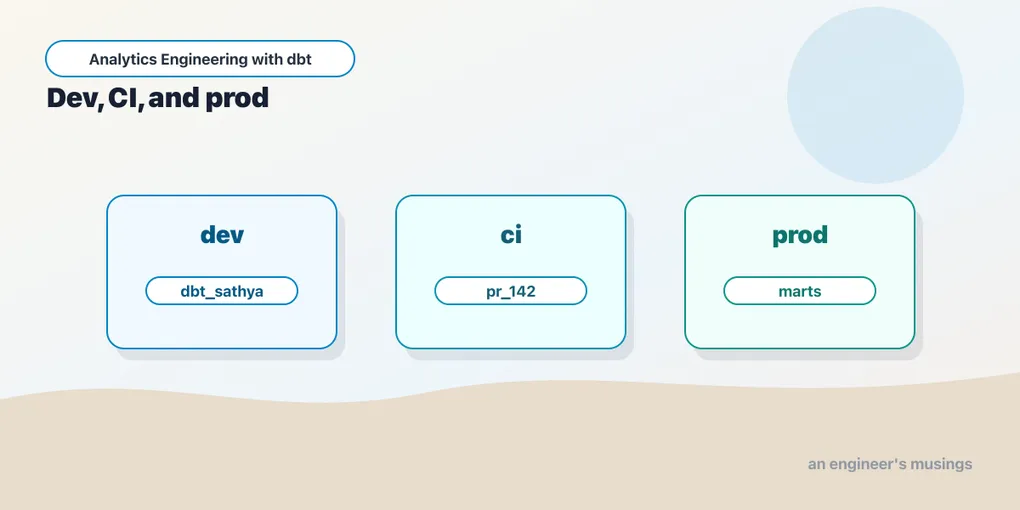
A dbt project is just files. The place it runs is a target.
That separation is easy to miss on a laptop. You run DuckDB, the database file appears, and the whole world feels local. In production, the same project may run against a developer sandbox, a pull-request schema, a production warehouse, and a one-off backfill environment. The SQL should not be copied for each place. The environment should change around it.
This chapter is about that boundary.
Profiles choose the connection
profiles.yml tells dbt how to connect. A profile is a named block with a set of outputs, and each output is one place the project can run:
bookshop:
  target: dev
  outputs:
    dev:
      type: duckdb
      path: bookshop.duckdb
      threads: 4
    prod:
      type: snowflake
      account: "{{ env_var('DBT_SNOWFLAKE_ACCOUNT') }}"
      user: "{{ env_var('DBT_SNOWFLAKE_USER') }}"
      password: "{{ env_var('DBT_ENV_SECRET_SNOWFLAKE_PASSWORD') }}"
      role: TRANSFORMER
      warehouse: TRANSFORMING
      database: ANALYTICS
      schema: MARTS
      threads: 8
The top-level key, bookshop, is the profile name. It has to match the profile: line in dbt_project.yml — that string is the handshake between the project and its connections. The project says “I run under the bookshop profile”; profiles.yml says “here is what bookshop can connect to.”
Two things about this file are worth slowing down on.
The target: dev line is the default. It picks which output runs when you do not say otherwise. On a laptop that should always be the cheap, local one — here, DuckDB writing to a file. You never want production to be the target you reach by forgetting to type a flag.
The outputs themselves can be completely different adapters. dev is DuckDB and needs nothing but a file path. prod is Snowflake and needs an account, a role, a warehouse, and a database. dbt does not care that they are different engines; it compiles the same models and hands the resulting SQL to whichever adapter the target names. That is the whole promise of the target abstraction — the bookshop’s stg_orders, orders, and customers are written once and run in both places.
To choose a target at run time:
dbt build              # uses target: dev
dbt build --target dev # explicit, same thing
dbt build --target prod
dbt build -t prod      # -t is the short form
The project did not change. The connection did.
Where dbt looks for the file
By default dbt reads ~/.dbt/profiles.yml — a single file in your home directory, outside the repo, shared across every project on the machine. That default exists precisely so that credentials live somewhere the repo cannot see.
You can point elsewhere with DBT_PROFILES_DIR:
export DBT_PROFILES_DIR=/etc/dbt      # look for /etc/dbt/profiles.yml
dbt build -t prod
This matters in CI and in containers, where there is no ~/.dbt. An orchestrator typically mounts a profiles.yml into a known path and sets DBT_PROFILES_DIR to it, or drops one next to the project and sets DBT_PROFILES_DIR=.. The file is small and templated; the secrets it references arrive separately, through the environment.
Why secrets never live in a committed profiles.yml
Look again at the prod block. Every sensitive value is env_var(...), not a literal. That is deliberate. A profiles.yml with a real Snowflake password in it is a password checked into version control the moment anyone commits it — and git never forgets. Even in a private repo, a plaintext credential is now in every clone, every fork, every backup, and every laptop that has ever pulled.
The rule is simple: the file that describes how to connect can be committed or shared; the credentials it needs are injected at run time. In practice most teams keep profiles.yml out of the repo entirely (add it to .gitignore), or commit only a profiles.yml whose sole output is the local DuckDB dev target — which needs no secrets at all — and let production credentials live in the environment.
target is available inside dbt
The selected target is not only a connection. dbt exposes it in Jinja, so models and macros can read which environment they are running in:
select
    '{{ target.name }}' as run_environment,  -- 'dev' or 'prod'
    '{{ target.schema }}' as target_schema,  -- 'MARTS'
    '{{ target.type }}' as adapter           -- 'duckdb' or 'snowflake'
The common properties are target.name (the output key you selected), target.schema, target.database, and target.type (the adapter). Warehouse-specific fields are there too — on Snowflake target.warehouse and target.role resolve as well.
That power should be used sparingly. If every model branches on target.name, you no longer have one project; you have several projects hiding in one repo.
Limit rows in dev, run full in prod
The cleanest use is trimming the volume you scan while developing. The bookshop’s orders mart reads every order ever placed; on Snowflake that is fine, but you do not want to pull the whole history through DuckDB on every save. So cap it — but only outside production:
-- models/marts/orders.sql
select
    order_id,
    customer_id,
    order_date,
    status,
    amount
from {{ ref('stg_orders') }}

{% if target.name != 'prod' %}
    -- keep dev builds fast: last 90 days only
    where order_date >= dateadd('day', -90, current_date)
{% endif %}
The business logic is identical in both places. The only thing target.name changes is how much data flows through it, and that is a property of the environment, not of the metric. Production still sees every row.
A different warehouse per target
On Snowflake, compute and identity often differ by environment even when the SQL does not. You might branch a config so a heavy model claims a larger warehouse in production and a small one everywhere else:
{{ config(
    snowflake_warehouse=(
        'TRANSFORMING_XL' if target.name == 'prod' else 'TRANSFORMING'
    )
) }}
This is the good kind of target branching: connection, cost, and volume — never definitions. A metric should not mean one thing in dev and another in prod. Guarding an expensive post-hook, picking a cheaper warehouse, capping dev rows — all fine. Rewriting a case statement by environment is how you ship a number that only reproduces on one machine.
Custom schemas prevent collisions
The schema: in your target is a default, not a final answer. Left alone, every model in the bookshop lands in that one schema — and if every developer’s dev target points at MARTS, they all write to ANALYTICS.MARTS and overwrite each other’s tables. On a team of one that is invisible. On a team of five it is chaos.
dbt’s answer is the generate_schema_name macro. Every model’s final schema is computed by that macro, and dbt ships a built-in version. Here is the surprising part: the default does not just use the custom schema you write in a +schema: config or a {{ config(schema=...) }}. It concatenates the target schema and the custom name.
The built-in logic is essentially this:
{% macro generate_schema_name(custom_schema_name, node) -%}
    {%- if custom_schema_name is none -%}
        {{ target.schema }}
    {%- else -%}
        {{ target.schema }}_{{ custom_schema_name | trim }}
    {%- endif -%}
{%- endmacro %}
So if your target schema is MARTS and you set +schema: finance on a folder, the models do not land in finance. They land in MARTS_finance. This trips up nearly everyone once. It is intentional — it namespaces custom schemas under the target so two developers with different target.schema values never collide even when they both use a finance sub-schema — but it is rarely what a newcomer expects, and in production you usually want the clean name finance, not MARTS_finance.
Because it is just a macro, you can override it. Define your own generate_schema_name in macros/ and dbt uses yours instead of the built-in one. (We introduced macro overrides in the Jinja chapter; this is one of the highest-value ones.) The pattern most teams settle on splits behavior by environment:
-- macros/generate_schema_name.sql
{% macro generate_schema_name(custom_schema_name, node) -%}
    {%- if target.name == 'prod' -%}
        {#- production: clean schema names, no target prefix -#}
        {{ custom_schema_name | trim if custom_schema_name else target.schema }}
    {%- else -%}
        {#- dev/CI: everything under one per-user or per-run schema -#}
        {{ target.schema }}{% if custom_schema_name %}_{{ custom_schema_name | trim }}{% endif %}
    {%- endif -%}
{%- endmacro %}
Read what that does for the bookshop. In production, a model with +schema: finance lands in finance, and a model with no custom schema lands in whatever prod’s target.schema is — clean, stable names an analyst can bookmark. In dev, everything is prefixed by the developer’s own target.schema, so finance becomes dbt_sathya_finance and the un-prefixed models become dbt_sathya. Nobody steps on production, and nobody steps on each other.
Per-developer dev schemas
The macro above only isolates developers if each developer’s dev target carries a different target.schema. That is the second half of the pattern, and it lives in each person’s own profiles.yml:
# ~/.dbt/profiles.yml — on my machine
bookshop:
  target: dev
  outputs:
    dev:
      type: snowflake
      account: "{{ env_var('DBT_SNOWFLAKE_ACCOUNT') }}"
      user: SATHYA
      password: "{{ env_var('DBT_ENV_SECRET_SNOWFLAKE_PASSWORD') }}"
      role: TRANSFORMER
      warehouse: TRANSFORMING_DEV
      database: ANALYTICS_DEV
      schema: dbt_sathya   # <- unique per developer
      threads: 8
A teammate’s file is identical except schema: dbt_priya. One production database, one shared warehouse tier, but every developer builds into their own schema and sees only their own tables. The convention dbt_<name> is so common that dbt Cloud generates exactly this style automatically. You are just doing it by hand.
Note that you can keep DuckDB as your local dev target instead — nothing above forces Snowflake for development. Many bookshop contributors run type: duckdb locally for speed and zero cost, and only ever touch Snowflake through prod and CI. The per-developer schema pattern matters most when the whole team shares one warehouse.
CI uses a throwaway schema
A pull-request build should not write into a developer’s schema or into production. It gets its own target, and its schema is disposable — created for the run, dropped after:
ci:
  type: snowflake
  account: "{{ env_var('DBT_SNOWFLAKE_ACCOUNT') }}"
  user: "{{ env_var('DBT_CI_USER') }}"
  private_key_path: "{{ env_var('DBT_CI_PRIVATE_KEY_PATH') }}"
  role: TRANSFORMER_CI
  warehouse: TRANSFORMING_CI
  database: ANALYTICS_CI
  schema: "dbt_ci_pr_{{ env_var('PR_NUMBER') }}"
  threads: 8
Each pull request builds into dbt_ci_pr_412, dbt_ci_pr_413, and so on. The build runs, the tests run against the freshly built tables, and a teardown step drops the schema when the check finishes. Nothing accumulates, and no two open pull requests share a table.
The exact adapter fields vary, but the pattern holds:
- separate identity (a CI service user, not a person);
- separate role;
- separate schema/database;
- separate warehouse when cost attribution matters;
- automated cleanup.
CI is production’s rehearsal space, not someone’s laptop with a token.
generate_database_name too
Schemas are the common axis, but the same override hook exists one level up. generate_database_name computes each model’s database, and by default it returns the target’s database (or a custom one if you set +database:). Override it the same way when you want, say, production in ANALYTICS and every other environment in ANALYTICS_DEV:
-- macros/generate_database_name.sql
{% macro generate_database_name(custom_database_name, node) -%}
    {%- set default = target.database -%}
    {%- if custom_database_name is none -%}
        {{ default }}
    {%- elif target.name == 'prod' -%}
        {{ custom_database_name | trim }}
    {%- else -%}
        {{ default }}
    {%- endif -%}
{%- endmacro %}
Most teams isolate at the schema level and leave databases alone. Reach for the database override when your warehouse’s access model or billing is drawn on database boundaries.
Know which target you are on
Because so little changes visibly between environments, it is easy to lose track of where a command is about to run. Two habits catch mistakes early.
dbt debug prints the resolved connection — profile, target, adapter, and whether the credentials actually authenticate — without building anything:
dbt debug -t prod
# ... target: prod
# ... connection ok
Run it before any production command, and run it after any change to profiles.yml. It is the cheapest way to confirm that prod really points where you think and that the injected secret is valid.
The second habit is an on-run-start hook that announces the environment in the logs, so every run is stamped with the target it used:
# dbt_project.yml
on-run-start:
  - "{{ log('Building bookshop against target: ' ~ target.name ~ ' / ' ~ target.database, info=true) }}"
Now the first line of every build tells you dev or prod. When you scroll back through a CI log or a scheduled run, there is no ambiguity about which environment produced those tables.
Environment variables are config, not magic
env_var() reads a value from the process environment. Its second argument is a default, used when the variable is unset:
vars:
  reporting_timezone: "{{ env_var('REPORTING_TIMEZONE', 'America/Los_Angeles') }}"
The default is what makes this safe to sprinkle around. A fresh clone with no environment set up still resolves reporting_timezone to America/Los_Angeles and builds. Without the default, env_var('REPORTING_TIMEZONE') raises a compilation error the instant the variable is missing — which is what you want for a required credential and not what you want for a tunable with a sensible fallback. Provide a default for anything the project can run without; omit it for anything that must be supplied.
env_var can appear anywhere Jinja is rendered — profiles.yml, dbt_project.yml, model SQL, macros. That is why the whole prod output above is a lattice of env_var calls: the shape of the connection is committed, the values arrive from the environment at run time.
The DBT_ENV_SECRET_ prefix
Any environment variable whose name starts with DBT_ENV_SECRET_ gets special treatment: dbt scrubs its value from logs and from compiled output. Where the password would appear, dbt prints *****.
password: "{{ env_var('DBT_ENV_SECRET_SNOWFLAKE_PASSWORD') }}"export DBT_ENV_SECRET_SNOWFLAKE_PASSWORD='...'
dbt build -t prod # the value never shows up in dbt's own outputThere are two rules that come with the prefix. First, dbt only lets you read DBT_ENV_SECRET_ variables from inside profiles.yml, packages.yml, and a couple of other connection-time files — not from a model — so you cannot accidentally bake a secret into compiled SQL. Second, the scrubbing is real but narrow: it covers dbt’s logs, not your shell’s. If an orchestrator interpolates the password into a command line before dbt ever starts — dbt run --vars "{token: $SECRET}" — that secret can still leak through process listings, shell history, or the orchestrator’s own rendered-command logs. Pass secrets as environment variables or mounted secret files, never as inline command arguments.
While we are here: the DBT_ prefix is not special on its own — DBT_PROFILES_DIR, DBT_TARGET, DBT_THREADS, and friends are specific variables dbt reads to override CLI defaults, but a variable named DBT_ANYTHING_ELSE is just an ordinary environment variable you read with env_var. Only DBT_ENV_SECRET_ triggers the scrubbing.
DBT_TARGET is worth knowing about specifically: setting it selects the target the same way --target does, with the flag winning when both are present. That is how an orchestrator pins a scheduled run to prod — it sets DBT_TARGET=prod in the job’s environment and never has to remember the flag. On a laptop, leaving DBT_TARGET unset is the safer default, so a bare dbt build falls through to the target: dev line in the profile.
Keep production from being one typo away
The flip side of a shared warehouse is that a mis-typed flag can point a destructive build at real tables. A cheap guard is an on-run-start check that refuses to run production unless the run is explicitly blessed:
# dbt_project.yml
on-run-start:
  - >
    {% if target.name == 'prod' and env_var('DBT_ALLOW_PROD', 'false') != 'true' %}
      {{ exceptions.raise_compiler_error(
           'Refusing to run against prod. Set DBT_ALLOW_PROD=true to confirm.') }}
    {% endif %}
Now dbt build -t prod from a laptop fails immediately with a clear message, while the scheduler — which sets DBT_ALLOW_PROD=true in its environment — runs unimpeded. The production credentials still exist; you have just made aiming at production a deliberate act rather than an accident of muscle memory.
The production answer: a secrets manager
Environment variables are the interface dbt understands. They are not, by themselves, secret storage — an env var is visible to the whole process tree and often to anyone who can inspect the container. The production pattern is to keep the secret in a real vault and only materialize it into the environment for the moment dbt runs.
Concretely, a wrapper fetches the credential and hands it to dbt through the environment:
# fetch from HashiCorp Vault, export, run, and the value dies with the shell
export DBT_ENV_SECRET_SNOWFLAKE_PASSWORD="$(
  vault kv get -field=password secret/bookshop/snowflake
)"
dbt build -t prod
The same shape works with a local OS keyring for a developer’s own credentials (keyring get bookshop snowflake into the export), with cloud secret managers (AWS Secrets Manager, GCP Secret Manager), or with an orchestrator’s secret backend — Airflow Connections and Variables, a Kubernetes Secret mounted as env vars, GitHub Actions encrypted secrets. In every case the storyline is the same: the secret lives in a system built to guard it, gets injected as a DBT_ENV_SECRET_ variable right before the run, and is gone afterward. The repo never sees it, and neither do dbt’s logs.
Use variables for behavior, not credentials
Project variables (vars) are for behavior — knobs that change what the project does, not how it connects:
# dbt_project.yml
vars:
  start_date: "2024-01-01"
  use_sample_data: false
Read them with var(), which also takes a default:
where order_date >= date '{{ var("start_date", "2020-01-01") }}'Override at run time without touching the file:
dbt build --vars '{"start_date": "2026-01-01"}'The line between env_var and var is worth stating plainly. env_var reaches outside the project into the machine’s environment — good for things that differ by where the project runs (credentials, a profiles directory, a warehouse name). var is a value defined inside the project’s config — good for things that are part of the project’s behavior but that you occasionally want to steer from the command line (a backfill start date, a feature flag). Use env_var for the environment; use var for the project.
And do not use vars for passwords. They are not scrubbed, they render into compiled SQL and into the run_results.json artifact, and they show up in --vars on the command line — exactly the process-listing exposure the secret prefix exists to avoid. Behavior in vars; secrets in DBT_ENV_SECRET_.
Grants belong in config
Environments are also about who can read what dbt builds. If dbt creates production tables, it should also grant access predictably:
models:
  bookshop:
    marts:
      +grants:
        select: ['reporter', 'analyst']
Every model under marts/ now grants select to the reporter and analyst roles as part of the build. On adapters that support it, copy_grants can preserve grants across the replace operations dbt does when it rebuilds a table. Grants are adapter-specific enough that you should test them on the actual warehouse, not only in DuckDB — DuckDB’s permission model is not Snowflake’s.
The important principle is ownership: access should not depend on a human remembering to click in the warehouse UI after every deploy. If the grant is in the project, it is reapplied on every run, in every environment, for free.
Final thoughts
Environments are where dbt projects either mature or become fragile. Keep code constant and move connection details into targets. Use custom schemas so developers and CI do not collide — and remember the default macro concatenates rather than replaces, so override it when you want clean names. Put secrets in environment variables backed by a real vault, not in profiles.yml and not in shell strings. Let variables tune behavior without changing business definitions. Configure grants so production objects are usable the moment they are built. One project, many places to run it — that is the contract.
Comments