Arrays In, Objects Out: The Reshaping Toolkit
groupBy, pluck, mapObject, distinctBy, orderBy, and flatMap — the DataWeave functions that turn one shape into another, plus dynamic and conditional keys.
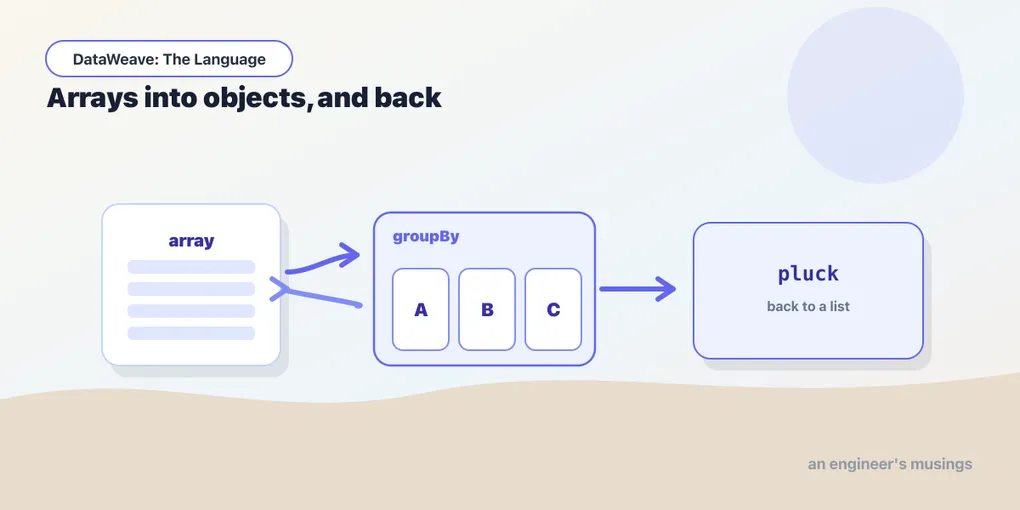
map, filter, and reduce get you a long way, but they all keep the shape roughly where it started — an array stays an array. Real integration work is rarely that polite. The source hands you a flat list of line items and the target wants revenue grouped by category. Or you have an object keyed by SKU and you need an array to iterate. Reshaping — turning arrays into objects and back — is where DataWeave stops feeling like a scripting language and starts feeling like the right tool.
This post is that toolkit. We’ll stay on the orders domain, with one small input to anchor everything:
[
  { "sku": "A-100", "name": "Wireless Mouse",  "category": "peripherals", "price": 24.99, "qty": 2 },
  { "sku": "B-205", "name": "Mechanical Keyboard", "category": "peripherals", "price": 89.00, "qty": 1 },
  { "sku": "C-330", "name": "USB-C Hub",       "category": "accessories", "price": 39.50, "qty": 3 },
  { "sku": "A-100", "name": "Wireless Mouse",  "category": "peripherals", "price": 24.99, "qty": 1 }
]
groupBy: an array becomes an object
groupBy takes an array and a key expression, and returns an object whose keys are the grouping values and whose values are arrays of the items that shared that key.
%dw 2.0
output application/json
---
payload groupBy (item) -> item.category
{
"peripherals": [
{ "sku": "A-100", "name": "Wireless Mouse", ... },
{ "sku": "B-205", "name": "Mechanical Keyboard", ... },
{ "sku": "A-100", "name": "Wireless Mouse", ... }
],
"accessories": [
{ "sku": "C-330", "name": "USB-C Hub", ... }
]
}The lambda gets (item, index) like map does, and the value it returns becomes a key — so it’s coerced to a String in the output object. That’s the one thing to remember: whatever you group by ends up as text.
pluck: the inverse trip
groupBy collapses an array into an object. pluck does the opposite — it walks an object and produces an array, handing your lambda (value, key, index). Where mapObject keeps you in object-land, pluck is your escape hatch back to a list you can sort, count, or reduce.
%dw 2.0
output application/json
---
(payload groupBy (item) -> item.category) pluck (items, category) -> {
  category: category,
  lineCount: sizeOf(items)
}
[
{ "category": "peripherals", "lineCount": 3 },
{ "category": "accessories", "lineCount": 1 }
]groupBy then pluck is one of the most common one-two moves in DataWeave — group to bucket the data, pluck to summarize each bucket into a flat row.
mapObject and filterObject
map and filter are for arrays. Their object-shaped siblings are mapObject and filterObject, and both hand your lambda (value, key, index).
mapObject transforms each entry and can rewrite the key itself:
%dw 2.0
output application/json
var byCategory = payload groupBy (item) -> item.category
---
byCategory mapObject (items, category) -> {
  (category): sum(items map (i) -> i.price * i.qty)
}
{ "peripherals": 228.97, "accessories": 118.50 }filterObject keeps entries whose lambda returns true — the natural way to drop null or empty fields before you write them out:
%dw 2.0
output application/json
---
payload[0] filterObject (value, key) -> value != null
distinctBy and orderBy
Two more that pull their weight constantly. distinctBy removes duplicates, keeping the first occurrence, using whatever the lambda returns as the identity:
%dw 2.0
output application/json
---
payload distinctBy (item) -> item.sku
Our A-100 appears twice; after distinctBy $.sku only the first survives. ($ is the positional shorthand from the functions post — $.sku reads the current item.)
orderBy sorts ascending by the lambda’s result:
%dw 2.0
output application/json
---
payload orderBy (item) -> item.price
There’s no orderByDescending. For numbers, the tidy trick is to negate — orderBy (item) -> -item.price flips it. For anything non-numeric, sort ascending and wrap the result in reverse(...). Both read fine once you’ve seen them once.
flatten, flatMap, and zip
When your data nests an array inside an array, flatten pulls it up one level:
%dw 2.0
output application/json
---
flatten([[1, 2], [3, 4], [5]])
// [1, 2, 3, 4, 5]
More often you map to produce those inner arrays and immediately want them flattened — that’s flatMap, a map and a flatten in one pass. Given a list of orders, each with its own items, this yields every line item across every order:
%dw 2.0
output application/json
---
orders flatMap (order) -> order.items
And zip stitches two arrays into pairs, stopping at the shorter one:
%dw 2.0
output application/json
---
["A-100", "B-205"] zip [24.99, 89.00]
// [ ["A-100", 24.99], ["B-205", 89.00] ]
Dynamic and conditional keys
So far the keys in our output objects have been literals typed into the script. They don’t have to be. Wrap a key in parentheses and it becomes an expression DataWeave evaluates:
%dw 2.0
output application/json
var field = "grandTotal"
---
{ (field): 118.50 }
// { "grandTotal": 118.50 }
That’s how mapObject could rewrite (category): above — the parens turn a value into a key.
Even better, a key-value pair can be conditional — present only when a condition holds. Wrap the whole pair in parentheses and follow it with if (...):
%dw 2.0
output application/json
---
payload map (item) -> {
  sku: item.sku,
  qty: item.qty,
  (bulk: true) if (item.qty >= 3)
}
The bulk field appears only on lines ordering three or more; every other object simply omits it — no nulls to clean up later. There’s a mirror-image unless (...) for the opposite sense. Conditional fields are the reason DataWeave output rarely needs a post-processing pass to strip empties.
Putting it together
Here’s the move the whole post was building toward — line items to revenue by category, sorted highest first:
%dw 2.0
output application/json
---
(payload groupBy (item) -> item.category)
  pluck (items, category) -> {
    category: category,
    revenue: sum(items map (i) -> i.price * i.qty),
    (topSeller: true) if (sizeOf(items) >= 3)
  }
  orderBy (row) -> -row.revenue
[
{ "category": "peripherals", "revenue": 228.97, "topSeller": true },
{ "category": "accessories", "revenue": 118.50 }
]Group, pluck to summarize, order to rank, and a conditional flag on the way out — four functions, one expression, no intermediate variables. Read it top to bottom and every line does one thing.
Final thoughts
The reason reshaping feels hard in a fields-and-arrows mapper is that inverting a shape isn’t a mapping — it’s a restructuring, and a GUI has no good vocabulary for it. DataWeave does: groupBy and pluck are inverses, map/filter/reduce have object-shaped twins, and keys are just expressions like everything else. Learn the pairs and most “how do I turn this into that” questions answer themselves.
Next: Every Branch Is a Value — if, match/case, and choosing values without building a ladder of nested conditions.
Comments