Handle XML Namespaces and Content
The basic XML order is working.
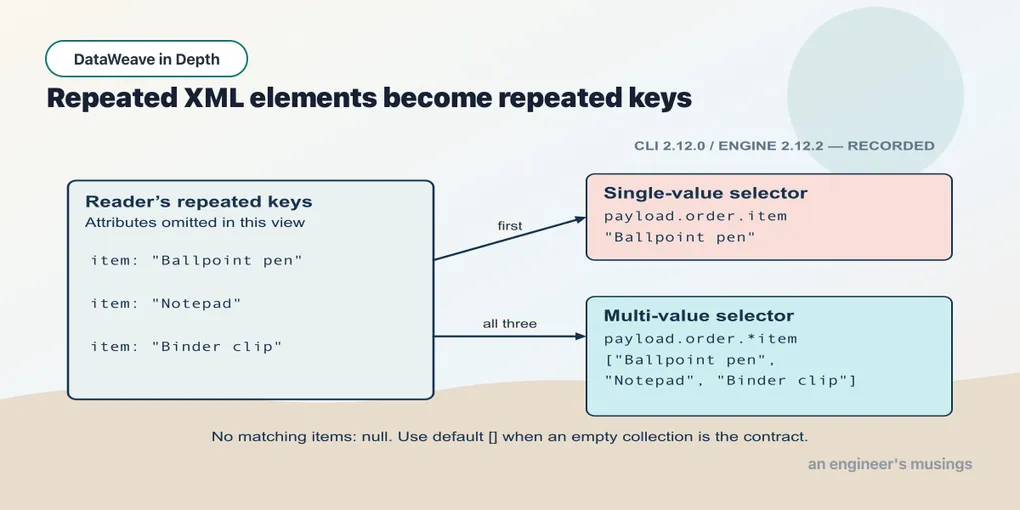
The basic XML order is working. A partner feed adds a namespace; a description later acquires markup; an empty element needs a different interpretation. Treat each as a named change to the source contract and inspect its effect before combining them.
Namespaces
Real XML from a SOAP service or an industry schema comes wrapped in namespaces. Here is A-1001 again with a prefix on every element:
<ord:order xmlns:ord="http://acme.com/orders" id="A-1001">
  <ord:customer>Dana</ord:customer>
  <ord:item sku="PEN-01" qty="4">Ballpoint pen</ord:item>
  <ord:item sku="PAD-22" qty="2">Notepad</ord:item>
  <ord:item sku="CLP-08" qty="10">Binder clip</ord:item>
  <ord:total currency="USD">32.00</ord:total>
</ord:order>
You declare a namespace in the header with ns, binding a prefix of your choosing to the URI. Then you select through it with #:
Example 197 — Select namespaced XML elements.
Input payload — order-ns.xml:
<ord:order xmlns:ord="http://acme.com/orders" id="A-1001">
  <ord:customer>Dana</ord:customer>
  <ord:item sku="PEN-01" qty="4">Ballpoint pen</ord:item>
  <ord:item sku="PAD-22" qty="2">Notepad</ord:item>
  <ord:item sku="CLP-08" qty="10">Binder clip</ord:item>
  <ord:total currency="USD">32.00</ord:total>
</ord:order>
%dw 2.0
ns ord http://acme.com/orders
output application/json
---
{
total: payload.ord#order.ord#total,
unprefixed: payload.order.total,
customer: payload.ord#order.ord#customer
}{
"total": "32.00",
"unprefixed": "32.00",
"customer": "Dana"
}The middle result shows that payload.order.total matches ord:total without a namespace prefix. It would match inv:total too: an unprefixed selector uses the local name regardless of namespace. That is convenient in this document, but ambiguous when two vocabularies contain the same local name. A single-value selector then takes the first match. Use the # form when the script must accept only the expected namespace.
What the # form binds to is the URI, not the letters the source file used:
Example 198 — Match a namespace with a different prefix.
Use order-ns.xml as payload, as above.
%dw 2.0
ns acme http://acme.com/orders
ns wrong http://acme.com/invoices
output application/json
---
{
  byUri:    payload.acme#order.acme#total,
  wrongUri: payload.wrong#order.wrong#total
}
{
"byUri": "32.00",
"wrongUri": null
}The document says ord: and the script says acme#. They agree on the URI, so it matches. wrong# has a different URI and returns null, silently, which is how a one-character typo in a namespace declaration behaves. If the element is visibly present but a namespaced selector returns null, compare the URIs character by character.
A default namespace (xmlns="…" with no prefix) is still a namespace, and the same rules hold:
<order xmlns="http://acme.com/orders" id="A-1001">
  <customer>Dana</customer>
  <total currency="USD">32.00</total>
</order>
Example 199 — Read a default XML namespace.
Input payload — order-defaultns.xml:
<order xmlns="http://acme.com/orders" id="A-1001">
  <customer>Dana</customer>
  <total currency="USD">32.00</total>
</order>
%dw 2.0
ns o http://acme.com/orders
output application/json
---
{
unprefixed: payload.order.total,
withNs: payload.o#order.o#total,
attr: payload.o#order.@id
}{
"unprefixed": "32.00",
"withNs": "32.00",
"attr": "A-1001"
}Producing namespaced XML is the mirror image. Declare the namespace, use the # form on the keys, and the writer emits the declaration on the first element that needs it:
Example 200 — Write a namespaced XML order.
%dw 2.0
ns ord http://acme.com/orders
output application/xml
---
{
  ord#order @(id: "A-1001"): {
    ord#customer: "Dana",
    ord#total @(currency: "USD"): 32.00
  }
}<?xml version='1.0' encoding='UTF-8'?>
<ord:order xmlns:ord="http://acme.com/orders" id="A-1001">
<ord:customer>Dana</ord:customer>
<ord:total currency="USD">32</ord:total>
</ord:order>Mixed content and CDATA
An element that holds text and child elements is mixed content, the thing HTML-in-XML loves:
<note>Ship to <name>Dana</name> before Friday.</note>The reader keeps the text runs and the child elements together, in document order. Each run of loose text sits under the key __text. output application/dw shows it exactly:
{
  note: {
    "__text": "Ship to ",
    name: "Dana",
    "__text": " before Friday."
  }
} as Object {encoding: "UTF-8", mediaType: "application/xml"}
Two __text keys, one name key, in order: the duplicate-key model again. You can select any of it, and .* gathers the runs:
Example 201 — Inspect mixed XML text.
Input payload — mixed.xml:
<note>Ship to <name>Dana</name> before Friday.</note>%dw 2.0
output application/json
---
{
name: payload.note.name,
firstRun: payload.note."__text",
allRuns: payload.note.*"__text",
flat: payload.note.*"__text" joinBy "[name]"
}{
"name": "Dana",
"firstRun": "Ship to ",
"allRuns": [
"Ship to ",
" before Friday."
],
"flat": "Ship to [name] before Friday."
}payload.note as String fails with Cannot coerce Object to String, because an element with a child is an object. If a feed introduces markup inside a description, a transform expecting text receives that object instead. Inspecting its mixed content explains why the coercion stopped working and identifies the text and child elements the transform must handle.
CDATA is text the source wrapped to protect markup or special characters. On the read side it is transparent:
<item sku="CLP-08">
<description><![CDATA[ 10" laptop stand & cable <clip> ]]></description>
<escaped>10" laptop stand & cable <clip></escaped>
</item>Example 202 — Read CDATA as text.
Input payload — cdata.xml:
<item sku="CLP-08">
<description><![CDATA[ 10" laptop stand & cable <clip> ]]></description>
<escaped>10" laptop stand & cable <clip></escaped>
</item>%dw 2.0
output application/json
---
{
fromCdata: payload.item.description,
fromEscaped: payload.item.escaped,
same: trim(payload.item.description) == payload.item.escaped
}{
"fromCdata": " 10\" laptop stand & cable <clip> ",
"fromEscaped": "10\" laptop stand & cable <clip>",
"same": true
}Both routes preserve the quotes and angle brackets. The CDATA version also keeps its surrounding spaces. On the write side the XML writer escapes by default. If a receiving system demands CDATA, coercing the value to CData requests that form:
Example 203 — Write a CDATA value.
Use cdata.xml as payload, as above.
%dw 2.0
output application/xml
---
{
  item @(sku: "CLP-08"): {
    plain:   payload.item.escaped,
    wrapped: payload.item.escaped as CData
  }
}<?xml version='1.0' encoding='UTF-8'?>
<item sku="CLP-08">
<plain>10" laptop stand & cable <clip></plain>
<wrapped><![CDATA[10" laptop stand & cable <clip>]]></wrapped>
</item>The type is spelled CData, capital C and capital D. Write it as cdata and the compiler treats it as an unknown name:
[ERROR] Unable to resolve reference of: `cdata`.

4| { item: { wrapped: payload.item.escaped as cdata } }
                                              ^^^^^
Note also that the plain writer escaped & and < but left > alone, which is legal XML. If a consumer’s parser is strict about >, the writer has an escapeGT property.
Nulls, empties, and the element that is not there
The order feed carries <coupon/>. What is that in the model?
Example 204 — Inspect an empty XML element.
Input payload — order.xml:
<order id="A-1001" channel="web">
  <customer>Dana</customer>
  <item sku="PEN-01" qty="4">Ballpoint pen</item>
  <item sku="PAD-22" qty="2">Notepad</item>
  <item sku="CLP-08" qty="10">Binder clip</item>
  <coupon/>
  <total currency="USD">32.00</total>
</order>
%dw 2.0
output application/json
---
{
coupon: payload.order.coupon,
couponType: typeOf(payload.order.coupon) as String,
isNull: payload.order.coupon == null,
isEmpty: payload.order.coupon == "",
missing: payload.order.giftWrap
}{
"coupon": null,
"couponType": "Null",
"isNull": true,
"isEmpty": false,
"missing": null
}An empty element reads as null, not as an empty string, and so does an element that is not there. That is the reader property nullValueOn at its default of "empty". Set it to "none" and empty elements read as "" instead:
Example 205 — Read empty XML elements.
%dw 2.0
output application/json
var xml = "<order><coupon/><note></note><customer>Dana</customer></order>"
---
{
  defaultRead: read(xml, "application/xml"),
  none:        read(xml, "application/xml", { nullValueOn: "none" })
}
{
"defaultRead": {
"order": {
"coupon": null,
"note": null,
"customer": "Dana"
}
},
"none": {
"order": {
"coupon": "",
"note": "",
"customer": "Dana"
}
}
}<coupon/> and <note></note> are the same to the reader either way. An element marked xsi:nil="true" also reads as null, with the xsi:nil attribute consumed rather than exposed on .@.
Going out, a null becomes an empty element, and so do an empty string and a missing key you named:
Example 206 — Write null values as XML.
Use order.xml as payload, as above.
%dw 2.0
output application/xml
---
{ order: { coupon: null, note: "", giftWrap: payload.order.giftWrap } }<?xml version='1.0' encoding='UTF-8'?>
<order>
<coupon/>
<note/>
<giftWrap/>
</order>If the schema on the other side distinguishes “absent” from “nil”, writeNilOnNull=true writes the nil marker. It also declares the xsi namespace for you:
<order>
  <coupon xmlns:xsi="http://www.w3.org/2001/XMLSchema-instance" xsi:nil="true"/>
  <note/>
</order>
If the consumer’s parser objects to self-closing tags, inlineCloseOn="none" writes <coupon></coupon> instead of <coupon/>. Chapter 17’s property lookup works here too — put a nonsense option on the directive and read the list:
[ERROR] Option `bogus` is not valid. Valid options are: `writeDeclaration`, `indent`, `doubleQuoteInDeclaration`, `encoding`, `escapeGT`, `defaultNamespace`, `bufferSize`, `inlineCloseOn`, `onInvalidChar`, `writeNilOnNull`, `escapeCR`, `skipNullOn`, `writeDeclaredNamespaces`, `deferred`The reader’s list, from read(…, "application/xml", { bogus: true }), is supportDtd, streaming, maxEntityCount, optimizeFor, indexedReader, maxAttributeSize, nullValueOn, collectionPath, externalEntities.
Writer properties you will reach for
For a fragment embedded in a larger document, writeDeclaration=false drops the <?xml …?> prolog. The indent=false option gives one-line output for the wire:
Example 207 — Choose the XML declaration and indentation.
Use order.xml as payload, as above.
%dw 2.0
output application/xml writeDeclaration=false, indent=false
---
{ order @(id: payload.order.@id): { customer: payload.order.customer } }
<order id="A-1001"><customer>Dana</customer></order>encoding changes both the declaration and the bytes, which is easy to misread on a terminal:
Example 208 — Select an XML output encoding.
%dw 2.0
output application/xml encoding="ISO-8859-1"
---
{ order: { customer: "Dana Müller" } }
<?xml version='1.0' encoding='ISO-8859-1'?>
<order>
<customer>Dana M�ller</customer>
</order>The replacement character is my UTF-8 terminal failing to decode a Latin-1 byte. The writer did what it was asked. If you see that symbol in a log, check the declared encoding before you check the data.
A worked feed
The namespaced feed needs a JSON order whose id and currency survive as fields, whose lines remain an array, and whose quantities and total are numbers. Selecting each part explicitly gives the writer that shape:
Example 209 — Normalize a namespaced XML feed.
Use order-ns.xml as payload, as above.
%dw 2.0
ns ord http://acme.com/orders
output application/json
---
{
  orderId:  payload.ord#order.@id,
  customer: payload.ord#order.ord#customer,
  currency: payload.ord#order.ord#total.@currency,
  total:    payload.ord#order.ord#total as Number,
  lines:    payload.ord#order.*ord#item map {
    sku:  $.@sku,
    qty:  $.@qty as Number,
    name: $
  }
}
{
"orderId": "A-1001",
"customer": "Dana",
"currency": "USD",
"total": 32,
"lines": [
{
"sku": "PEN-01",
"qty": 4,
"name": "Ballpoint pen"
},
{
"sku": "PAD-22",
"qty": 2,
"name": "Notepad"
},
{
"sku": "CLP-08",
"qty": 10,
"name": "Binder clip"
}
]
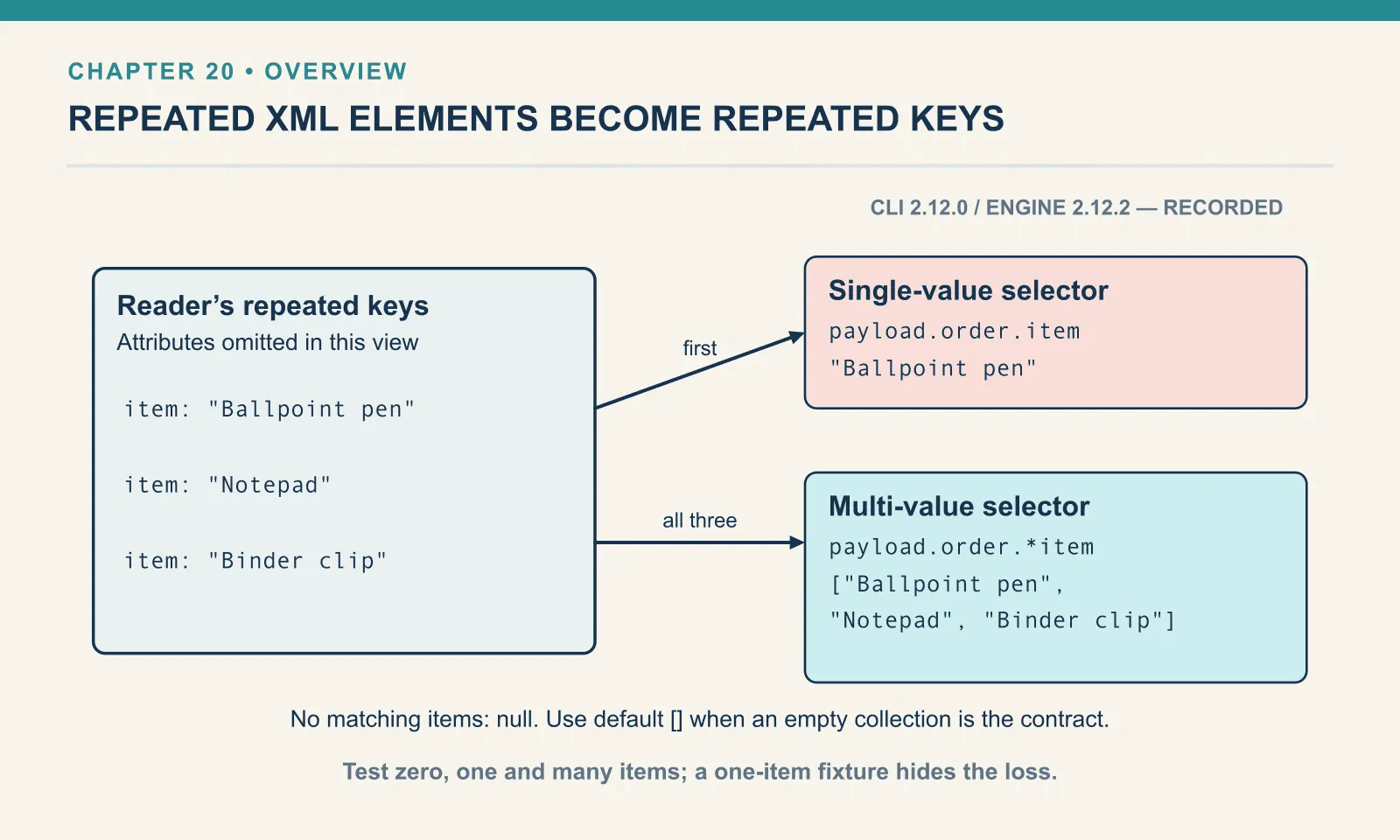
}The root attribute supplies the order id, and # binds each element selector to the expected URI. The multi-value selector survives a one-item feed, while as Number converts each numeric value where it is produced. This script covers the nonempty fixture shown. To include empty orders, default the missing repeated-element selection to [] before mapping; chapter 23 builds that policy into its normalization function and checks the empty case.
read() and write(): formats inside the body
The output directive picks the writer for the script’s result, and the input’s media type picks the reader for payload. Both are decided outside the body. Sometimes you need a reader or writer inside it. A JSON field might contain an XML string, or a JSON envelope might need to carry CSV. An individual value might also need different formatting properties from the rest of the output. read() and write() are those readers and writers as functions:
Example 210 — Read and write embedded formats.
Input payload — order.json:
{ "orderId": "A-1001", "customer": "Dana", "coupon": null, "tags": ["gift", null, "rush"],
  "items": [
    { "sku": "PEN-01", "price": 2.5, "qty": 4, "note": null },
    { "sku": "PAD-22", "price": 6.0, "qty": 2 },
    { "sku": "CLP-08", "price": 1.0, "qty": 10 }
  ] }
%dw 2.0
output application/json
var xml = '<order id="A-1001"><customer>Dana</customer></order>'
---
{
parsed: read(xml, "application/xml"),
asJson: write(read(xml, "application/xml"), "application/json", { indent: false }),
asXml: write({ order: { id: payload.orderId } }, "application/xml", { writeDeclaration: false, indent: false }),
asCsv: write(payload.items, "application/csv"),
typeOfWrite: typeOf(write(payload, "application/json")) as String
}{
"parsed": {
"order": {
"customer": "Dana"
}
},
"asJson": "{\"order\": {\"customer\": \"Dana\"}}",
"asXml": "<order><id>A-1001</id></order>",
"asCsv": "sku,price,qty,note\nPEN-01,2.5,4,\nPAD-22,6,2\nCLP-08,1,10\n",
"typeOfWrite": "String"
}read(text, format, properties) returns a model value; write(value, format, properties) returns a String for the text formats shown here. The properties object takes the same names the directives do. The output also shows three ways a format choice can affect the result.
The id attribute vanished from parsed. The XML reader kept it — as @(id: "A-1001") in the model — but the JSON writer has no place to put an attribute and drops it silently. writeAttributes=true on the JSON writer keeps them, with a naming convention:
Example 211 — Preserve XML attributes in JSON output.
Input payload — order.xml:
<order id="A-1001" channel="web">
  <customer>Dana</customer>
  <total currency="USD">32.00</total>
</order>
%dw 2.0
output application/json writeAttributes=true
---
payloadRun against the XML order from earlier:
{
  "order": {
    "@id": "A-1001",
    "@channel": "web",
    "customer": "Dana",
    "total": {
      "@currency": "USD",
      "__text": "32.00"
    }
  }
}
Attributes become @-prefixed keys, and an element that had both attributes and text becomes an object with a __text key. That changes the shape of total from a string to an object. Any selector written against the plain version now returns something else.
The asCsv output has a ragged first row: PEN-01,2.5,4,, with a trailing comma and nothing after it. Only the first item had a note key, and the CSV writer took its columns from that first object. Chapter 18 shows what the writer does when later objects have keys the first did not.
And read() does not infer the format from the content. Hand it XML and tell it JSON:
Example 212 — Reject XML presented as JSON.
%dw 2.0
output application/json
---
read('<order id="A-1001"/>', "application/json")
[ERROR] Error while executing the script:
[ERROR] Exception while reading '<order id="A-1001"/>' as 'application/json' cause by:
Unexpected character '<' at root@[1:1] (line:column), expected false or true or null or {...} or [...] or number but was , while reading `root` as Json.
1| <order id="A-1001"/>
^
4| read('<order id="A-1001"/>', "application/json")
^^^^^^^^^^^^^^^^^^^^^^
Trace:
at 212-reject-xml-presented-as-json::read (line: 4, column: 6)
at 212-reject-xml-presented-as-json::main (line: 4, column: 1) at:
4| read('<order id="A-1001"/>', "application/json")
^^^^^^^^^^^^^^^^^^^^^^That is a good error: it names the format, the position and what it expected. The diagnostic is tied to the explicitly requested JSON reader.
What was not run
Every XML claim above is pasted from the CLI. The reader options I did not exercise are supportDtd, externalEntities, maxEntityCount, indexedReader, collectionPath and streaming; the streaming one is chapter 24’s. The escapeGT, onInvalidChar and defaultNamespace writer options are named from the runtime’s own list and were not run.
Exercises
One character off. Declare ns ord http://acme.com/order (no trailing s) and select payload.ord#order.ord#customer against the namespaced feed. What do you get, and how would you have noticed?
Show answer
{
  "customer": null
}
No error, because a namespaced selector with a different URI simply does not match. You notice by testing against a document you can read, or by dropping to the unprefixed selector to confirm the element exists before suspecting the URI.
Change the writer, not the body. Construct a summary object with the order identifier, buyer and line count. Put it under a summary root and select application/yaml as the output. Explain why the one-root shape XML needed is harmless here.
Show answer
The root remains a normal object key in YAML:
Example 213 — Write a wrapped summary as YAML.
Input payload — order.json:
{
  "orderId": "A-1001",
  "customer": "Dana",
  "items": [
    { "sku": "PEN-01", "price": 2.5, "qty": 4 },
    { "sku": "PAD-22", "price": 6.0, "qty": 2 },
    { "sku": "CLP-08", "price": 1.0, "qty": 10 }
  ]
}
%dw 2.0
output application/yaml
---
{
summary: {
id: payload.orderId,
buyer: payload.customer,
lineCount: sizeOf(payload.items)
}
}%YAML 1.2
---
summary:
id: A-1001
buyer: Dana
lineCount: 3YAML can serialise any object, single-key or not, so the wrapper is just a key. XML needed it because a document has one root; the body carried the shape XML required, and YAML did not mind.
An element name includes its namespace identity, and a value containing child elements has a different shape from plain text. Check those distinctions before assuming that a visible name or description will match the selector written for an earlier feed.
Next: Parse and Format Dates.
Comments