Tools That Claude Actually Uses Correctly
Implementing tools an agent uses well — the definition shape and why the description does the work, client-side versus server-side tools, the tool-result and error contract, approval patterns for sensitive actions, and the best practices for a tool set the model chooses correctly.
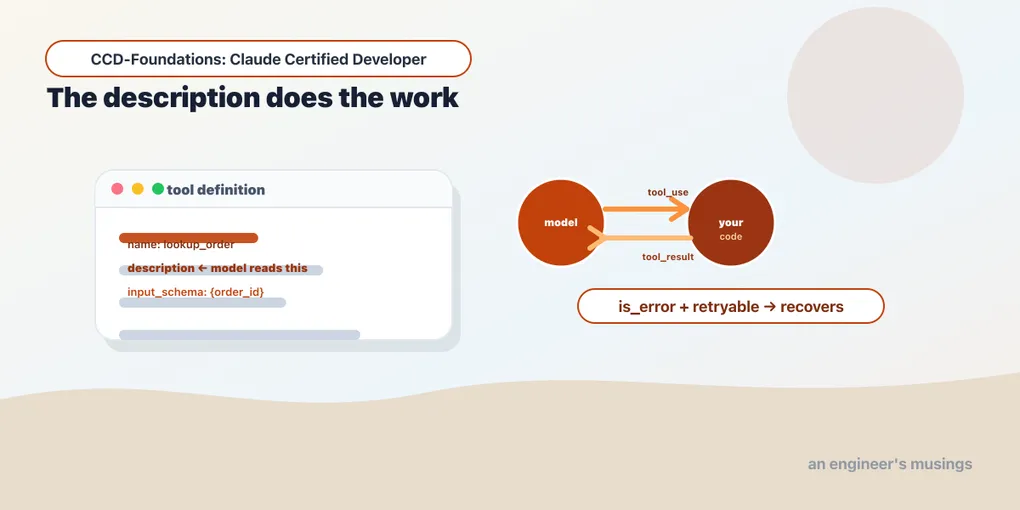
An agent can reason, but on its own a model only produces text. A tool is what lets it act: look up an order, issue a refund, search the web. Give a model a set of tools plus the loop from Arc 2, and the text generator can suddenly reach your systems and change them. That is where most of an agent’s real capability lives — and most of its risk.
This chapter is about implementing them well. The shape of a tool definition. The one field that decides whether the model picks the right tool. The split between code you run and code Anthropic runs. The contract for reporting a result or a failure. And how to assemble a set the model uses as a set. The mechanics build on the MCP series; this is where Arc 3 (Tools & MCPs) begins.
The definition, and what actually matters in it
A tool is three fields: a name, a description, and an input_schema (JSON Schema for the arguments):
TOOLS = [{
    "name": "lookup_order",
    "description": "Look up a bookshop order's delivery status by its order id.",
    "input_schema": {
        "type": "object",
        "properties": {"order_id": {"type": "string", "description": "The order id, e.g. A17"}},
        "required": ["order_id"],
    },
}]
Here’s the thing that surprises developers: the model chooses tools by reading the description, not the name. The name is an identifier; the description is the interface. A tool called lookup_order with a vague description (“gets order info”) will be misused. Give the same tool a precise description of what it does, when to use it, and what it returns, and the model selects it correctly. So write descriptions as if for a competent colleague who can’t see your code. That’s exactly the model’s situation. In the companion Architect work, cleanly-described, single-purpose tools get selected right; overloaded ones get guessed at.
The same care applies to the schema. Type every parameter, describe non-obvious ones, and keep each tool doing one clear job. Mark truly-optional fields as not required, so the model can omit them rather than fabricate. A catch-all manage_order that creates, cancels, and refunds is three tools wearing one name. Split it, and the model chooses among clear options instead of guessing a mode.
The round trip
Recall the loop from Arc 2. When the model wants a tool, it stops with stop_reason == "tool_use" and emits a tool_use block. That block carries an id, the name, and the input (the parsed arguments). You run the tool and return a tool_result block whose tool_use_id matches:
import json

def lookup_order(order_id):
    return {"status": "shipped", "eta": "2026-06-02"}   # your implementation

# assistant turn contains: tool_use(id="toolu_…", name="lookup_order", input={"order_id": "A17"})
result = {"type": "tool_result", "tool_use_id": "toolu_…",
          "content": json.dumps(lookup_order("A17"))}   # you execute, you return
End to end (Arc 2): the model emits the tool_use, we run lookup_order, feed back the tool_result, and it produces the final answer — stop_reason sequence ['tool_use', 'end_turn']. The tool_use_id match is what pairs a result with its request. Get it wrong, and the API rejects the turn.
Client-side vs. server-side tools
Tools come in two kinds, and the difference is who executes them. The tools above are client-side: your code runs them. The model pauses with tool_use, and your application executes the function and returns the result. You own the implementation, the credentials, and the execution environment.
Anthropic also offers server-side (built-in) tools — web search, code execution — that run on Anthropic’s infrastructure. You enable them, and the model uses them without your code executing anything. The results come back in the response directly. The tradeoff: server-side tools are zero-implementation, but limited to what Anthropic provides and run outside your environment. Client-side tools are yours to build and run, reaching your systems and data. Most application-specific tools — look up our orders, call our API — are necessarily client-side, because only your code can reach your systems.
The error contract
Tools fail, and how you report the failure decides whether the agent recovers. A tool_result can be flagged an error with is_error: true. The pattern from the Architect book: a structured error the model can act on beats a generic one, like this:
import json

{"type": "tool_result", "tool_use_id": "toolu_…", "is_error": True,
 "content": json.dumps({"error": "out_of_window", "retryable": False,
                        "message": "Order A17 was delivered 45 days ago; returns close at 30."})}
In that work, given retryable: false, the agent did not keep retrying a business rule that would never pass. It called the tool once and explained the refusal. A generic “something went wrong” invites a pointless retry loop. A structured error with a reason and a retryable flag lets the agent make an intelligent recovery decision. Distinguish, too, an empty result from a failure. An empty result is a valid lookup that found nothing; a failure is the lookup itself breaking. They are not the same, and the model responds to them differently.
Approval patterns for sensitive actions
Some tools shouldn’t fire on the model’s say-so alone — issuing a refund, deleting data, sending an email. This is where approval patterns come in, and there are two complementary mechanisms:
- Human-in-the-loop: the agent proposes the tool call, and a person approves before it executes. The agent surfaces “I’m about to refund $47.50 to order A17 — confirm?” and waits.
- Deterministic hooks (Arc 2): a
PreToolUsehook that intercepts the call and enforces a rule in code — require approval for refunds over a threshold, block destructive commands outright. APreToolUsehook denied aWritebefore it ran.
The principle: the more consequential and irreversible the action, the more you gate it. A read-only lookup_order can run freely; a process_refund should pass through an approval or a hook. Design the gate proportional to the blast radius.
Building a good tool set
A few best practices that decide whether an agent’s tools work as a set, not just individually:
- Few, well-scoped tools beat many overlapping ones. Every tool you add is another choice the model weighs each turn, and a bloated tool set dilutes selection. Give it the smallest set that covers the job.
- No two tools should overlap. If two tools could plausibly handle the same request, the model will sometimes pick the wrong one. Draw clean boundaries.
- Name and describe for disambiguation. When tools are related, make their descriptions spell out which to use when.
- Return only what’s needed. A tool that dumps 40 fields when 5 matter floods the context (Arc 5’s problem); trim results to what the agent will use.
Final thoughts
A tool is a name, a description, and an input_schema. The description does the real work, because the model selects by reading it, not by the name. Keep each tool single-purpose, and return a tool_result matched by tool_use_id. Report failures as structured errors with a retryable flag, so the agent recovers instead of looping. Know the client-side/server-side split — your code vs. Anthropic’s. Gate consequential actions behind approval or a hook proportional to their blast radius. And build the smallest set of non-overlapping tools that covers the task. Tools are where an agent touches the real world; implementing them well is most of what makes an agent trustworthy.
Next: building MCP servers — packaging tools, resources, and prompts into a server any Claude app can connect to.
Comments