Tool Interfaces and Structured Errors
Domain 2.1 and 2.2: writing tool descriptions the model selects correctly, splitting overlapping tools, and returning structured error responses — categories, retryable flags, and the empty-result-vs-failure distinction — so the agent can recover intelligently.
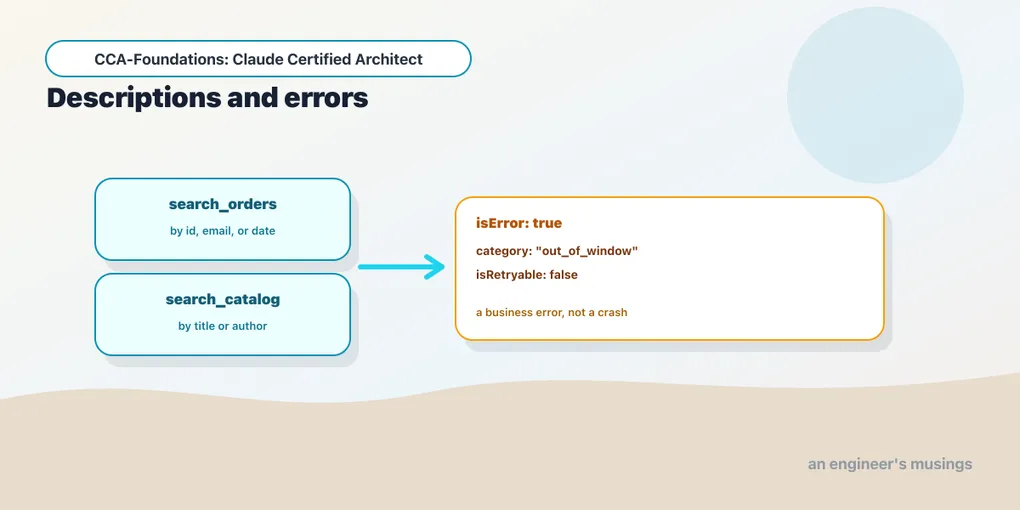
Domain 2 — Tool Design & MCP Integration — is 18% of the exam, and it opens with the two things that most determine whether an agent’s tools actually work: whether the model picks the right tool, and whether it can recover when a tool fails. Both come down to what you write, not what you code — a description and an error shape. This post covers Task 2.1 (tool interfaces) and 2.2 (structured errors). Tool and error mechanics here build on the MCP series, which is run-verified against the official SDKs; claims about how a live model selects among tools are marked ⚠️ for this series’ key-based pass.
The description is the interface
The single most important fact in this domain: a tool’s description is the primary mechanism the model uses to select it. The model does not see your implementation — it sees the tool’s name, its input schema, and its description, and from those it decides whether and when to call it. A thin description (“searches documents”) gives the model nothing to distinguish this tool from three similar ones, and selection becomes a coin flip.
A good description does four things the blueprint names explicitly: states the input format, gives example queries, notes edge cases, and draws boundaries: when to use this tool versus a similar alternative. That last clause is the one people skip and the exam rewards.
from claude_agent_sdk import tool

@tool(
    "lookup_order",
    "Look up a single order by its exact order ID (e.g. 'A17'). "
    "Returns status, items, and totals. Use this when you have a specific order ID; "
    "for finding orders by customer, use search_orders instead.",
    {"order_id": str},
)
async def lookup_order(args): ...
The description tells the model the input (an exact ID), an example (A17), and the boundary (use search_orders for the by-customer case). That boundary clause is what prevents the model from reaching for lookup_order when it only has a customer name.
Overlap is the enemy of selection
The classic failure the exam tests: two tools with near-identical descriptions — analyze_content and analyze_document — and the model misroutes between them because nothing distinguishes them. Overlap is a design bug, and there are two fixes.
Rename and re-scope to eliminate the overlap. analyze_content with a vague description becomes extract_web_results with a web-specific one — now the name and description together make its purpose unambiguous, and the model stops confusing it with a document analyzer.
Split a generic tool into purpose-specific ones with defined input/output contracts. A catch-all analyze_document is three tools wearing one name; split it into extract_data_points, summarize_content, and verify_claim_against_source, each with a tight description, and the model selects among clear choices instead of guessing what mode of analyze_document you meant. (⚠️ that better-scoped tools improve live selection is the documented behavior, pending the key pass; the design principle — one clear job per tool — is the same tool-scoping discipline that recurs across agent design.)
One subtlety worth carrying into the exam: the system prompt can override a good description. Keyword-sensitive instructions (“always analyze the content first”) can create an unintended association that pulls the model toward a particular tool regardless of what its description says. So when tool selection misbehaves, review the system prompt for keywords, not only the tool descriptions — a well-written description can be defeated by a stray instruction.
Structured errors: let the agent recover
When a tool fails, how it reports the failure decides whether the agent can do anything useful about it. This is Task 2.2, and the anti-pattern it targets is the generic "Operation failed" — a uniform error that tells the agent nothing, so it can’t decide whether to retry, apologize, escalate, or try another path.
MCP communicates a tool failure with the isError flag on the tool result (verified in the MCP series). But the flag alone isn’t enough; the content of the error is what enables recovery. The blueprint’s model is to classify every failure into one of four categories, because each demands a different response:
- Transient: a timeout or a service being briefly unavailable. Retryable.
- Validation — the input was malformed. Not retryable as-is (the agent must fix the input first).
- Business — a policy violation (a refund outside the return window). Not retryable — the answer won’t change on a retry.
- Permission — the caller isn’t allowed. Not retryable without a permission change.
So a good error response carries structured metadata: an errorCategory, an isRetryable boolean, and a human-readable description the agent can relay to the user:
return {
    "isError": True,
    "content": [{"type": "text", "text": (
        '{"errorCategory": "business", "isRetryable": false, '
        '"message": "Order A17 is outside the 30-day return window (delivered 45 days ago)."}'
    )}],
}
The isRetryable: false is what stops the agent from burning turns retrying a business rule that will never pass, and the human-readable message is what lets it explain the refusal to the customer rather than saying “something went wrong.” (⚠️ live agent recovery behavior pending the key pass; the isError shape is verified from the MCP work.)
Two distinctions the exam presses
Two finer points that show up as exam traps, both about not confusing failure with a valid outcome:
Access failure vs. valid empty result. A tool that couldn’t run (a timeout) is a failure needing a retry decision. A tool that ran successfully and found nothing (a customer search with no matches) is a valid empty result, not an error. Reporting “no matches” as an error makes the agent retry a query that will keep returning nothing; reporting a timeout as an empty result makes the agent think the customer doesn’t exist. The two must be distinguishable in what the tool returns.
Local recovery vs. propagation (which reaches forward into multi-agent error handling). A subagent should handle transient failures locally — retry the timeout itself — and only propagate to the coordinator the errors it genuinely cannot resolve, along with partial results and what it attempted. A subagent that propagates every hiccup floods the coordinator; one that silently swallows a real failure hides it. The right line is: recover what you can, and report what you can’t with enough context for the coordinator to decide.
Final thoughts
Tool design is interface design for a reader that only sees the interface. A description must differentiate a tool from its neighbors — input, examples, edge cases, and the boundary against similar tools — and overlapping tools get renamed or split until each has one clear job, with the system prompt checked for keywords that override them. Errors must be structured: a category, a retryable flag, and a human-readable message, with valid-empty-results kept distinct from access failures and transient errors recovered locally. Get both right and the agent selects well and fails gracefully; get either wrong and no amount of loop logic saves it.
Next: distributing tools and integrating MCP servers — scoping tool access, tool_choice, wiring MCP servers, and using the built-in tools well.
Comments